

Security Controls
Configure the security controls in Ours Privacy, including multi-factor authentication, inactivity timeout, least-privilege access, encryption, and HIPAA-compliant audit logging.
Use this page to understand the security controls that protect your data in Ours Privacy. These controls run across the platform, from how users sign in to how data is stored and audited.
Open Account Settings in appSign-in and session settings
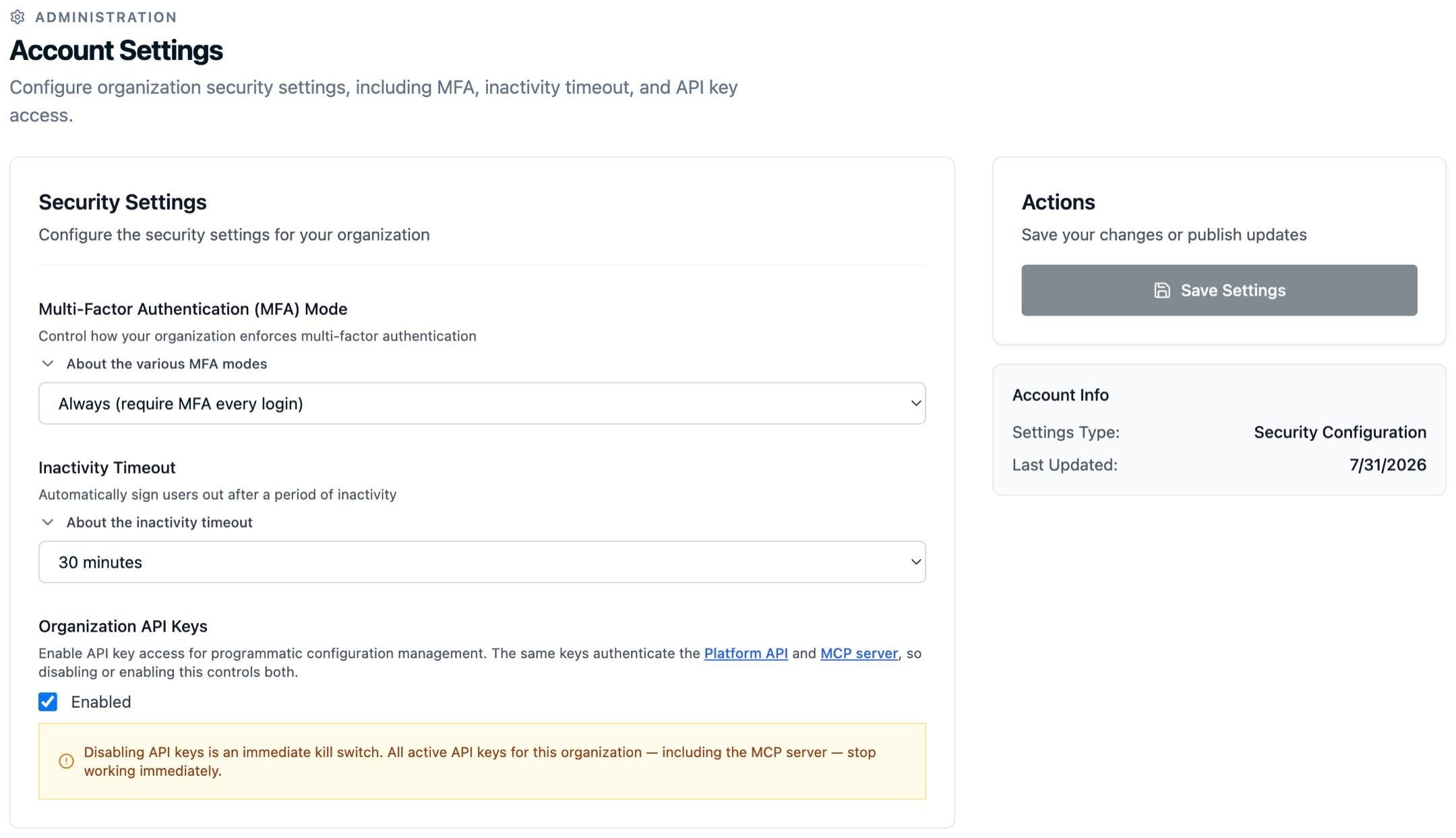
The first three controls live together in Security Settings on your Account Settings page.
Multi-factor authentication (MFA)
MFA adds a verification step beyond a password when users sign in. Choose how strictly your organization enforces it:
- Always: require MFA on every login.
- Prompt: ask for MFA, but let users skip it.
- Off: never require MFA.
Inactivity timeout
Sign users out automatically after a period of inactivity, so an unattended device does not leave a session open. Pick a timeout from 5 to 60 minutes to match your security policy; the default is 60. Activity means mouse, keyboard, and touch events, and the timer is shared across browser tabs.
Organization API keys
API keys let your own systems call the Platform API and the MCP server on your organization's behalf. The toggle governs both.
Turning it off is an immediate kill switch: every active key in your organization stops working right away, so any integration using one loses access. You can turn it back on later, but you will need to create new keys.
HIPAA-compliant audit logging
Actions taken through the platform, including user changes, configuration changes, and data access, are logged to support your HIPAA audit-trail obligations.
- Detailed records: each entry captures the timestamp, user, action, and affected resources.
- Retention: audit records are retained for compliance and are excluded from account deletion, so history stays available for a later review.
- Self-serve review: the Audit Log in the app covers data access, configuration changes, and authentication for periodic access reviews.
- Full export: when a compliance or legal review needs the complete record, request a full export from the Audit Log page.
- Streaming to your SIEM: the same trail can be streamed into Splunk, Microsoft Sentinel, or another SIEM your team runs. See SIEM Audit Log Streaming.
Configure least privilege
Fine-grained access controls let you give each user only the resources and actions their job requires. Use policies to scope permissions precisely. See Policies and Permissions for setup.
- Granular permissions: control access at the resource, action, and data level.
- Custom policies: build policies with specific permission sets and assign them to users.
- Resource-level security: restrict access to specific destinations, sources, or data streams.
- Action-specific controls: limit users to specific operations such as read, write, or delete.
- Data-level restrictions: control access to sensitive fields and properties.
Data protection and privacy
Your data is protected at multiple layers:
- In transit: encrypted with TLS 1.3 during transmission.
- At rest: encrypted when stored.
- Data residency: your data is stored and processed in the United States.
General security standards
- SOC 2 Type II: Ours Privacy maintains a SOC 2 Type II report covering all five Trust Services Criteria. See the Security Center.
- HIPAA: built-in controls for healthcare data protection, with a Business Associate Agreement (BAA) available.
- Strong passwords: password complexity requirements are enforced.
- Secure development: regular security updates, vulnerability assessments, and a secure development lifecycle.
Next Steps
- Policies and Permissions: Set up policies and granular access.
- Enterprise SAML Single Sign-On: Connect your identity provider.
- SIEM Audit Log Streaming: Stream the audit trail into Splunk, Microsoft Sentinel, or another SIEM.
How is this guide?