

Policies and Permissions
Set up policies and granular permissions in Ours Privacy to control user access, track PHI access, and support HIPAA compliance.
Use this page to set up the policies and permissions that control what each person on your team can access. Permissions are grouped into policies you assign to users, so you can grant the right access by job function rather than one setting at a time.
Open Policies in appPolicy management
Create policies to define permission sets for different groups of users.
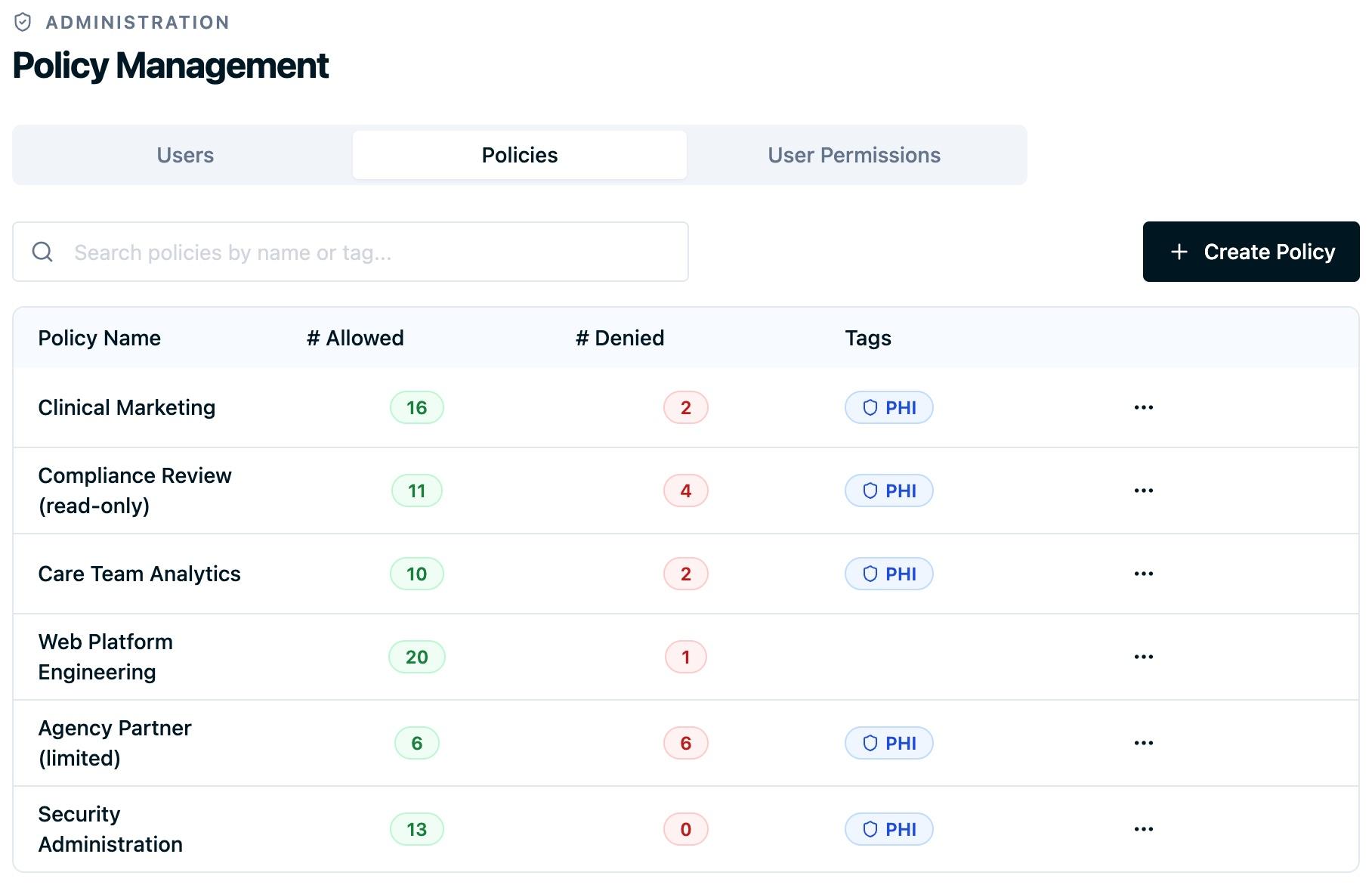
Custom policy creation
Give each policy a descriptive name and purpose so its use is clear. Build policies to match a team structure, a business requirement, or a compliance need.
Start from a preset if one is close to what you need, then adjust it. Each preset shows how many permissions it grants before you apply it.
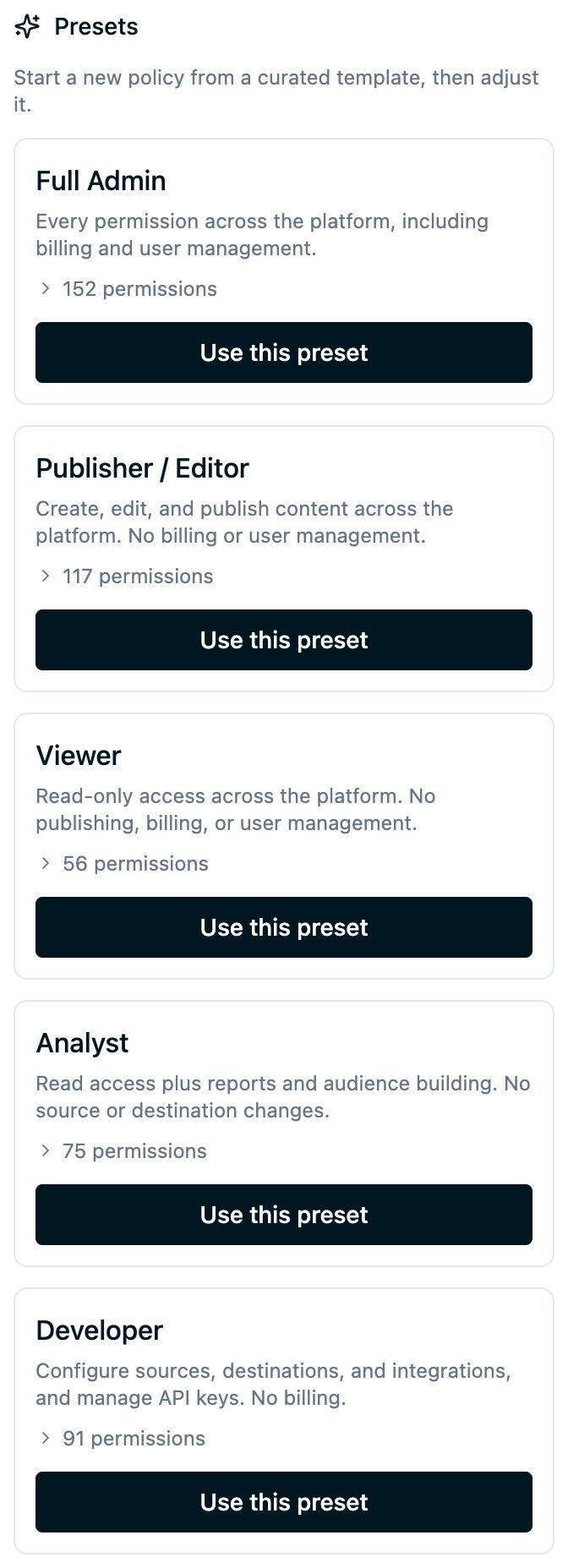
Granular permission control
Configure individual permissions within a policy, scoped to a resource and an action. For example:
allowedEvent:findviews allowed event detailsallowedEvent:createcreates new allowed eventsallowedEvent:deletedeletes allowed eventsallowedEvent:updatemodifies existing allowed eventsallowedEvent:listlists all allowed events
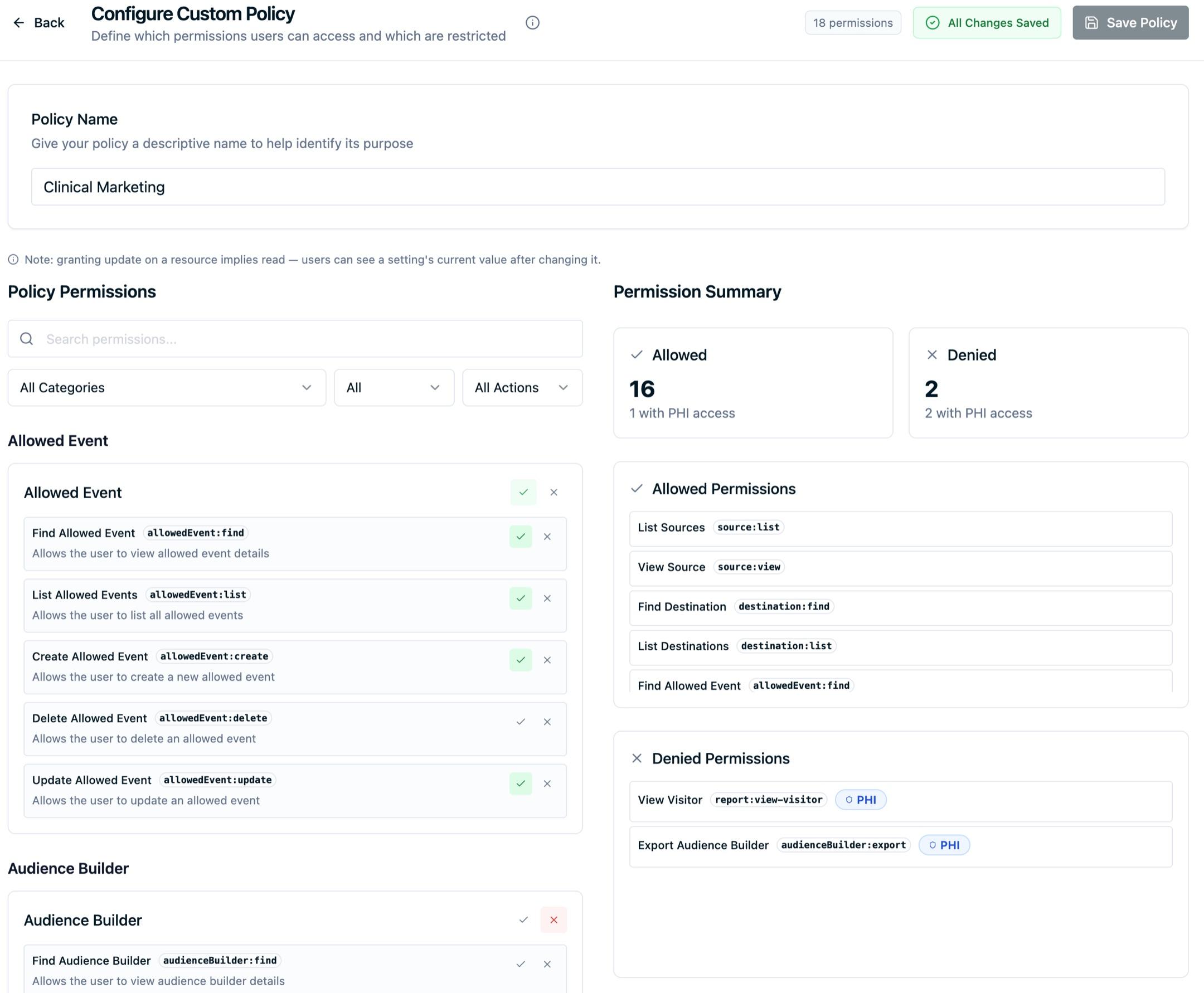
Permission categories
Permissions are grouped by category and action so policies stay easy to configure:
- Event Management: create, view, edit, and delete events
- Billing: view and modify billing information
- Consent Settings: manage consent configuration
- User Management: invite users, assign roles, and modify accounts
- Organization Settings: manage organization-level configuration
- Data Access: access sensitive data and PHI-related information
PHI access tracking
Each permission shows whether it grants access to Protected Health Information (PHI), so you can see where sensitive healthcare data is reachable and keep that access aligned with HIPAA requirements.
Policy assignment
Assign one or more policies to a user. When a user has several policies, their access is the combined set of permissions across all of them.
User permission management
Individual user configuration
Set permissions for each user independently when their access needs to differ from a shared policy.
Inline permission editing
Edit a user's permissions directly, with search and filtering to find the permission you need. Changes are reflected as you make them.
Permission summary
View the allowed and denied permissions for any user, including which ones grant PHI access. This gives you a clear picture of each user's access during a compliance audit.
Audit trail
Every permission change is logged with a timestamp, the user, and the details of the change, so you have a record for compliance and security reviews. These entries can also be streamed into your SIEM, which is the usual way teams alert on a permission change that grants PHI access. See SIEM Audit Log Streaming.
Best practices
- Build policies around job functions, not individual people.
- Use descriptive names that make a policy's purpose obvious.
- Review and update policies as your team and needs change.
Next Steps
- Security Controls: Configure MFA, inactivity timeout, and data protection.
- Account Management Features: Manage users, roles, and organization settings.
- SIEM Audit Log Streaming: Stream permission changes and data access into your SIEM.
How is this guide?