

Account Management Features
Manage users, roles, and access in Ours Privacy, with organization switching, one-click authentication, verified domains, and HIPAA-compliant audit logging.
Ours Privacy gives you the tools to manage your team, control who can access what, and keep a complete record of activity for compliance. This page is the overview; each capability links to a page that covers it in depth.
Open User Management in appUser and organization management
- User management. Update names, email addresses, passwords, and two-factor authentication (2FA) settings for your team without leaving the app.
- In-app organization management. Invite new users, assign or change roles, and remove access as your team changes.
- Verified domain addition. Add a verified domain so anyone with a matching email address joins your account automatically, with no manual setup per person.
- Team management. Invite team members and manage seats from the app. Your plan determines the number of seats; contact your account representative to adjust it.

Authentication
- One-click authentication. Sign in with Microsoft or Google instead of a password.
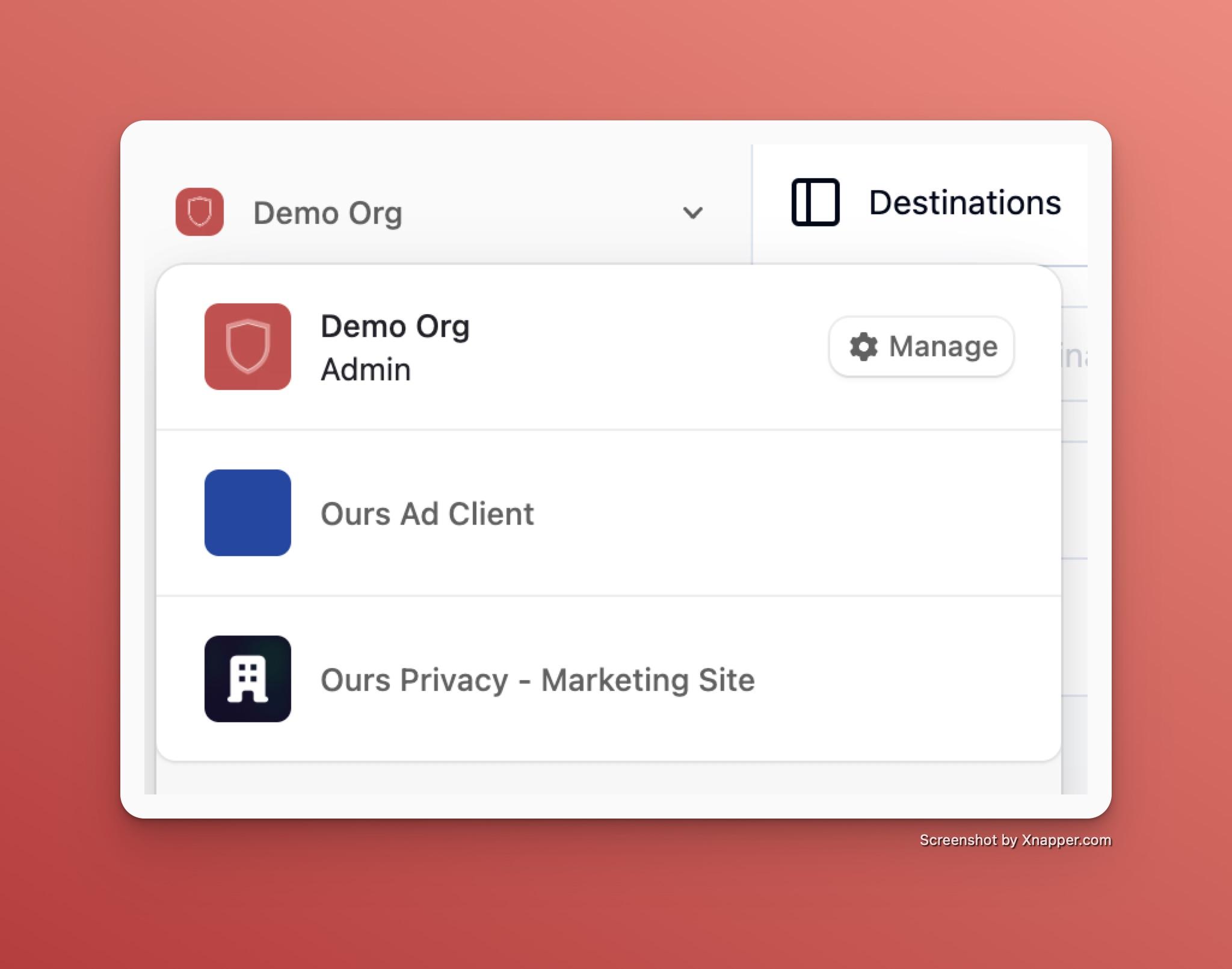
- Organization switching. Switch between organizations where you are already a member in the same browser tab, without signing out. To give another email address access, invite it as a separate member from User Management.
- Enterprise SAML SSO. Connect your own identity provider for organization-wide sign-on. See Enterprise SAML Single Sign-On.
Access control and security
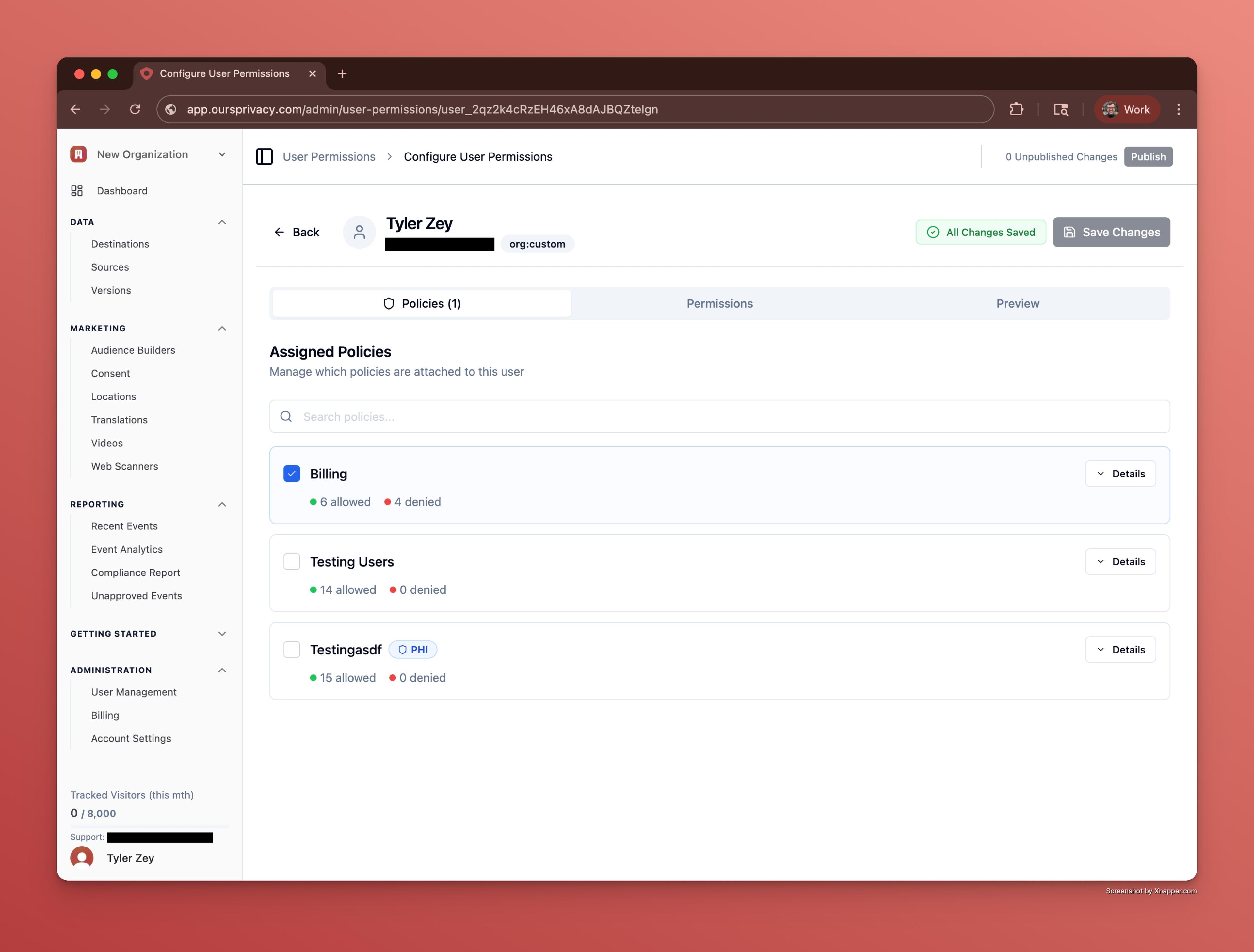
- Policies and permissions. Define policies and granular permissions so each person can access only what their job requires. See Policies and Permissions.
- Security controls. Configure multi-factor authentication, inactivity timeout, and data protection. See Security Controls.
- Audit logging. Actions taken through the platform are logged with a timestamp, the user, and what changed, supporting your HIPAA audit-trail obligations. Review activity in the Audit Log and request a full export when a compliance or legal review needs the complete record.
- SIEM audit log streaming. Stream data access, configuration, and authentication events into Splunk, Microsoft Sentinel, or another SIEM your security team runs. See SIEM Audit Log Streaming.
Compliance
Ours Privacy maintains a SOC 2 Type II report covering all five Trust Services Criteria (security, availability, processing integrity, confidentiality, and privacy). Your data is stored and processed in the United States, and a Business Associate Agreement (BAA) is available for HIPAA-regulated workflows. For our security practices, certifications, and report access, visit the Security Center.
Next Steps
- Policies and Permissions: Set up policies and granular access.
- Security Controls: Configure MFA, inactivity timeout, and data protection.
- Enterprise SAML Single Sign-On: Connect your identity provider.
- SIEM Audit Log Streaming: Stream the audit trail into Splunk, Microsoft Sentinel, or another SIEM.
How is this guide?