

Customer.io Integration
Configure Customer.io in Ours Privacy to send identified events, update profiles, and record anonymous page activity before a person is identified.
Use this page to configure Customer.io event tracking and profile updates in Ours Privacy. You can also record anonymous events and page activity before a person signs up or logs in, then associate it with their Customer.io profile.
Requirements
- A Customer.io account
- API key and Site ID from Customer.io Settings
- Anonymous event merging enabled in Customer.io when you want to associate anonymous activity with a profile
Setup
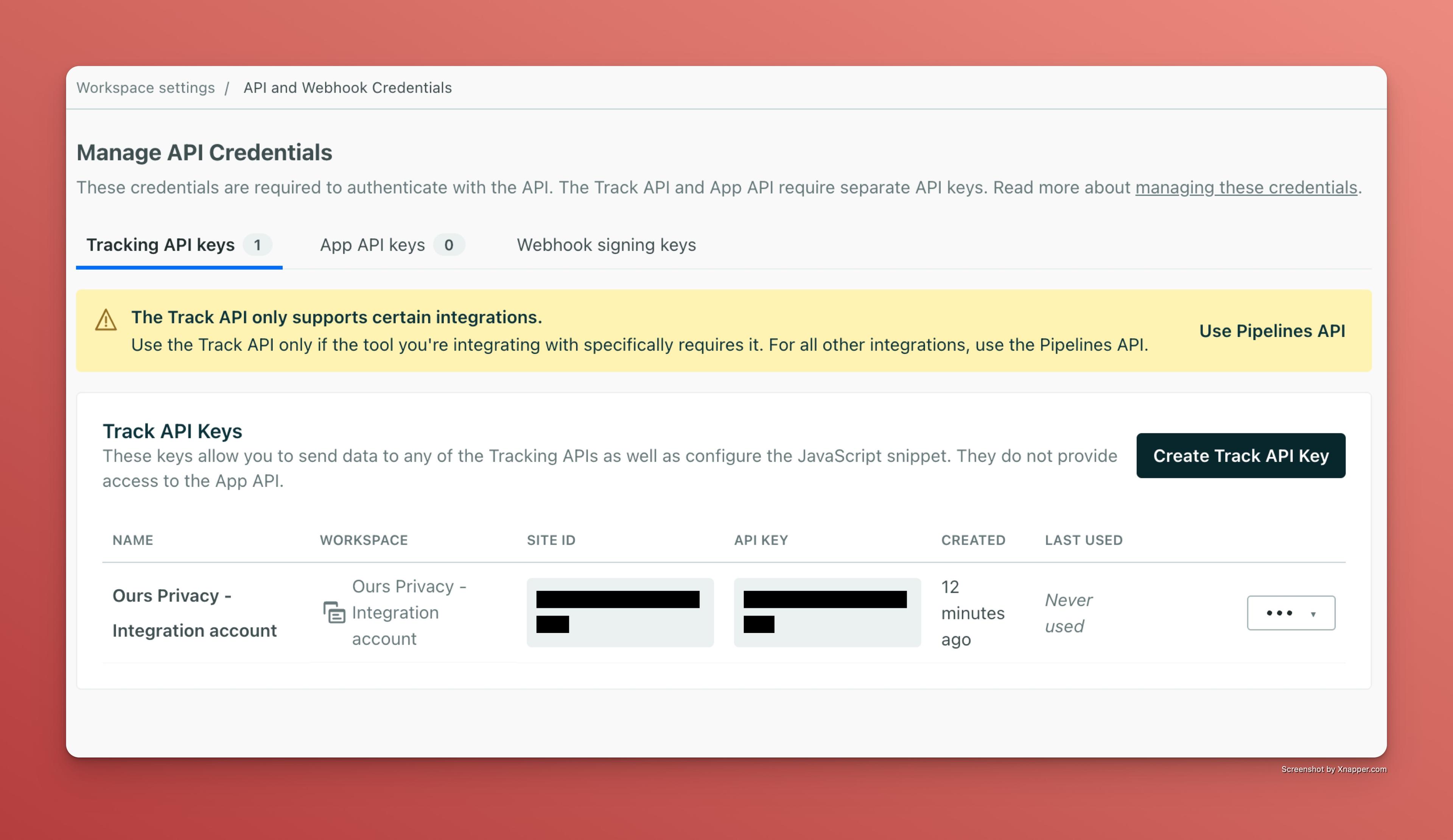
- Navigate to your Customer.io Settings and find "API Credentials"
- Create a new API key with the appropriate permissions
- Add the API key and Site ID to your Ours Privacy destination settings
- Configure the action and mappings for the events you want to send
Data Mapping Actions
Choose an action in the Customer.io mapping. The mapping screen is the source of truth for field-level configuration.
Important: A Customer.io profile can have multiple identifiers, but each event or profile update uses one identifier. Ours Privacy uses Email by default when it has a value. To use ID or Customer.io ID instead, set the Email mapping to Null and map only the identifier you want to use. Review Customer.io's Track v2 entity documentation and guidance for identifying people before changing your mapping.
Event
Use Event when Customer.io can already identify the person. Map one profile identifier, then map the Event Name and any Event Data that should be available to Customer.io campaigns.
Identify
Use Identify to create or update a Customer.io profile. Map one profile identifier and add any profile attributes you want to update.
Anonymous Event
Use Anonymous Event for activity that happens before a person can be identified, such as browsing or adding an item to a cart. Explicitly enable and map an Anonymous ID, then use a stable Event ID to prevent duplicate events when delivery is retried.
Page
Use Customer.io Page to record anonymous page activity. Map the Anonymous ID and Event Name, then include page details, such as the URL or title, in Page Data when you want to use them in Customer.io campaigns or segments.
To associate anonymous activity with a profile:
- Configure an Anonymous Event or Customer.io Page mapping and retain a consistent Anonymous ID.
- Configure an Identify mapping with the same Anonymous ID when the person signs up or logs in.
- Enable Anonymous event merge in Customer.io's workspace settings.
Customer.io retains anonymous events for up to 30 days. Send identified events with the profile identifier after identification, rather than continuing to use the Anonymous ID.
Important: Customer.io only associates anonymous events that share the Anonymous ID with a profile update during its merge window. Review Customer.io's anonymous event guidance before choosing this workflow.
Common Use Cases
Profile Updates
When a visitor signs up or updates their information, you can automatically update their Customer.io profile with details like:
- Name and contact information
- Company details
- Subscription preferences
- Custom attributes
Event Triggers
Send events to trigger automated email sequences, such as:
- Welcome emails when someone signs up
- Abandoned cart reminders
- Product recommendations based on browsing behavior
- Re-engagement campaigns for inactive users
Pre-Signup Activity
Track product views, content engagement, or cart activity before registration. When the person signs up, use Identify with the same Anonymous ID so Customer.io can use that activity in the person's profile.
Example Mapping

Privacy and Compliance
Review the data in each mapping before enabling the destination. Your Customer.io configuration and data-sharing practices should meet the privacy, consent, and HIPAA requirements that apply to your organization.
Next Steps
- Review Customer.io's Track API documentation for Customer.io-side behavior.
- Configure your destination mappings for each Customer.io workflow.
- Contact support@oursprivacy.com for help with your destination configuration.
How is this guide?