

Event And Identity
Event Replay
A comprehensive guide to using the Event Replay feature in Ours Privacy, allowing you to resend historical events with control over deduplication, mapping, and destination processing.
The Event Replay workflow lets you request that previously tracked events be resent to a destination.
Use it when a destination missed events, or when you need past events processed with a different destination mapping. We review the request with you before the replay runs.
How Event Replay Works
-
Describe the Events to Replay
- Start from the destination that should receive the events.
- In the request, identify the event names, date range, and any criteria needed to find the events.
- Different destinations have varying limitations on how old events and click IDs can be.
- Date Range Limitations:
- Facebook: Events can only be backfilled for up to 7 days.
- Reddit: Events must be within the last 7 days.
- Google Analytics: Events are enabled in real-time only.
-
Use the Destination Configuration
- Replayed events use the destination's current mappings.
- If you need modified mappings that differ from the mappings used for events being sent from your current events:
- Set up a new destination.
- Configure its mappings for the replayed events.
- Request the replay for that destination.
-
Confirm the Replay Details
- Tell us whether to retain or generate a new deduplication ID.
- Note whether the destination should receive the original event time or the current time.
- We verify the requested settings before sending the replay.
Starting an Event Replay
-
Go to the Destination Page
- Navigate to the Destinations section in the Ours Privacy dashboard.
- Select the destination where you need to replay events.
-
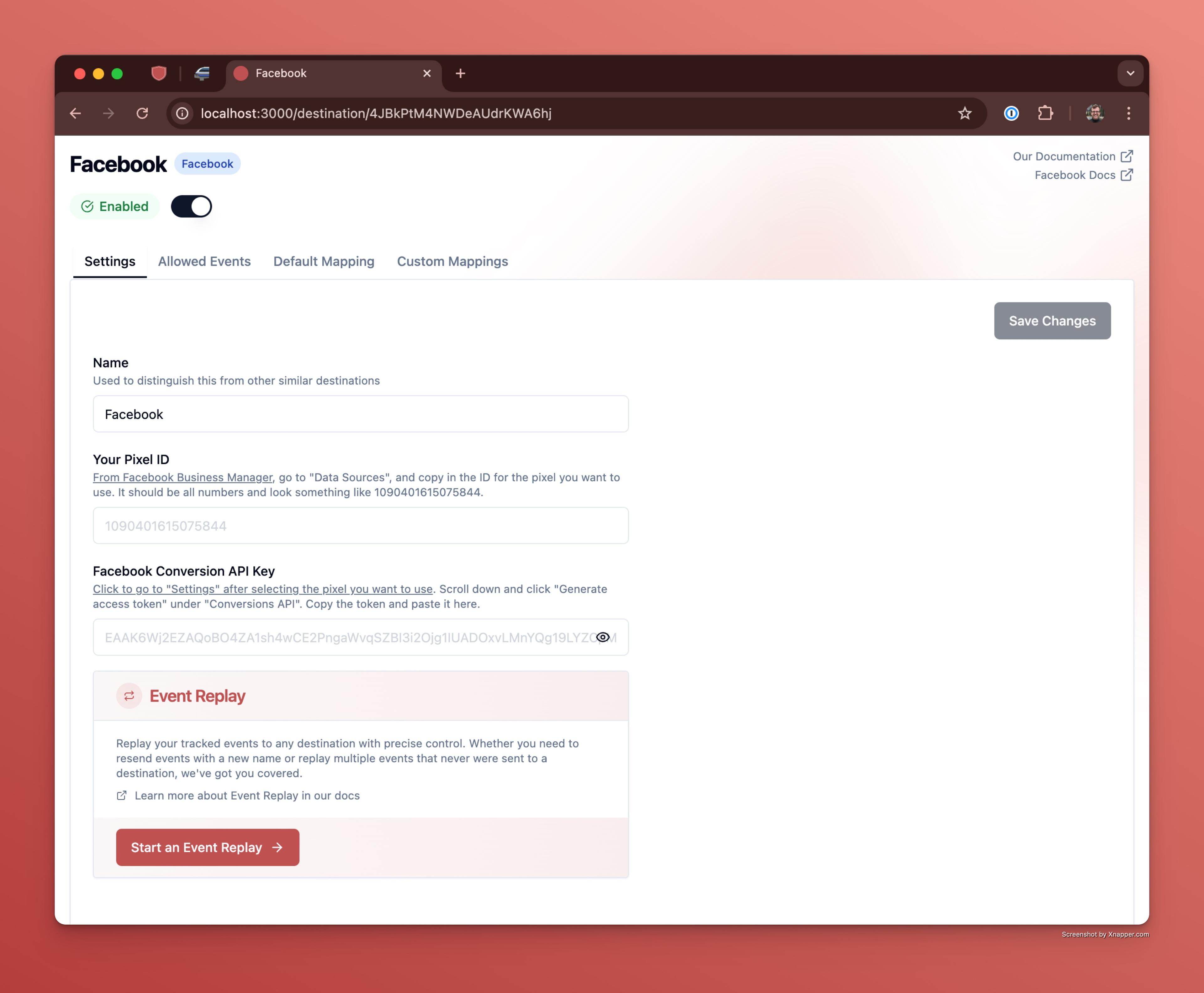
Click "Start an Event Replay"
- This opens the request flow from the destination's settings.
- Continue and describe the replay
- Include the event names, deduplication preference, event-time preference, and any mapping requirements. Add an optional start and end date to help Ours find the events faster.
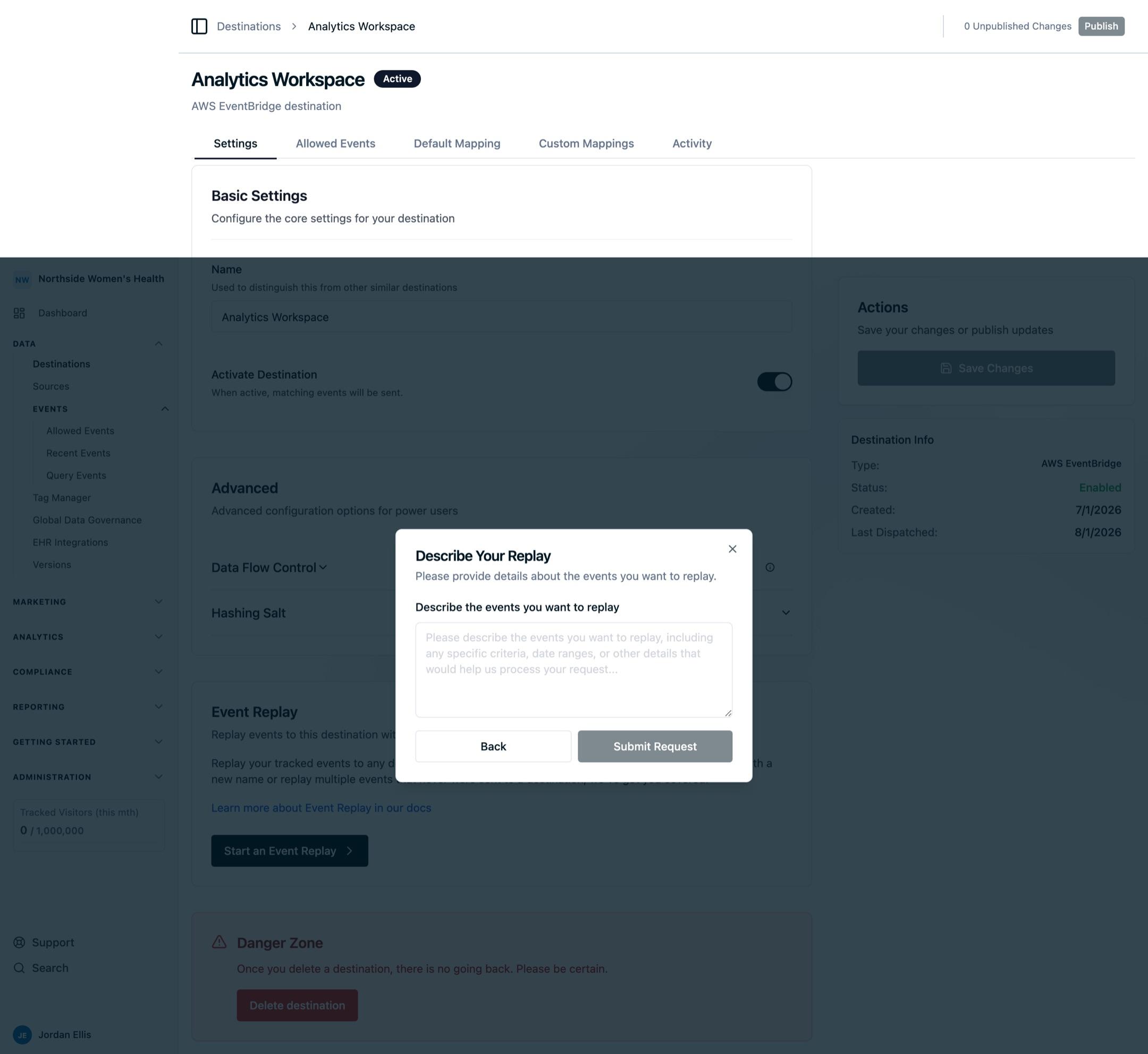
- Submit the request
- We will verify and confirm the settings with you before sending the replayed events.
How is this guide?