

Warehouse Destinations
Configure batch delivery of your event data to data warehouses and storage solutions, with a daily default and an optional hourly sync frequency
Warehouse Destinations are designed for batch delivery of your event, dispatch, and visitor data. By default, data syncs once per day after all events have settled. You can also opt into an hourly sync frequency for fresher data. Unlike Programmatic Destinations that send events in real time, Warehouse Destinations collect and package your data into files for analytics, storage, and clean-room workflows.
How Warehouse Destinations Work
- Event Collection: Throughout the day, events are collected and stored securely in our platform
- Settlement Period: Events are allowed to settle and complete any necessary processing
- Scheduled Delivery: On your destination's sync frequency (daily by default, or hourly), we:
- Aggregate your events and dispatches for the sync window
- Collect visitor records that have been recently updated
- Process and format the data according to your destination's requirements
- Package the data into appropriate file formats
- Deliver the dataset to your configured destination
Sync Frequency
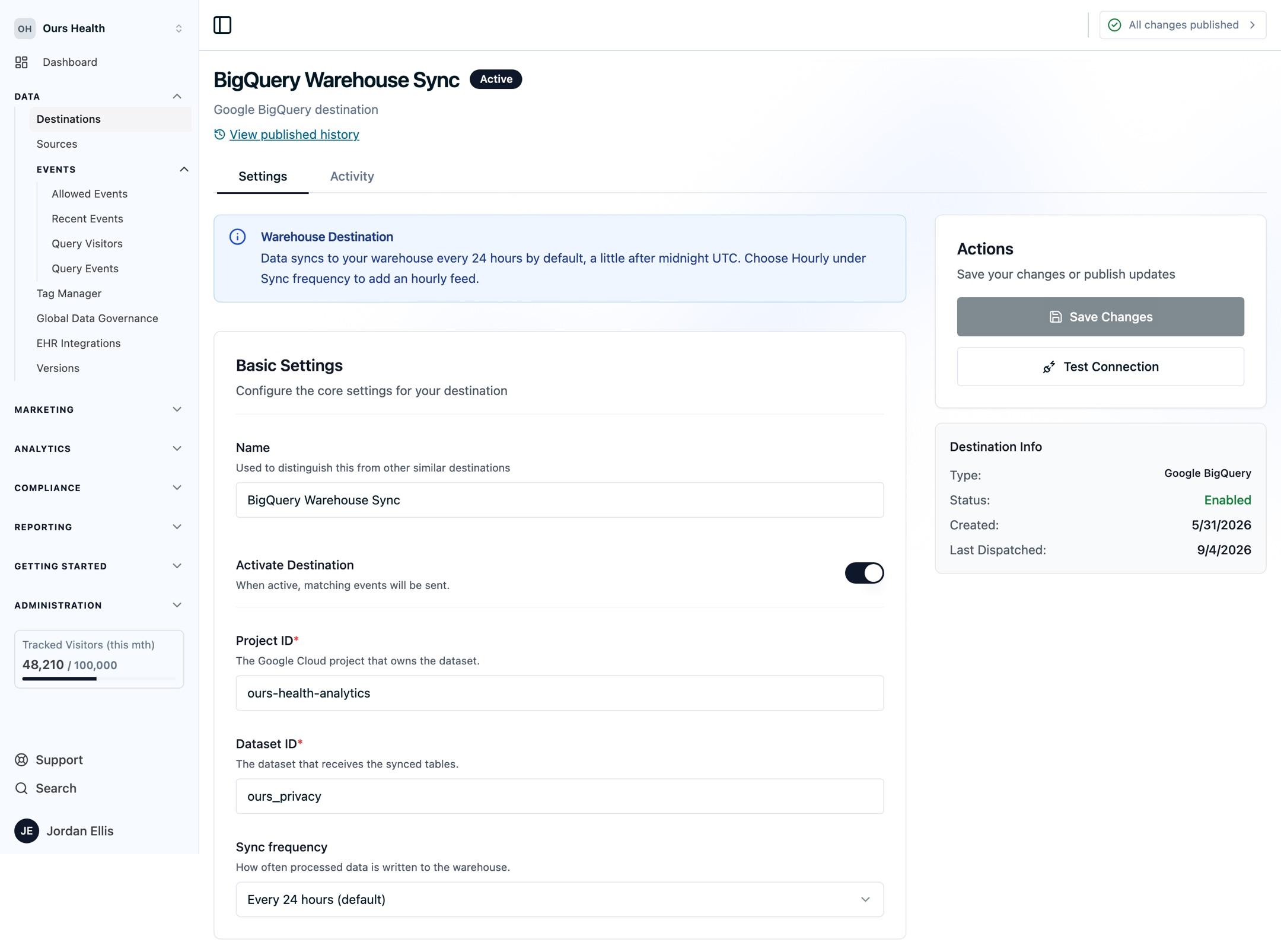
Every Warehouse Destination has a Sync frequency setting with two options:
- Every 24 hours (default): Once per day, we deliver the previous full day of events, dispatches, and recently updated visitors into that day's folder (
{events,dispatches,visitors}/YYYY/MM/DD/). This is the default for every destination. - Hourly: Shortly after each hour closes, we deliver that completed hour into its own immutable folder under a separate
live/prefix (live/{events,dispatches,visitors}/YYYY/MM/DD/HH/). Each hour is written once and never modified, so the hourly feed is append-safe and never produces duplicate records.
Change the setting on the destination's Settings tab and publish. Because each hour is written once into a new folder and never overwritten, hourly delivery needs no additional permissions beyond the write access you already grant, and it works cleanly with append-based loaders such as the BigQuery Data Transfer Service. The daily feed in {events,dispatches,visitors}/YYYY/MM/DD/ remains the complete record for each finished day; the live/ feed gives you the current day sooner.
Note: Each hour is sealed a short time after it closes (about 15 minutes), so the hourly feed runs roughly an hour behind real time. Hourly delivery makes Ours Privacy data usable for operational and reverse-ETL workflows, not just next-day reporting. The daily default remains best for cost-sensitive analytics and historical archiving.
Scheduled Reports for Partners
Warehouse Destinations deliver your complete event, dispatch, and visitor data. When a media partner, an analytics vendor, or your own data team needs a curated file on a schedule, with identifier checks and small-count suppression, use Scheduled Reports instead. Scheduled Reports deliver CSV, TSV, or Parquet files to Amazon S3, Google Cloud Storage, SFTP, or a hosted pull bucket, hourly to monthly, and are configured with your account representative.
Available Destinations
- Amazon S3
- Google BigQuery
- Looker
- Snowflake
- LiveRamp
- Databricks
Connecting a BI Tool
Looker, Looker Studio, Tableau, and other BI or dashboarding tools are not warehouse destinations themselves. They read from a warehouse destination you have already configured. See Business Intelligence & Dashboarding Tools for the connection path for each tool.
Clean Rooms
Warehouse Destinations are particularly well-suited for clean room environments, where data privacy and security are paramount.
Best Practices
- Consider data retention policies in your destination
- Use appropriate security protections around your data
- Monitor delivery status and data quality
How is this guide?