

Ours Privacy MCP Server
Connect Claude Code, Claude Desktop, ChatGPT, and other AI assistants to your Ours Privacy account through the MCP server at ai.oursprivacy.com/mcp.
The Ours Privacy MCP server lets AI assistants like Claude and ChatGPT manage your account directly. Stand up new destinations, configure event mappings, manage CMP rules, run experiments, and read live results through natural language.
Ours Privacy provides the MCP server as a tool, not the AI itself. Anything an assistant does through it counts as your action, so connect only assistants you trust.
The server speaks the Model Context Protocol over Streamable HTTP at:
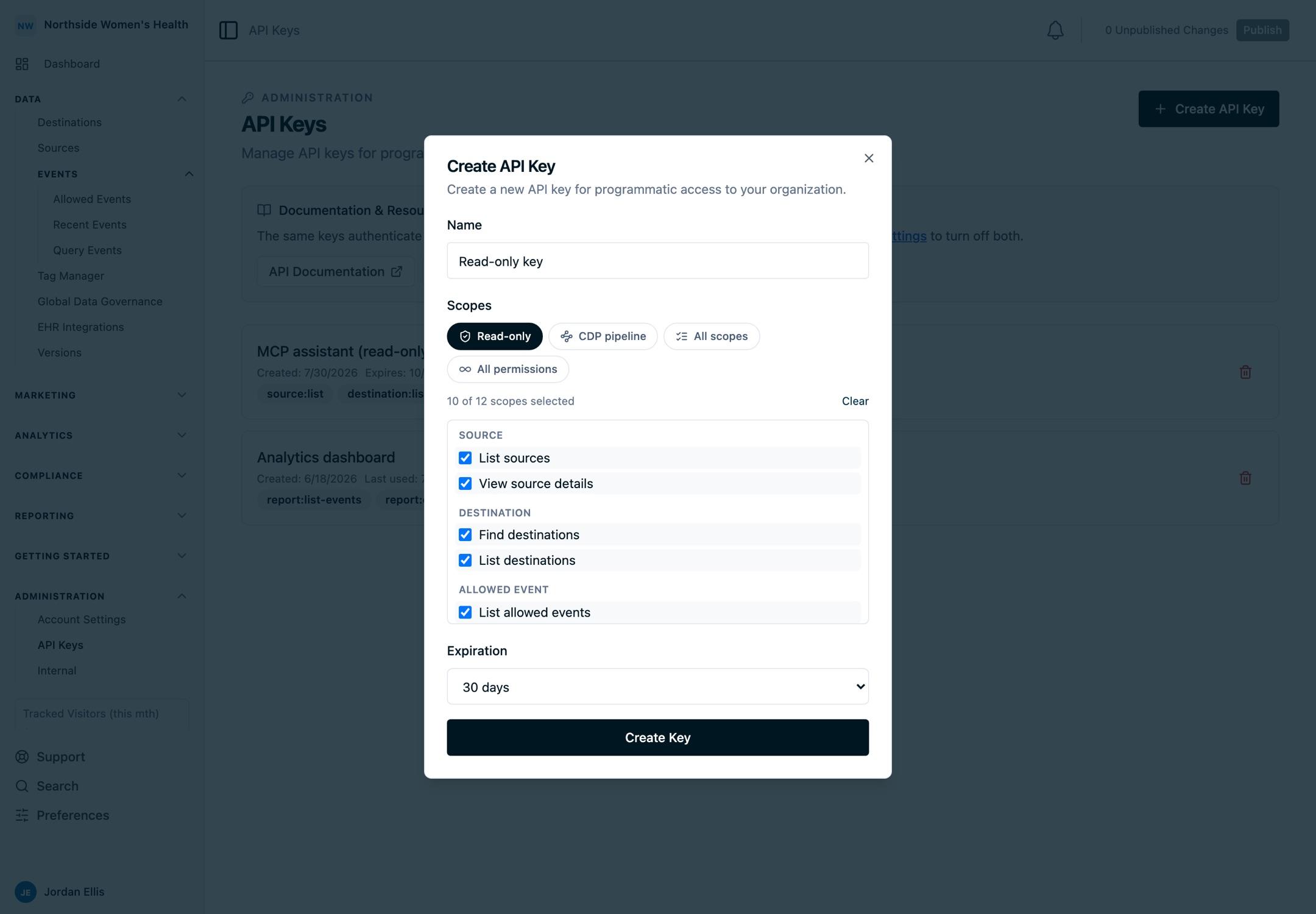
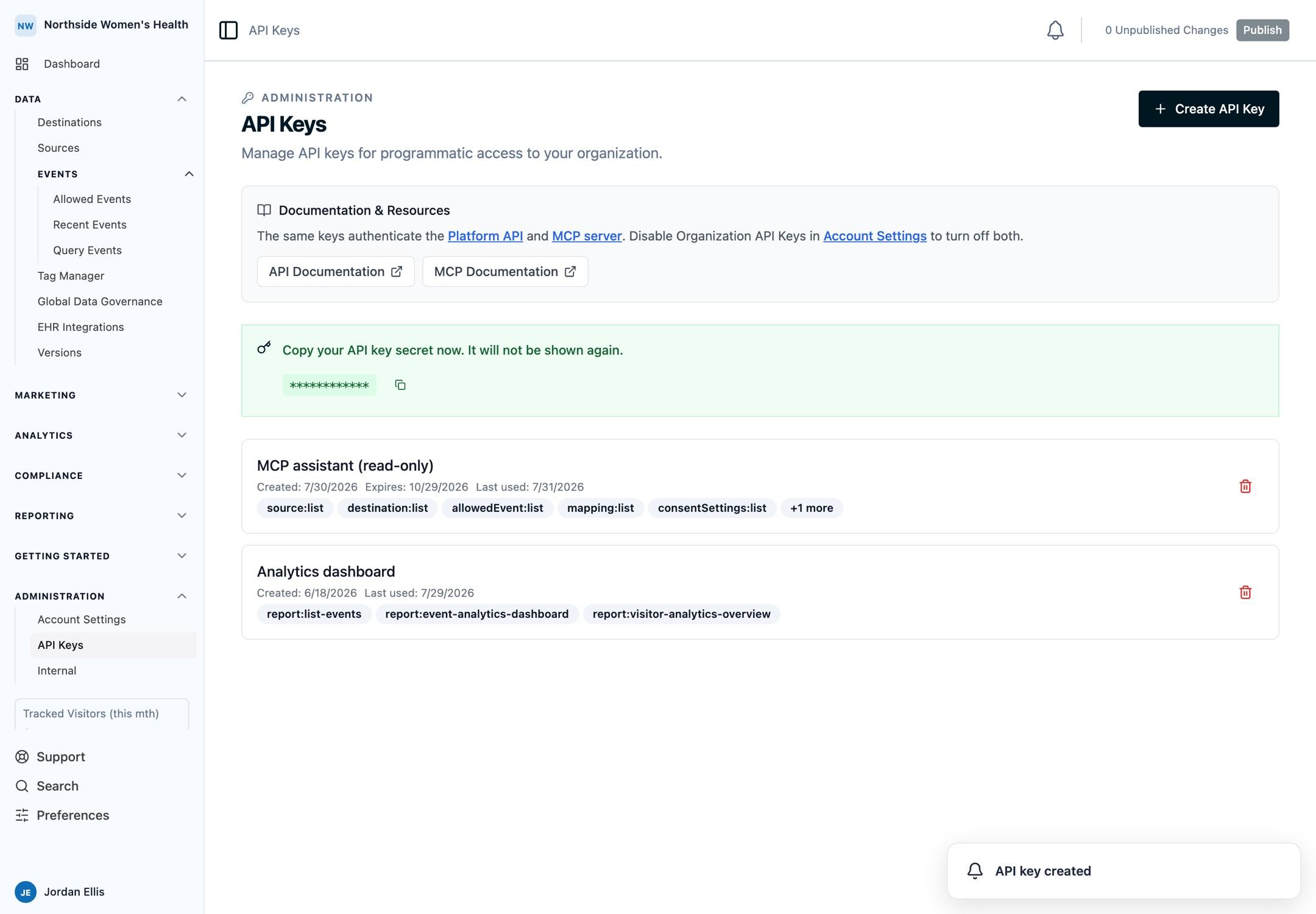
https://ai.oursprivacy.com/mcpIt uses the same Platform API keys as the REST API. Create a key in your dashboard, then plug it into the AI tool of your choice.
Open API Keys in appConnect from Claude Code
In Claude Code, register the server with one command:
claude mcp add --transport http oursprivacy https://ai.oursprivacy.com/mcp \
  --header "Authorization: Bearer YOUR_API_KEY"
Restart Claude Code, then prompt: "List my running experiments."
Full reference: Claude Code MCP docs.
Connect from Claude Desktop or claude.ai
Both clients accept remote MCP servers through their UI. No config file required.
- Open Settings → Connectors.
- Click Add custom connector.
- Set the URL to
https://ai.oursprivacy.com/mcp. - Add an
Authorization: Bearer YOUR_API_KEYheader. - Save and refresh.
oursprivacyappears in the connector picker.
Full reference: Claude Connectors docs.
Connect from ChatGPT
ChatGPT supports remote MCP servers in developer mode.
- In ChatGPT, open Settings → Apps & Connectors → Advanced and turn on developer mode.
- Under Apps, click Create.
- Set the URL to
https://ai.oursprivacy.com/mcpand add anAuthorization: Bearer YOUR_API_KEYheader. - Save. The app is selectable in the message composer.
Full reference: OpenAI MCP docs.
Connect from Codex CLI
Codex reads MCP servers from ~/.codex/config.toml. Add this block:
[mcp_servers.oursprivacy]
url = "https://ai.oursprivacy.com/mcp"
headers = { Authorization = "Bearer YOUR_API_KEY" }
Restart Codex, then prompt: "Create a new experiment named Pricing v2."
Full reference: Codex CLI MCP docs.
How the assistant finds the right tool
The server keeps its connected surface small so the assistant stays fast and accurate instead of loading a hundred tool definitions it may never use. On connect, the assistant sees four tools:
search_tools: describe the capability you need in plain words ("cookie consent banner","create a destination","web scanner findings") and get back the matching tools with their input schemas, ready to run. This is how the assistant discovers everything the platform can do.execute_tool: run any tool thatsearch_toolsreturned, by name and arguments. The arguments are validated before anything runs.list_skills: see the guided, multi-step workflows below.run_skill: load a skill's step-by-step playbook.
You don't manage any of this. You prompt in natural language; the assistant searches for the tools it needs, runs them, and reports back. The full catalog (sources, allowed events, data governance, mappings, destinations, versions, experiments, tag manager, consent, heatmaps, and the web scanner) is reachable this way even though only the four tools above are connected directly.
Search runs on the server with plain keyword matching, so no part of your prompt is sent to a separate model for it. Describe what you want in a few words; more specific phrases find the right tool faster.
Every tool checks your API key before doing anything, whether searching, loading a skill, or running an operation. An invalid or revoked key returns a clear authentication error instead of results, so a bad key never silently returns a partial answer.
Guided workflows (skills)
Skills are ready-made playbooks for common multi-step jobs. The assistant calls list_skills to see what's available, then run_skill to load the steps and follow them. A skill only returns guidance; it never changes your account on its own. Skills available today:
set-up-consent: stand up a CMP consent banner end to end and publish it live.configure-destination-end-to-end: wire a destination through the event pipeline, from picking a type to publishing.set-up-web-source: create a web source, fetch its install snippet, and confirm events are flowing.audit-site-web-scanner: review the trackers a scan found and clear each one with a suppression rule or consent.
Just describe the goal (for example, "help me set up a cookie consent banner") and the assistant picks the matching skill and walks the steps.
What you can do
The assistant searches the catalog for tools across the full CDP lifecycle:
- Destinations: list, create, configure, and remove event-dispatch destinations. Use
list_destination_typesto discover available types and their settings before creating one. - Mappings: bind allowed events to destinations, edit field mappings and condition logic, and reorder mapping priority. Use
list_mapping_templates,list_default_variables,list_custom_variables, andlist_mapping_modificationsto discover the valid property bindings and transforms. - Default mappings: view and replace the catch-all mapping that runs when no other mapping on a destination matches.
- Experiments: create, edit, start, pause, resume, stop, delete, and read live results; set targeting rules, traffic allocation, and goal metrics; view session replays per experiment.
- Variants: add, update, and delete treatment variants on an experiment.
- Experiment settings: manage the variant-assignment cookie name and the domain allowlist that controls where experiments are allowed to load.
- Consent settings: create, inspect, update, replace, and delete CMP records, including categories, vendor/service categorization, default rules, regional overrides, domains, and linked WebSource tokens.
- Consent analytics: read CMP banner impressions, opt-ins, opt-outs, close-icon clicks, page breakdowns, region rollups, and account-wide Global Consent Center blocking stats.
- Versions: list, inspect, update, publish a new version, rollback to a prior version, view the full configuration snapshot, and diff against any version.
- Heatmaps: find pages with high-friction visitor behavior, drill into per-page click, dead-click, rage-click, and scroll signals, and surface curated session replays for human review.
More resources roll out alongside the Platform REST API.
Example: stand up a new destination by prompt
_"Create a Klaviyo destination called 'Main Klaviyo' with my project API key
pk_live_.... Then attach a mapping that sends thepurchaseallowed event to it using the default template, and publish the version."_
The assistant searches the catalog, then chains list_destination_types → create_destination → list_mapping_templates → create_mapping → publish_version without you naming the tools. (For this exact job it can also run_skill the configure-destination-end-to-end playbook.)
Example: configure a CMP regional rule by prompt
_"Create a CMP record named 'Main CMP'. Add
example.comto the allowed domains, categorize Google Analytics as analytics, and add a California opt-in regional rule. Then publish the version."_
The assistant chains create_consent_setting → get_consent_setting → update_consent_setting → publish_version. Nested CMP arrays are replaced as complete values, so for changes to one vendor, category, or region the assistant first fetches the current record, edits the relevant services, categories, default, or regions value, then sends the full updated value. Agents can use replace_consent_setting for full-state updates and delete_consent_setting to remove a draft CMP record.
Example: pull CMP region analytics by prompt
_"For the Main CMP, show banner views and opt-out rates by region for April 2026, then drill into California page performance."_
The assistant uses list_consent_settings or get_consent_setting to identify the CMP, calls get_consent_analytics_by_region to discover regional totals, then calls get_consent_page_analysis or get_consent_analytics with the relevant regions filter. For account-wide Global Consent Center blocking stats across all CMP records, use list_consent_analytics.
Next Steps
- Manage Experiments with AI: full walkthrough of running an experiment by prompt
- Platform API Authentication: create the API key your AI tool will use
- Platform OpenAPI Schema: the REST equivalents of every MCP tool
Need Help?
Questions about setup, scopes, or which client to use? Reach out to support@oursprivacy.com.
How is this guide?