

AI Assistant Overview
The Ours Privacy AI Assistant lets you explore your insights, journeys, heatmaps, and experiments, understand your setup, and ask why, in plain language from any screen of the dashboard.
The AI Assistant brings an analyst and a setup guide to every screen of your Ours Privacy dashboard. Explore your insights, journeys, heatmaps, and experiments, figure out what is happening and why, and understand how your destinations, mappings, consent, and scans fit together, all by asking in plain language.
It sees what you see. Open it from a destination, a scan, an experiment, or a heatmap, and it already knows what is on your screen, so you can ask "Is this destination delivering appointment requests?" or "Why is this variant pulling ahead?" and get an answer about the thing in front of you. Answers come from your account's data and the Ours Privacy docs, with their sources cited.
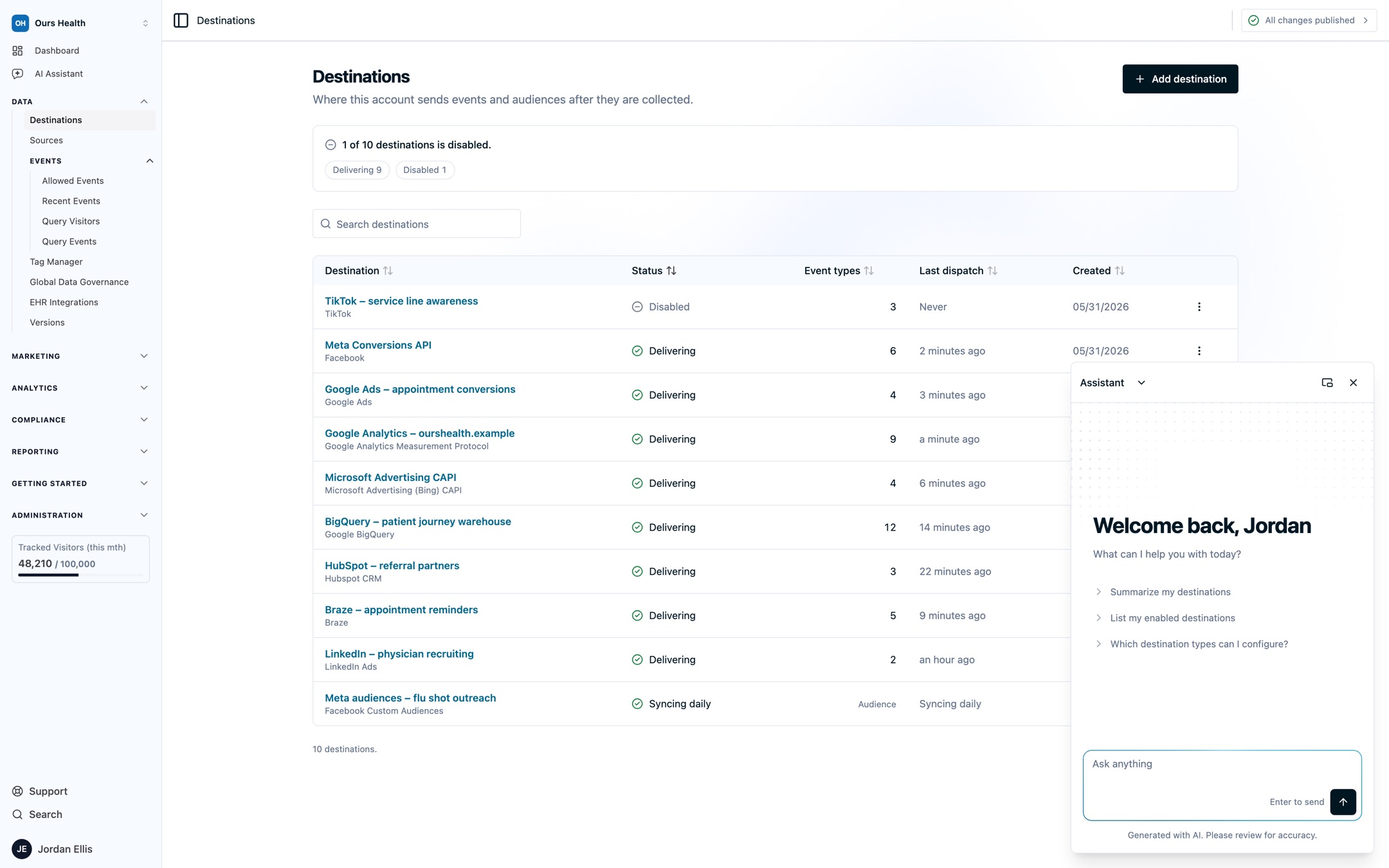
Floating. Floating keeps the assistant in a small window over the page, so the report or setting you are asking about stays in view while you work.
Why Use the AI Assistant?
- It sees what you see: the assistant knows the page you opened it from, so "this destination", "this scan", and "this experiment" mean the one on your screen.
- Ask why, not just what: compare periods, spot what changed, and dig into the paths, clicks, and variants behind a number.
- Understand your setup end to end: follow an event from source to destination, see which fields are hashed, and know exactly what changes before you publish.
- Grounded and cited: answers draw on your account's data and the Ours Privacy docs, with sources linked so you can check the work and jump to the right page.
- Built for HIPAA-regulated workflows: answers are generated inside Ours Privacy's AWS environment, your data is never used to train public AI models, and the assistant is covered by your Business Associate Agreement with Ours Privacy.
- One conversation for marketing, analytics, and compliance: ask about a campaign's consults, a Web Scanner finding, and a consent rate without switching tools.
Key Features
- Getting started: open the assistant, choose a view, and start asking about the page you are on.
- Asking about analytics: explore Insights, Journeys, heatmaps, experiments, consent rates, and dashboard tiles.
- Reviewing your setup: understand your data flow, check a draft before you publish, and prepare for a compliance review.
- Privacy and permissions: how answers follow your permissions and how your data is handled.
- AI Assistant FAQs: quick answers about page context, exports, timing, and chat history.
AI Across Ours Privacy
The AI Assistant is one part of how Ours Privacy brings AI into your work. If you would rather work from the AI client you already use, connect it to your account through the MCP server. When you are watching a visitor's session, Session Replay AI Summaries tell you what happened in it at a glance.
The AI Assistant is enabled per account. Contact your account representative to turn it on.
Need Help?
If you have questions about the AI Assistant or an answer it gave, reach out to support@oursprivacy.com.
How is this guide?