

Reviewing Your Setup
Use the Ours Privacy AI Assistant to understand how your data flows, spot delivery problems, check a draft before you publish, and prepare for a compliance review, in plain language.
Use this page to understand your setup with the AI Assistant: how your data flows, what is going wrong, what changes before you publish, and what a scan found. Open it from any destination, mapping, scan, or consent configuration and ask about the one on your screen.
Understand how your data flows
Follow an event from the source that collects it to every destination that receives it, and see exactly what each one gets, including which fields are hashed and which conditions apply.
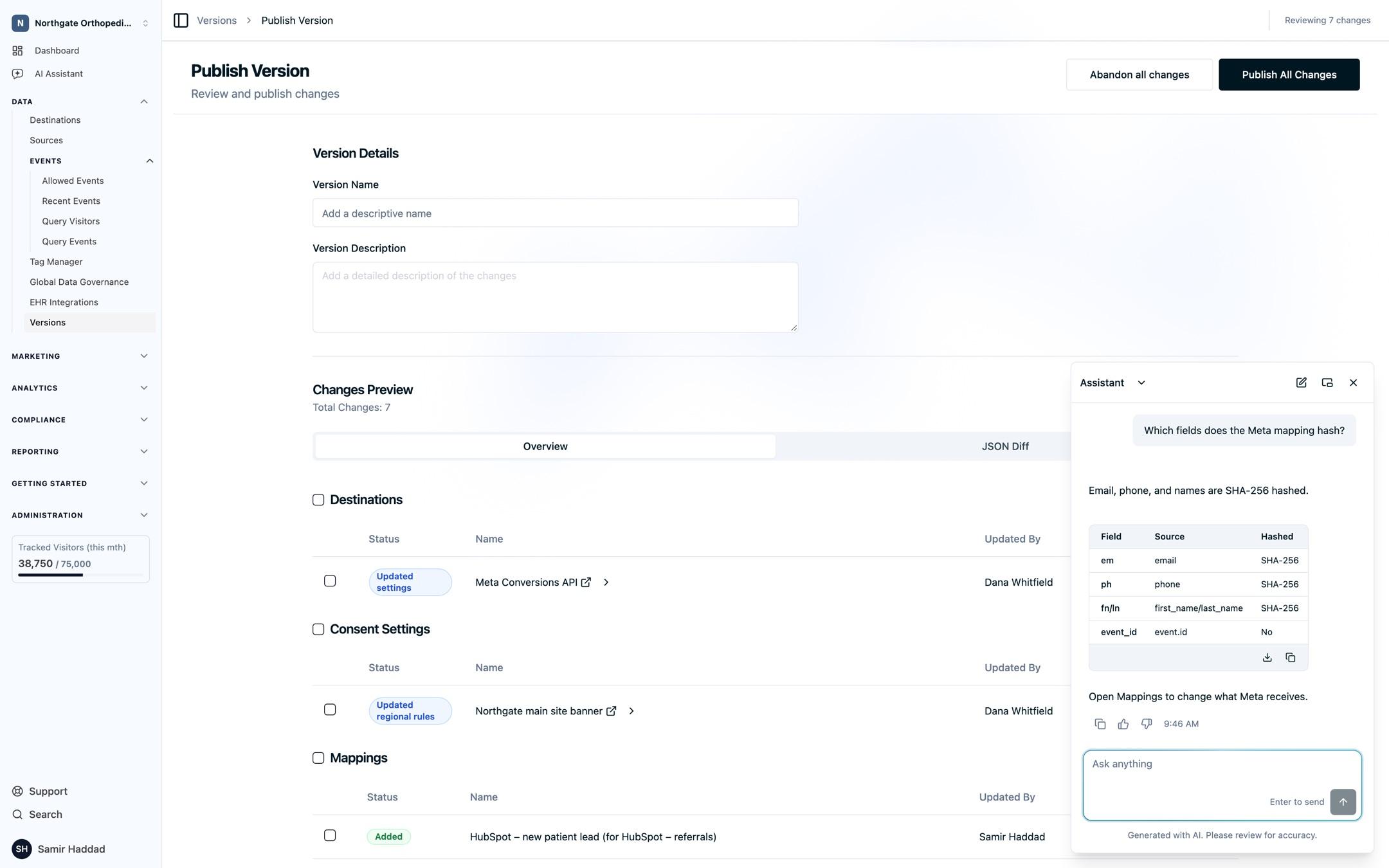
- "Which destinations receive the Appointment Requested event?"
- "Which fields does our Meta mapping send for appointment requests, and which are hashed?"
- "Explain the conditions on the patient portal sign-up mapping."
- "Which sources feed our Google Ads destination?"
When something needs to change, the answer points you to the right place, such as the mapping in Data mapping.
Spot delivery problems
Ask how your destinations are doing and the assistant checks recent delivery health: what succeeded, failed, was stopped, or was blocked. From a destination's page, just ask about "this destination".
- "Is this destination delivering appointment requests?"
- "Which destinations had failed deliveries in the last 24 hours?"
Check before you publish
See what your draft changes compared with the published version, or compare any two versions, before anything goes live. Ask who an experiment targets before you launch it.
- "What changes before I publish?"
- "Which mappings changed since the last published version?"
- "Who is the telehealth CTA experiment targeting?"
Publish from the versions page described in Version management.
Understand your consent setup
Get a plain-language read on your consent configurations: categories and their defaults, vendors, regional rules, banner design, and allowed domains.
- "Which categories are enabled by default for visitors in California?"
- "How does our patient site's configuration handle Global Privacy Control?"
- "Compare the consent configurations for our main site and our telehealth site."
See Cookie Consent for each setting.
Prepare for a compliance review
Open the assistant from a Web Scanner result and turn a long list of hosts and cookies into a clear story. It summarizes the scan, proposes a decision for each host that still needs one, and explains why.
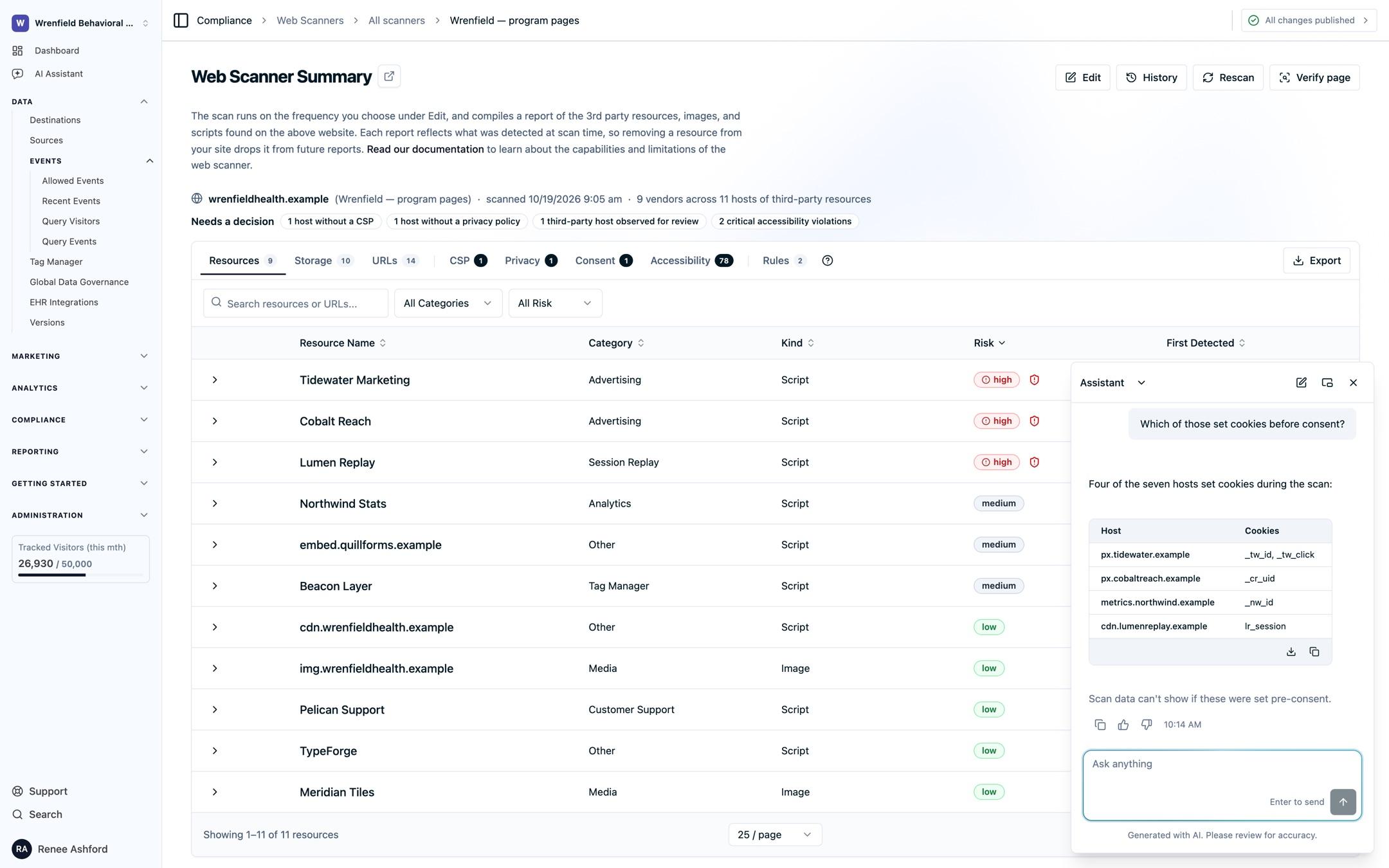
- "Summarize the latest scan of our patient portal."
- "Review the hosts that still need a decision and propose what to do with each."
- "Which cookies does the scheduling widget set?"
Record your decisions as described in Managing scan results.
Next Steps
- Data mapping: edit the mappings the assistant explains.
- Version management: review and publish your draft.
- Web Scanner: act on scan findings.
- MCP server: connect your own AI client to work in your account.
How is this guide?