

Managing Scan Results
Suppress reviewed alerts and add notes to organize your Web Scanner results and track remediation.
Use this page to keep your scan results organized: suppress items you've reviewed and add notes to track decisions across scans.
Suppression rules
Suppression works through rules, not one-off dismissals. A rule matches cookies, domains, or scripts by glob pattern and attaches a reason to everything it matches, so a decision you make once keeps applying as your site changes. You'll find them on the Rules tab of a scanner.
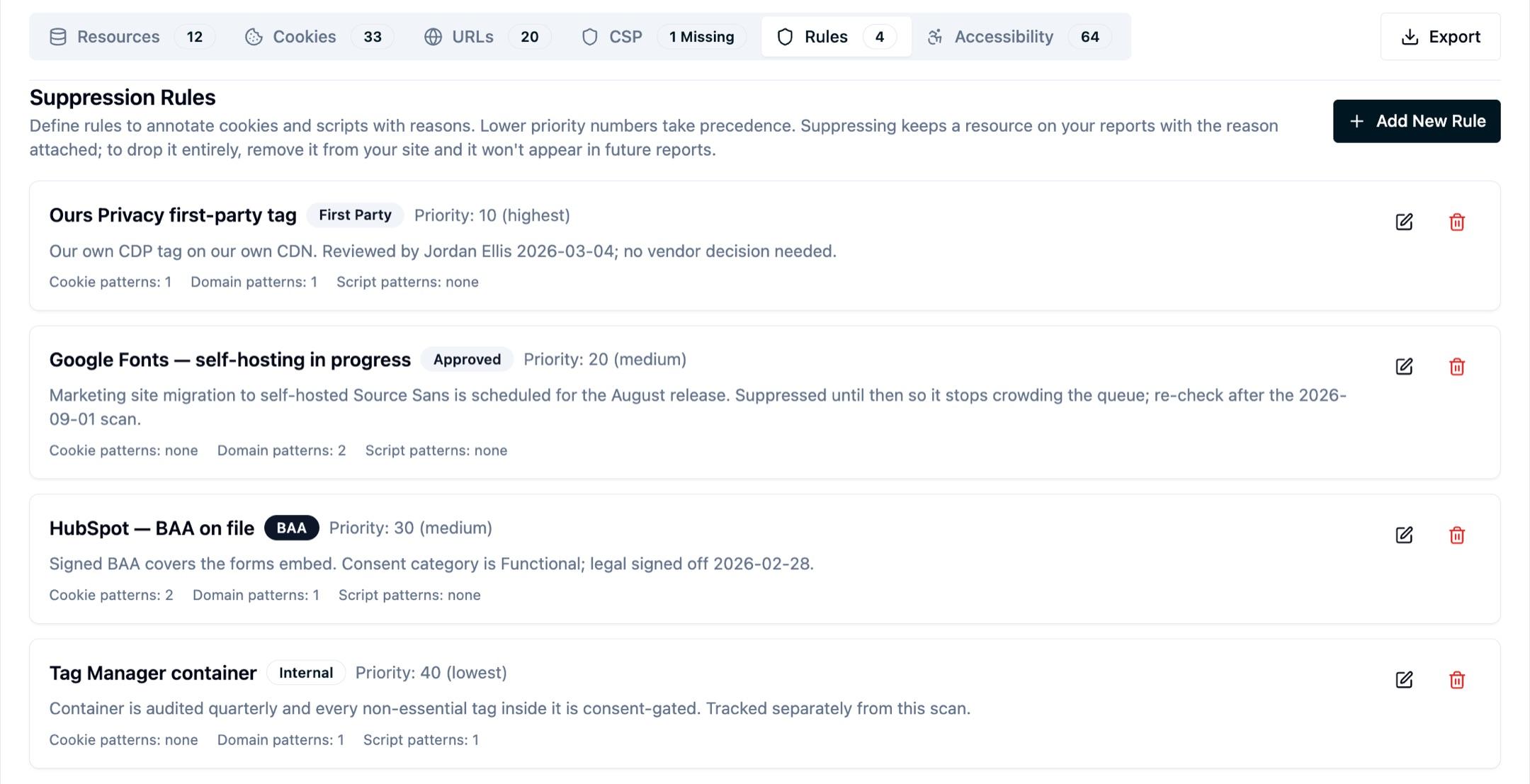
Each rule carries:
- A reason: First Party, BAA, Approved, Compliant, Internal, Ignore, or Other. This is the label a reviewer reads.
- Notes: free text for the context behind the decision, such as who reviewed it, when, and what still needs to happen.
- A priority: lower numbers win when more than one rule matches the same resource.
- Patterns: cookie, domain, and script globs. A single rule can cover a vendor's whole footprint.
Suppressing does not hide a resource. It stays on your reports with its reason attached, sorted to the bottom of the list and visually muted so it stops competing for attention. That's deliberate: an auditor asking "what loads on this site?" should still see everything, alongside the decision you recorded. To drop a resource from future reports, remove it from your site.
Because a rule matches by pattern, notes follow the pattern rather than a single row, and they persist across scans.
What to use each reason for
- First Party: your own domains and tags.
- BAA: a vendor with a signed Business Associate Agreement on file.
- Approved: reviewed and accepted, often with a follow-up date in the notes.
- Internal: tracked somewhere else, such as a tag manager audited on its own schedule.
- Compliant, Ignore, Other: everything else you've consciously decided about.
Next Steps
How is this guide?