

What the Scanner Detects
The third-party scripts, privacy keywords, cookies, CSP gaps, and accessibility (WCAG) issues the Web Scanner surfaces on each scan.
What the Scanner Detects
Use this page to understand what each scan surfaces about the third-party code running on your site.
Third-party scripts
On every page it visits, the scanner detects the third-party scripts and stylesheets your site loads and records where they came from. This gives you a running inventory of what executes on your pages.
Privacy keyword detection
The Web Scanner automatically inspects the content of third-party JavaScript and CSS files loaded on your pages. It flags resources that contain privacy-sensitive patterns, giving you visibility into what data third-party scripts may be collecting or processing.
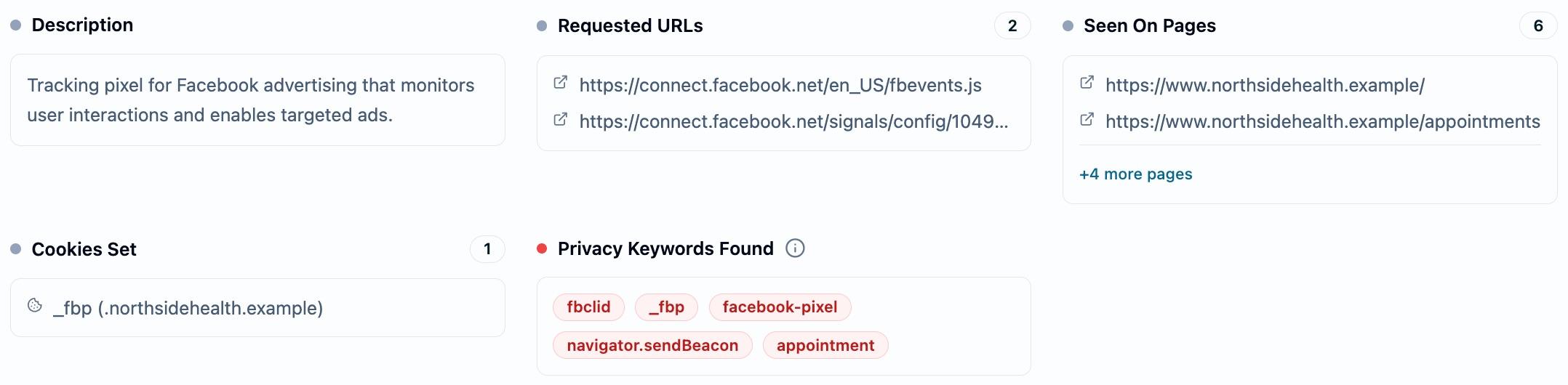
Detected keywords are grouped into the following categories:
- Ad platform identifiers: Click IDs and tracking parameters used by advertising platforms.
- Tracker brands: References to well-known analytics and tracking services.
- Cookie and storage patterns: Known tracking cookie names and storage keys commonly used for cross-site identification.
- Data collection APIs: Browser APIs used to send or store data.
- PHI-related terms: Keywords that may indicate protected health information handling.
When a third-party resource contains one or more of these keywords, a red shield icon appears next to its risk badge on the Resources tab. Hover it for a quick list, or expand the row to see every keyword that matched under Privacy Keywords Found.
This helps you quickly identify which third-party scripts warrant closer review from a privacy and compliance perspective.
Cookies and local storage
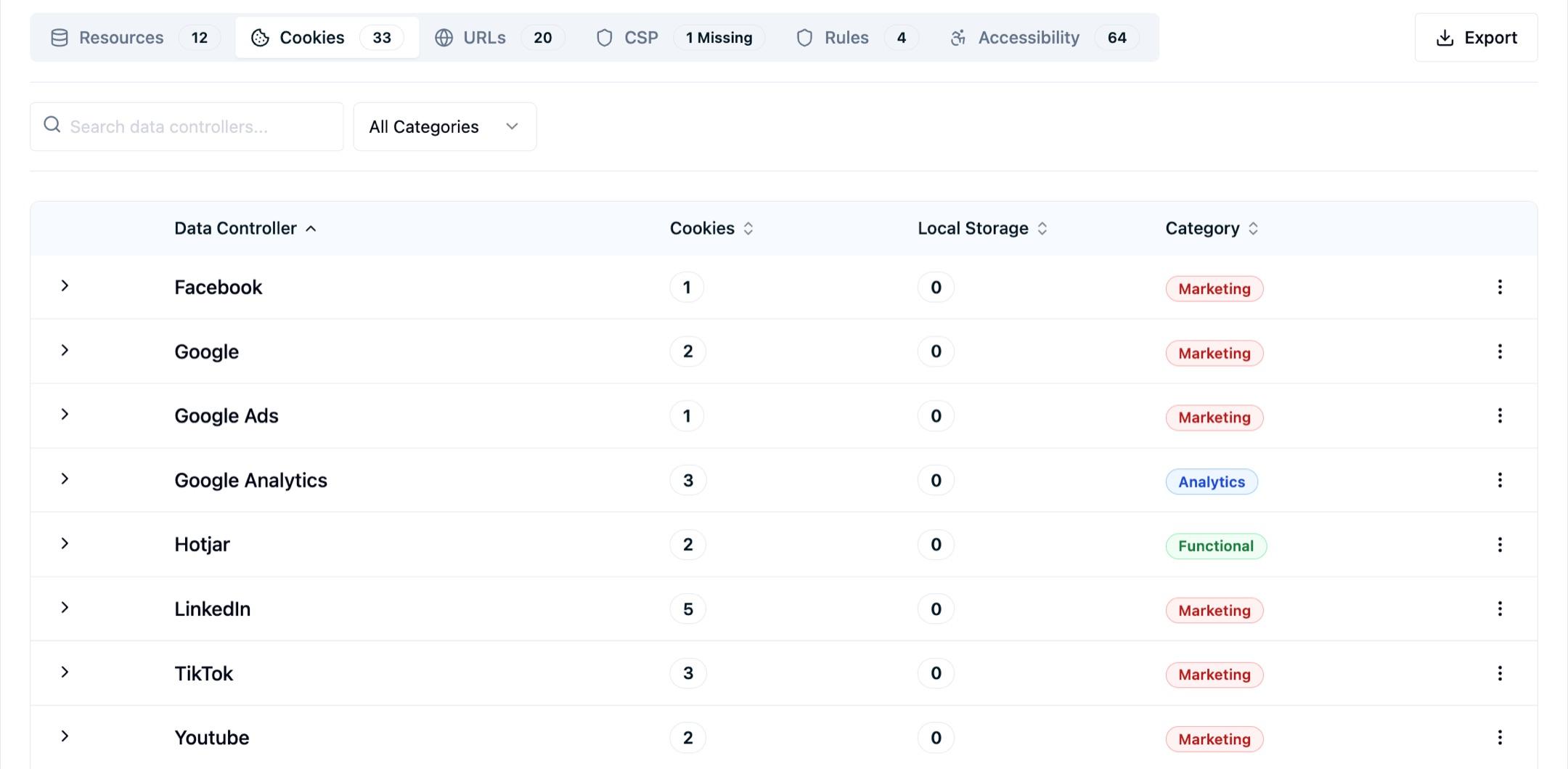
The scanner collects the cookies and localStorage identifiers set by third-party scripts and services on your pages, so you can see which integrations are storing identifiers in your visitors' browsers.
CSP analysis
The Web Scanner captures and analyzes the Content Security Policy (CSP) headers returned by each hostname it visits. CSP headers tell browsers which domains are allowed to load scripts, stylesheets, images, and other resources on your pages.
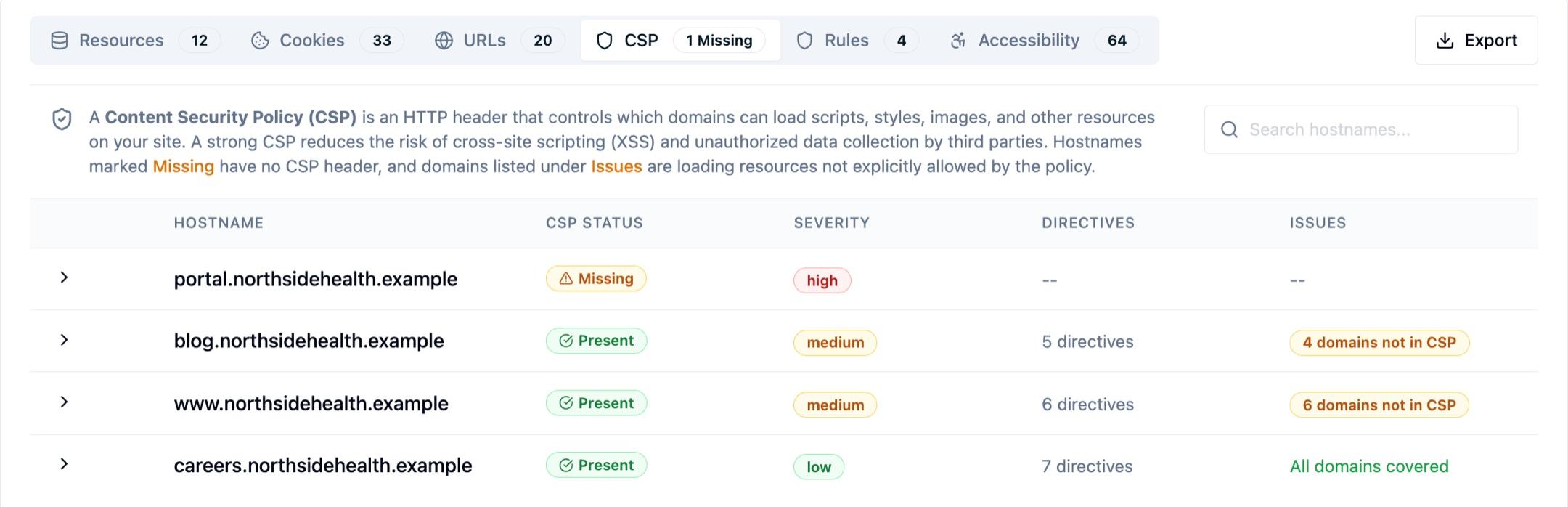
The CSP tab in the scan results shows:
- Per-hostname CSP status: Whether each hostname returns a CSP header or not. Missing CSP headers are flagged so you know which parts of your site lack this layer of protection.
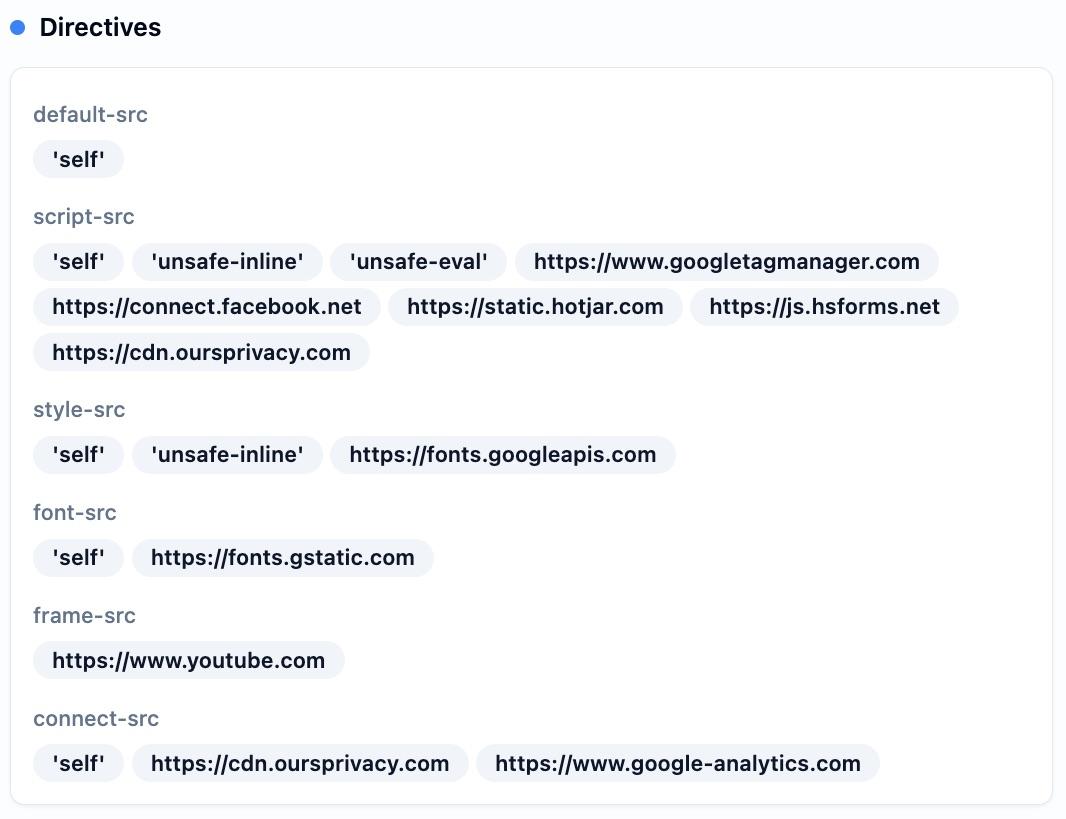
- Parsed directives: A breakdown of each CSP directive (e.g.,
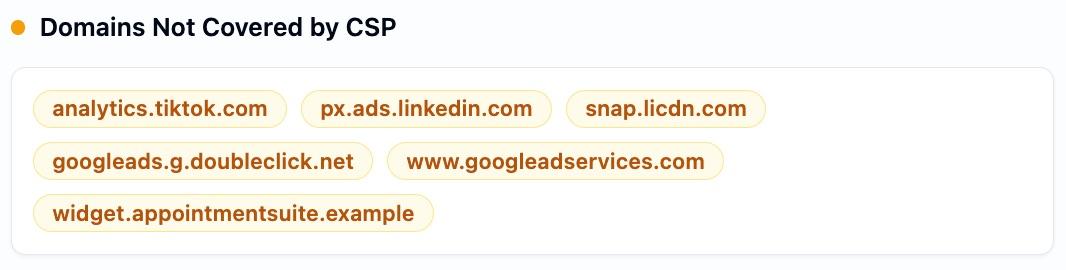
script-src,connect-src,default-src) and the domains it permits. - Domains not in CSP: Third-party domains detected during the scan that are not covered by any CSP directive. These represent gaps where your CSP could be tightened to match actual usage.
- Allowed domains: The full list of domains permitted by your CSP, extracted from all relevant directives.
This analysis helps you identify mismatches between your CSP configuration and the third-party resources actually loading on your site, making it easier to maintain a CSP that accurately reflects your intended integrations.
Accessibility (WCAG) checks
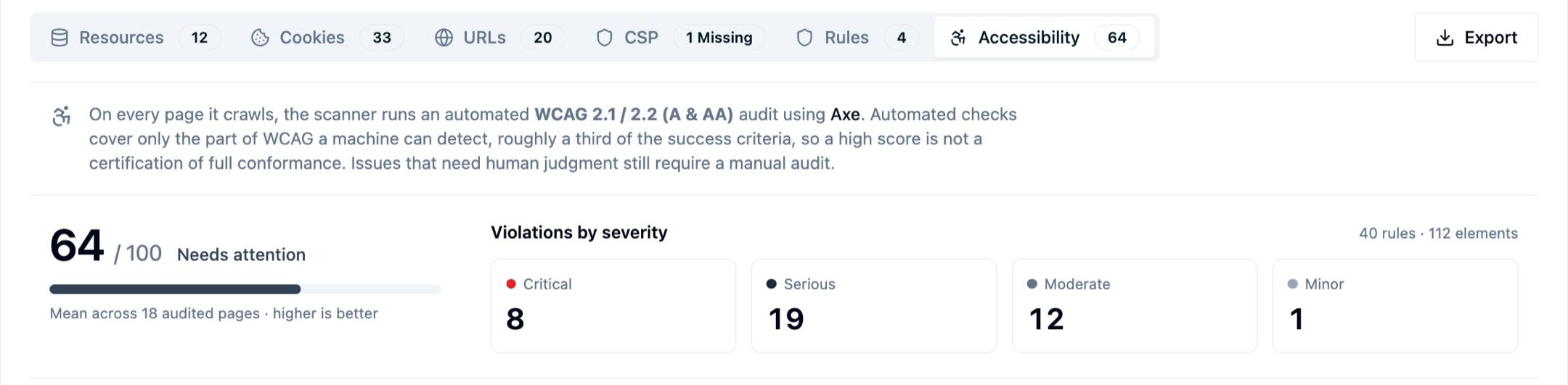
On every page it visits, the scanner runs an automated accessibility audit against the fully rendered page and reports issues measured against the WCAG 2.1 and 2.2 A and AA success criteria — the levels accessibility requirements such as the ADA are typically measured against. Because the scanner already loads each page during the crawl, these checks run alongside the privacy and tracker detections with no extra setup.
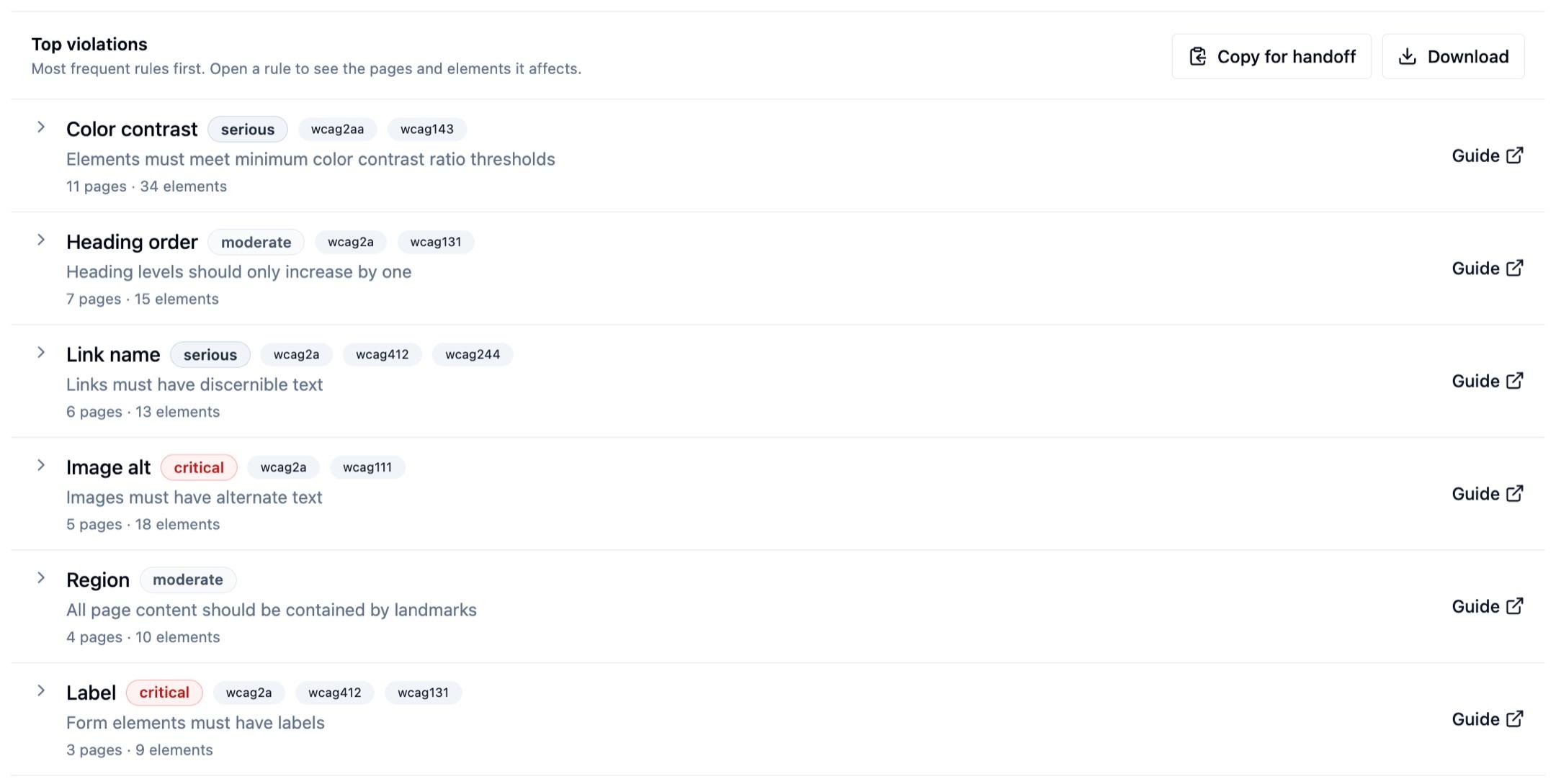
Common issues the audit flags include:
- Color contrast: Text that doesn't meet minimum contrast ratios against its background.
- Missing alternate text: Images and other non-text content without a text alternative.
- Form labels: Inputs and controls that aren't associated with a label assistive technology can read.
- ARIA misuse: Invalid or conflicting ARIA roles, states, and properties.
- Document structure: Heading-order, landmark, and page-language problems that affect screen-reader navigation.
Each issue carries a severity (critical, serious, moderate, or minor), the WCAG criteria it maps to, and a remediation hint with a link to detailed guidance. The scan also produces a 0–100 accessibility score for the site — the average across audited pages, where a higher score means fewer detected violations — so you can track accessibility posture over time and catch regressions between scans.
Important: Automated checks cover only the portion of WCAG that can be detected programmatically — roughly a third of the success criteria. A high score is not a certification of full conformance. Issues that require human judgment (such as whether alternate text is meaningful or whether the reading order makes sense) still require a manual audit.
Next Steps
How is this guide?