

Video
HIPAA-compliant video hosting for healthcare marketing. Upload a video, get automatic transcoding, captions in the source language you choose, adaptive playback, an embeddable player, and engagement analytics.
Host your public marketing and education videos on Ours Privacy instead of a third-party video platform. Upload a file and processing gives you a poster image, captions in the source language you choose, and adaptive playback that adjusts to the viewer's connection. Embed it as an Inline, Popup, or Adaptive player in your brand color, and read engagement in the dashboard. Add a custom domain when you want the player and files served from your own hostname.
Embedding a consumer video platform on a healthcare site sends viewer data to that platform. Ours Privacy hosts playback itself, so viewing a video does not hand a third party the visitor's IP address, page URL, or watch behavior.
Open Videos in app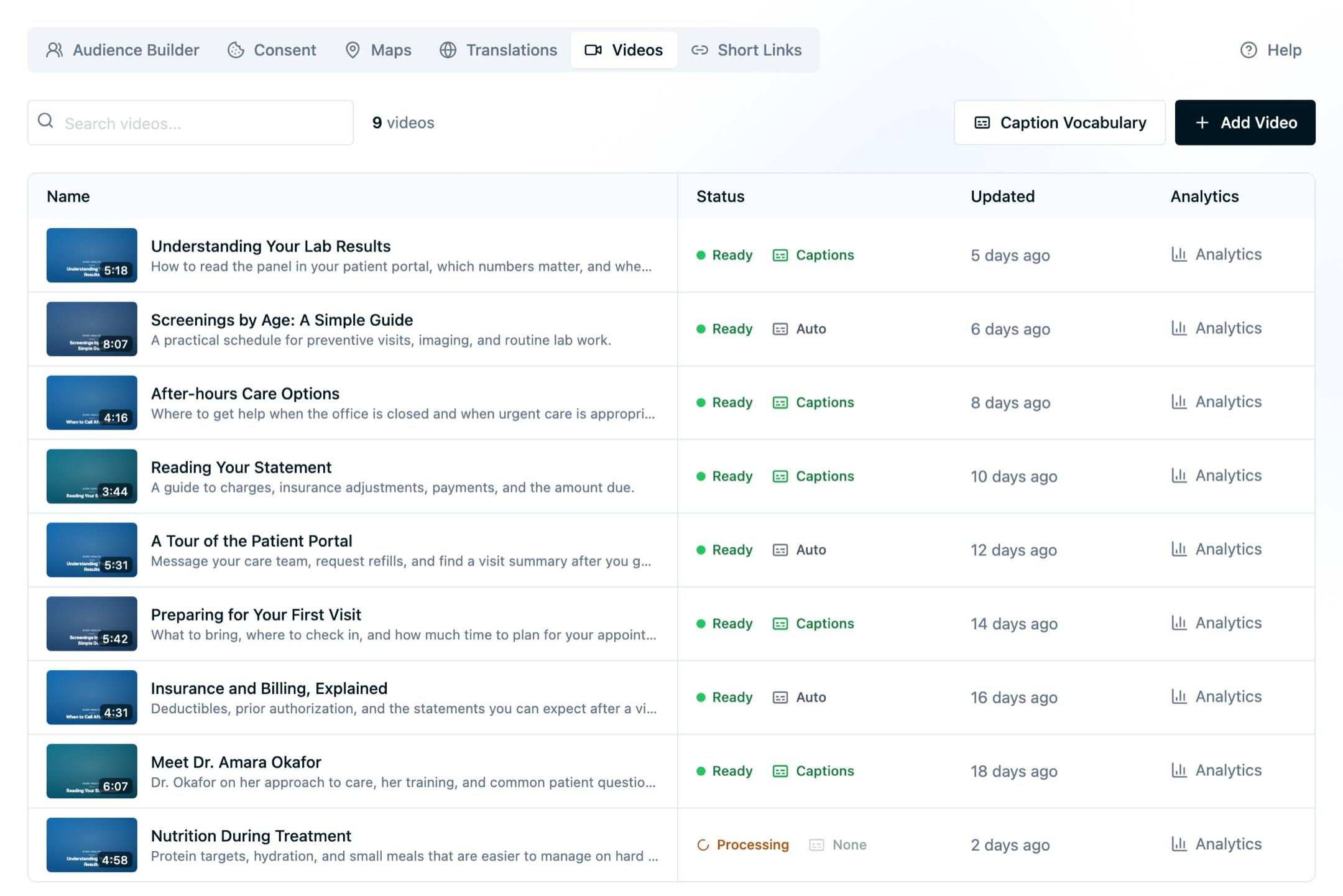
Why use Ours Privacy Video
- No third-party video platform in the page. Playback, captions, and poster images are served from Ours Privacy, so no consumer video service sees your visitors.
- Processing and playback are automatic. Upload once and Ours Privacy creates adaptive playback assets, poster frames, and captions, then adjusts playback quality to each viewer's connection.
- Captions and accessibility are built in. Edit and translate captions, upload your own file, and choose player colors that meet contrast requirements.
- Engagement analytics built in. Starts, completions, unique viewers, and average watch time are reported per video, with no extra tracking code on the page.
- Embed the way the page needs. Place the player inline, use an Adaptive player that adjusts quality to the viewer's connection, or open it in a Popup lightbox from a thumbnail, text link, time-on-page delay, or shared URL.
- Publish one video or a whole library. Place a single video anywhere on your site, group videos into a browsable channel, and help search engines recognize embeds with built-in
VideoObjectstructured data.
How it fits together
- Upload a video in the dashboard. The file goes straight to storage, then transcoding and transcription start automatically.
- Review the generated assets. Pick a poster frame, correct the captions, and set the title and description.
- Choose the player and copy the embed snippet. Use Adaptive when you want Ours Privacy to manage quality selection, Inline or Popup for the standard MP4 player, or take the raw MP4, caption, and poster URLs and use your own player.
- Watch engagement in Video Analytics as visitors start, progress through, and complete the video.
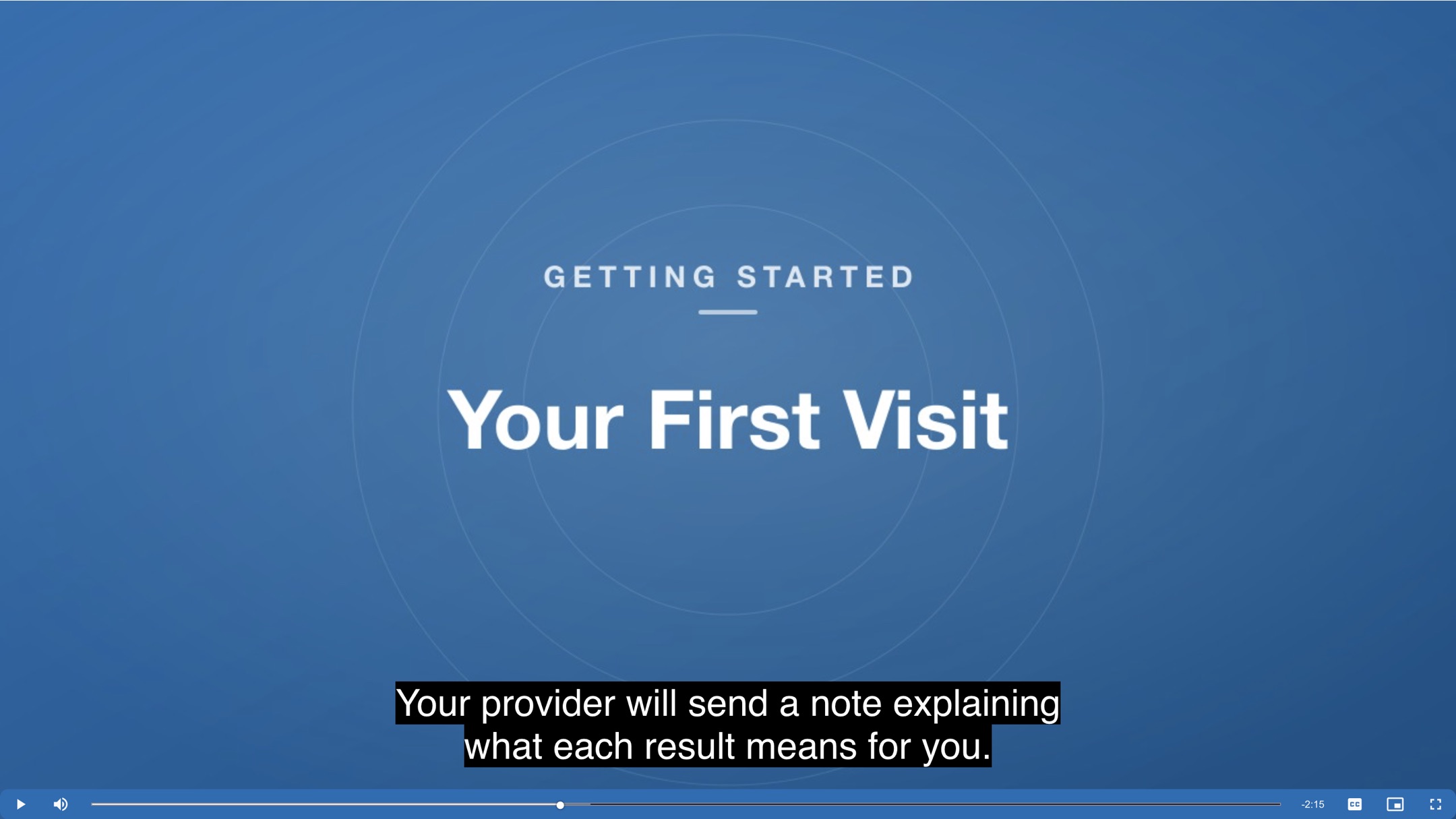
Inline player. Inline places the player directly in page content, with the player controls available in place.
Key features
- Uploading videos: supported formats, size limits, and what automatic processing produces.
- Embedding videos: generate an Inline or Popup embed, choose a custom domain, and paste it into your site.
- Adaptive playback: use the Adaptive player to adjust playback quality to each viewer's connection.
- Embed configuration: every embed option, its accepted values, and its default.
- Video Lead Capture: add one email capture or CTA to a standalone copied embed.
- Captions and transcripts: automatic captions, the in-app cue editor, and uploading your own file.
- Caption vocabulary: teach transcription the clinical terms, drug names, and provider names it keeps getting wrong.
- Thumbnails and poster images: pick a generated frame or upload your own image.
- Updating a video: change metadata, replace assets, clear caches, and delete a video.
- Player accessibility: keyboard support, caption rendering, and contrast checks.
- Building your own player: use the raw MP4, caption, and poster URLs in your own player.
- Video Channels: publish a group of videos as one browsable, branded library.
- Video Analytics: read the engagement dashboard and export the data.
- Video analytics events: the exact events and properties the player emits.
- Recipes: worked embed setups for hero videos, vertical video, and accessible playback.
- Video FAQs: formats, privacy, captions, and access questions.
Works with the rest of the platform
- Custom domains: serve the player and video assets from your own domain instead of the shared Ours Privacy domain.
- Web Analytics: video engagement events land alongside your other events, so you can segment viewers like any other audience.
- Experimentation: test a page with the video against one without it, or test two different videos, and measure the difference in conversions.
- Session Replay and Heatmaps: watch what visitors did on the page around the video, not just inside the player.
- Destinations: forward video engagement events to platforms such as Google Analytics 4 with your existing event mappings.
- Videos API: create, upload, replace, caption, and report on videos from your own tools.
- Video Channels API: build a channel, assign and order its videos, and publish it from your own workflow.
- Vimeo source: if your videos already live on Vimeo and you want to keep them there, track engagement through that source instead.
Availability
Video is available to all accounts, subject to a per-account video limit. If you have reached your limit and need more videos, contact your account representative.
Need help?
Reach out to support@oursprivacy.com with any questions about video.
How is this guide?