

Updating a Video
Edit a video's title and description, replace its assets, clear caches so changes appear on your site, and delete a video.
Use this page to change a video after it is published.
Edit the title and description
- Open the video and select Details.
- Update Title (required) and Description.
- Choose Save changes.
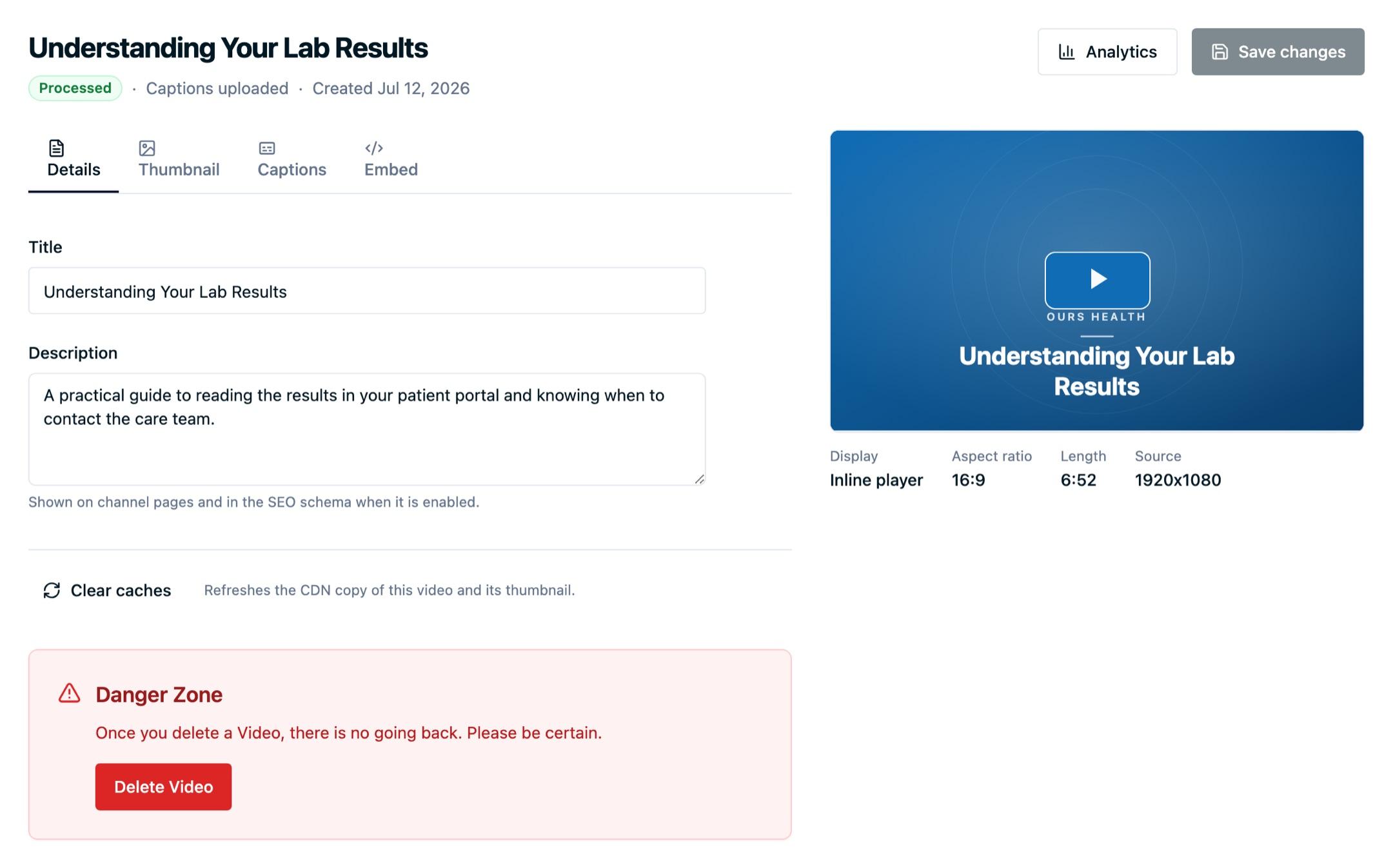
Both fields do more than label the video internally. The title appears in Video Analytics and in the events the player reports, and both fields populate the VideoObject structured data in the embed snippet. Videos with a generic title are hard to identify in reporting, so set a real one.
Replace captions or the poster image
Captions and poster images can be replaced at any time without touching the embed snippet on your page:
- Captions and transcripts: edit caption lines in the dashboard or upload a new file.
- Thumbnails and poster images: pick a different frame or upload an image.
Replace the video file
Choose the Source caption language beside the preview on the Details tab before using Replace video to upload new MP4 or WebM footage for the video. Changing this selector alone does not change old captions; it applies to the next original-file upload.
The embed code stays the same, and the video keeps its title and reporting history. The replacement goes through the usual processing before the new player file, poster frames, captions, and adaptive playback are ready. Machine-generated target tracks based on the old source become stale; uploaded or edited translations are never overwritten without an explicit replacement. If your organization configured default translation languages, unedited machine-generated tracks are regenerated for the new upload.
Clear caches
Video assets are cached at the edge for fast delivery, so a replaced caption file or poster image can take a few minutes to appear everywhere.
Use Clear caches below the video tabs when you have replaced an asset and want the change to appear right away. You do not need it after editing the title or description, or after changing embed options.
Delete a video
Deleting is in the Danger Zone on the video detail page. It removes the video and its generated assets, so any embed of that video stops playing and its raw asset URLs stop resolving.
Remove the embed snippet from your pages before deleting. Analytics already recorded for the video remain in reporting for the periods where events exist.
Next steps
- Embedding videos: copy the snippet again after changing embed options.
- Video Analytics: confirm the video is reporting under the title you expect.
- Video FAQs: questions about deleting, access, and limits.
How is this guide?