

Caption Vocabulary
Add the names, locations, and clinical terms your organization uses so automatic video captions transcribe them correctly.
Improve how automatic captions handle terms specific to your organization: provider names, facility names, program names, and clinical vocabulary.
Automatic transcription handles everyday speech well and struggles with words it has never seen. A caption vocabulary is a list of those words, shared across every video in your account.
Add your terms
- Go to Videos in the dashboard and choose Caption Vocabulary.
- Enter one term per line.
- Choose Save vocabulary.
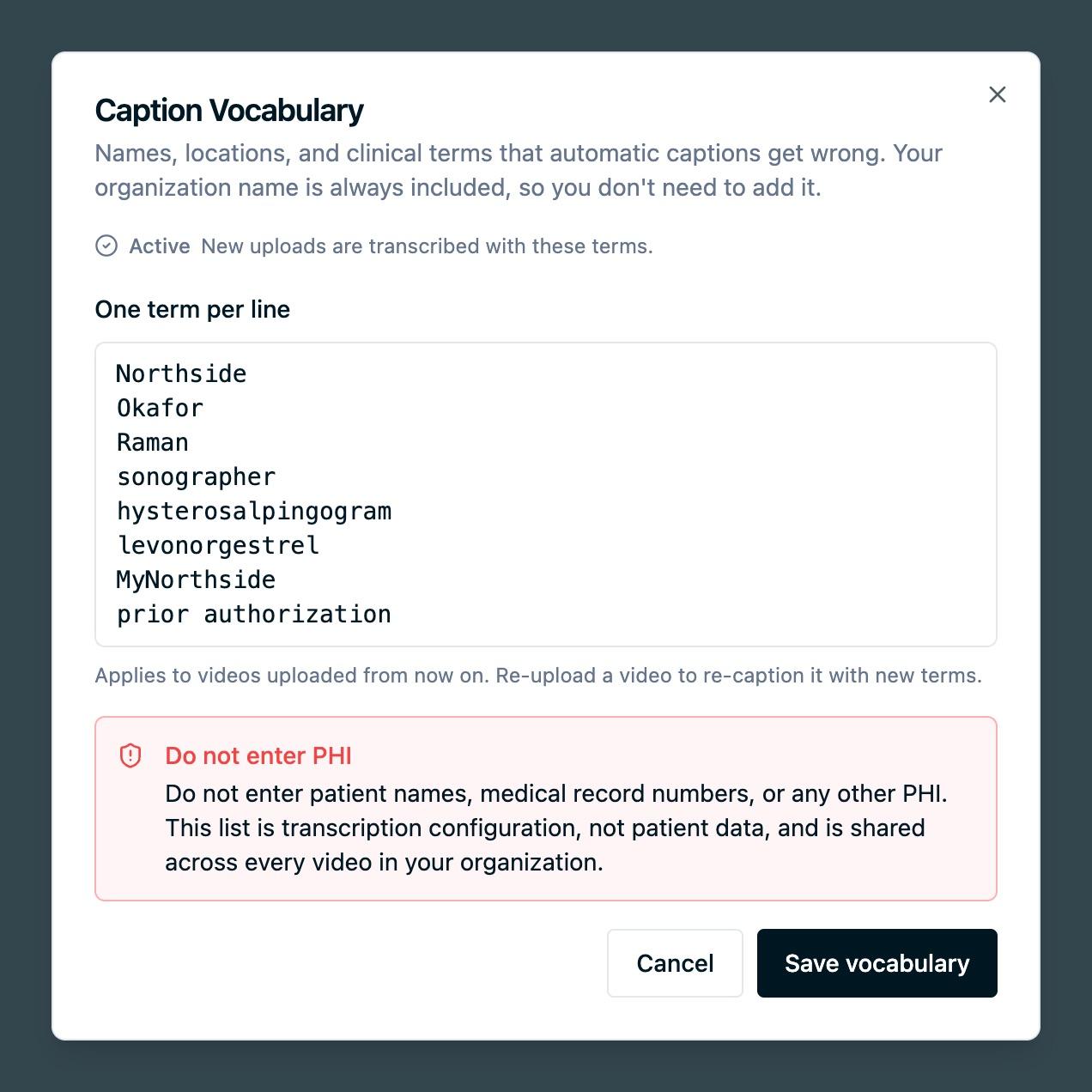
Your organization's name is always included, so you do not need to add it.
Good candidates are the words automatic captions currently get wrong: facility and program names, branded patient portals, provider surnames, procedure and medication names, and local place names.
When it takes effect
Saving the vocabulary starts a short build. Reopening Caption Vocabulary shows the current state:
- Building. The list is being prepared. New uploads use it once the build finishes, usually within a few minutes.
- Active. New uploads are transcribed with these terms.
- Could not be built. Save again to retry. Captions on your videos are unaffected either way.
The vocabulary applies to videos uploaded from that point on. It does not re-caption videos you have already uploaded. To apply new terms to an existing video, either re-upload it or correct that video's captions directly in the caption editor.
Do not enter PHI
Do not enter patient names, medical record numbers, or any other protected health information. This list is transcription configuration, not patient data, and it is shared across every video in your account.
Terms are also limited in count and length. If you have more candidate terms than the field accepts, prioritize the ones that appear most often across your video library.
Next steps
- Captions and transcripts: review and correct captions on a specific video.
- Uploading videos: upload a video so the vocabulary applies to it.
- Video FAQs: common questions about captions and languages.
How is this guide?