

React and Next.js
Recommended integration patterns for using the Ours Privacy CMP in React, Next.js, and other hydrated frameworks.
React frameworks behave differently from static sites because the framework hydrates server-rendered HTML on the client. If a third-party script inserts visible UI into the page before hydration finishes, React may detect a mismatch and replace that part of the DOM.
For the Ours Privacy CMP, that means React and Next.js integrations should balance two concerns:
- Banner stability in hydrated applications
- Consent blocking for scripts and resources that may load before the CMP initializes
This page outlines the current recommended patterns.
Example repos:
- with-ours/ours-nextjs-example for Next.js
- with-ours/ours-vite-react-router for React with Vite and React Router
Recommended Pattern for Next.js
In Next.js applications, load the CMP with next/script using strategy="afterInteractive".
import Script from 'next/script';

export default function Layout({ children }) {
  return (
    <>
      <link rel="stylesheet" href="https://cdn.oursprivacy.com/consent.css" />
      <Script
        id="ours-cmp"
        src="https://cdn.oursprivacy.com/cmp-init?token=YOUR_TOKEN"
        strategy="afterInteractive"
      />
      {children}
    </>
  );
}
This pattern improves banner reliability in hydrated React apps because the CMP initializes after the framework has started client-side execution.
Tradeoff
When you load the CMP with afterInteractive, automatic blocking only begins after the CMP has initialized on the client.
Anything that executes before that point is outside the CMP's automatic blocking window.
Use Manual Blocking for Initial HTML
If your page includes scripts or resources directly in the initial HTML, manually block them so the browser does not execute them before the CMP initializes.
This includes:
- Scripts rendered in server-side HTML
- Scripts included directly in document templates or layouts
- Initial embeds or resources that require consent before they can load
Example:
<script
  type="text/plain"
  data-category="analytics"
  src="https://www.google-analytics.com/analytics.js"
></script>
With this pattern:
- The browser does not execute the script immediately
- The CMP can later enable it after consent is granted
- You avoid relying on the CMP to win a timing race against the framework
For more detail, see Script Blocking.
React SPA Pattern
If you are using a client-only React application (for example, a React SPA without server rendering), you can often use the standard CMP installation pattern in the page shell or HTML template.
Even in SPAs, the same principle applies:
- If a script is present in the initial HTML and must remain blocked before consent, manually block it
- If a third-party tool injects scripts before the CMP is available, the CMP cannot retroactively prevent that first execution
Tag Managers and Other Early Loaders
If you use GTM or another tag manager, do not assume afterInteractive CMP loading will block anything the tag manager fires before CMP initialization.
For strict control:
- Delay tag manager execution until consent is available, or
- Use manual blocking for scripts and resources present in the initial page HTML, and
- Ensure your service list is complete so the CMP can classify allowed and blocked resources correctly
Programmatic UI Control
If you need the application to control banner visibility, use the JavaScript SDK after the CMP has loaded:
window.ours_consent.show();
window.ours_consent.showPreferences();
window.ours_consent.hide();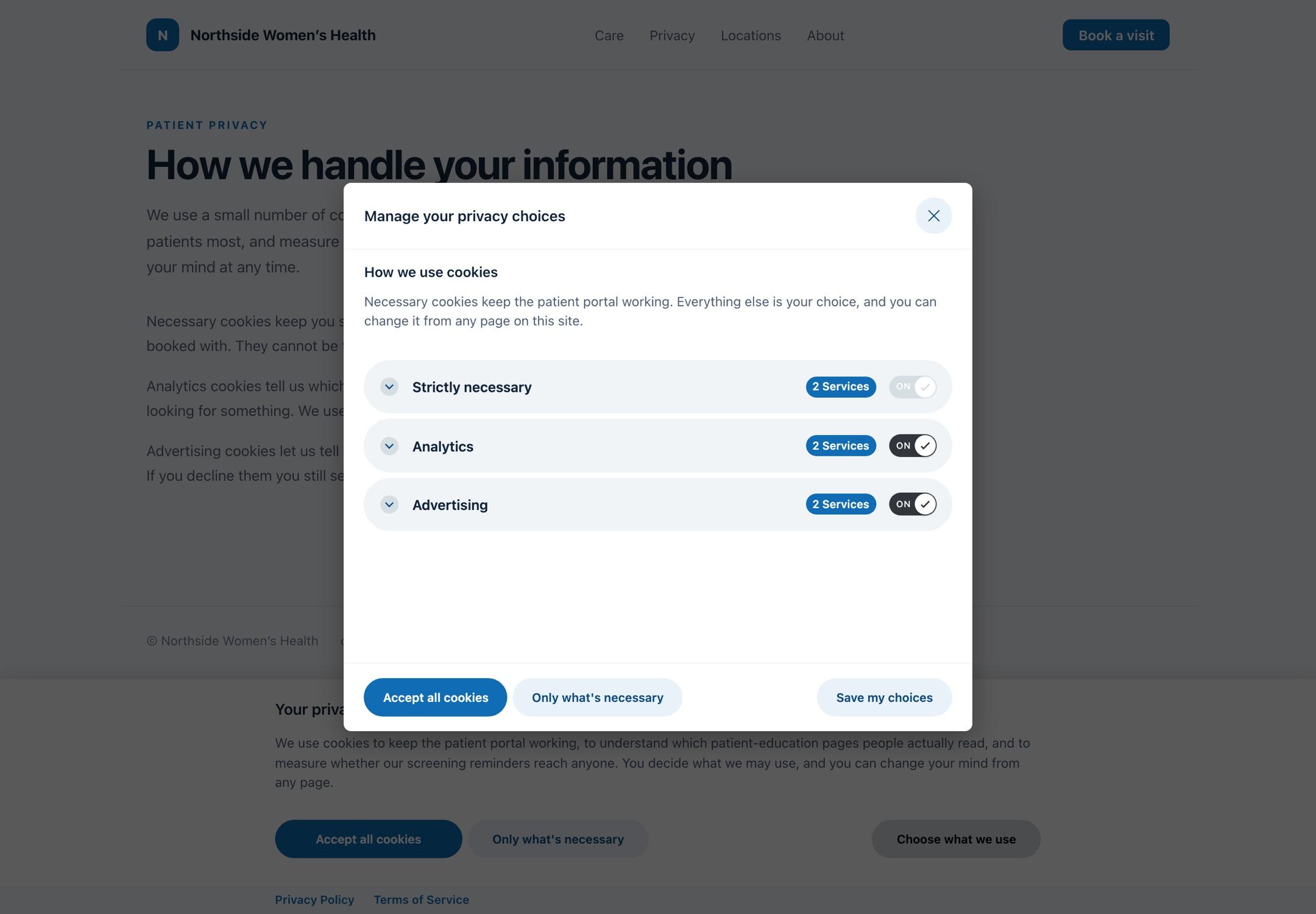
Authenticated customers can find the full JavaScript SDK API in the consent settings API Reference section of the Ours Privacy app.
Summary
For React and Next.js applications, the current recommended approach is:
- Load the CMP using a framework-safe client-side pattern such as
afterInteractive - Use manual blocking for anything present in the initial HTML that must remain inert until consent is known
- Do not allow third-party loaders to execute before the CMP if you need strict first-load blocking
This gives you a reliable banner experience in hydrated frameworks while preserving consent controls for resources you explicitly mark up.
Next Steps
- Installation: Standard CMP installation guidance
- Script Blocking: Automatic and manual blocking details
- Script Conflicts: Conflicts with DOM and script-timing manipulation
How is this guide?