

General Settings
Complete guide to configuring CMP general settings including categories, vendors, UI text, and default consent modes.
General Settings
Your General Settings section is the central place to configure everything about how your CMP works, looks, and enforces consent. It includes:
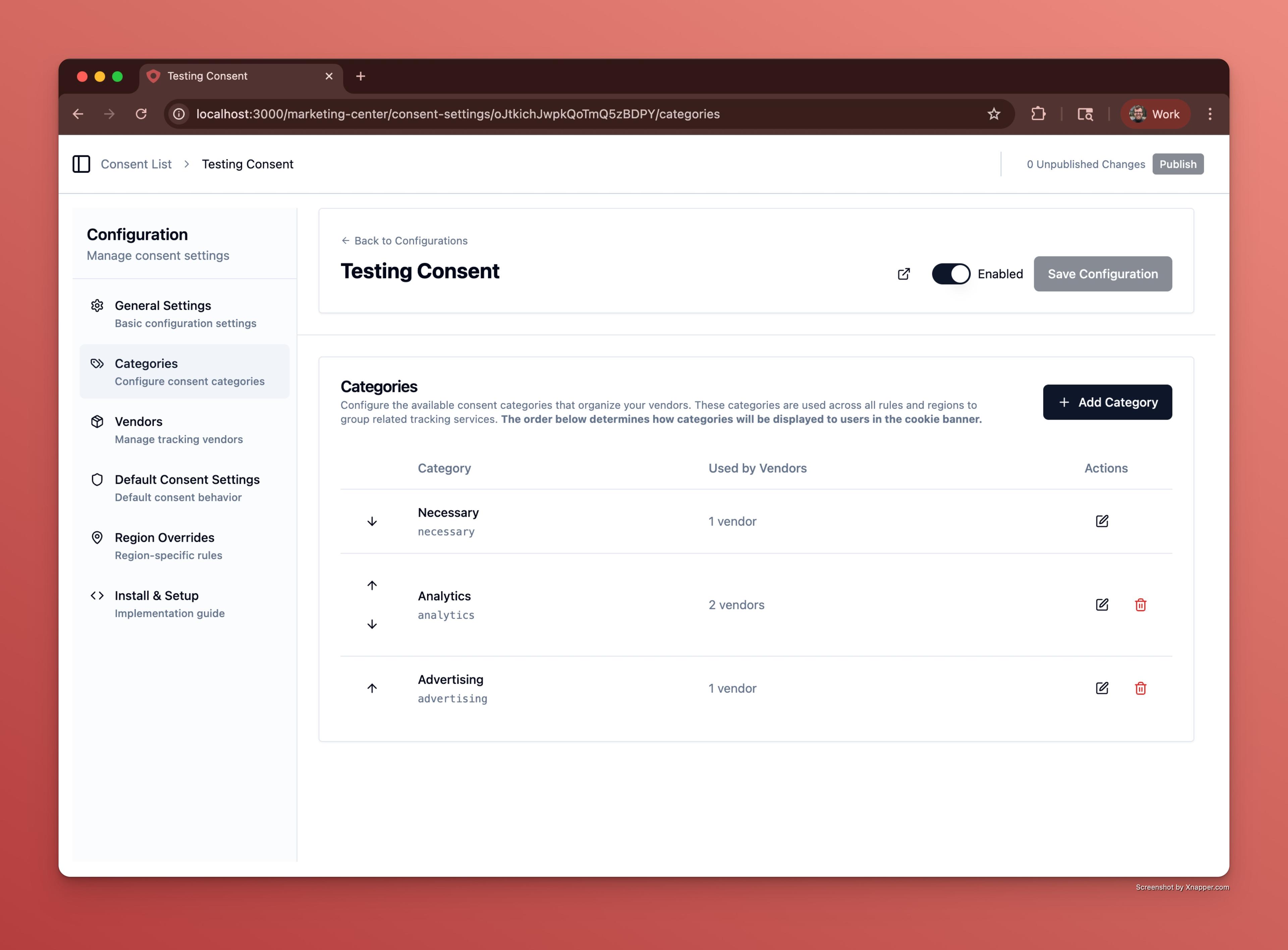
- Categories: Define the types of cookies and trackers you need consent for, like "Necessary," "Analytics," or "Advertising."
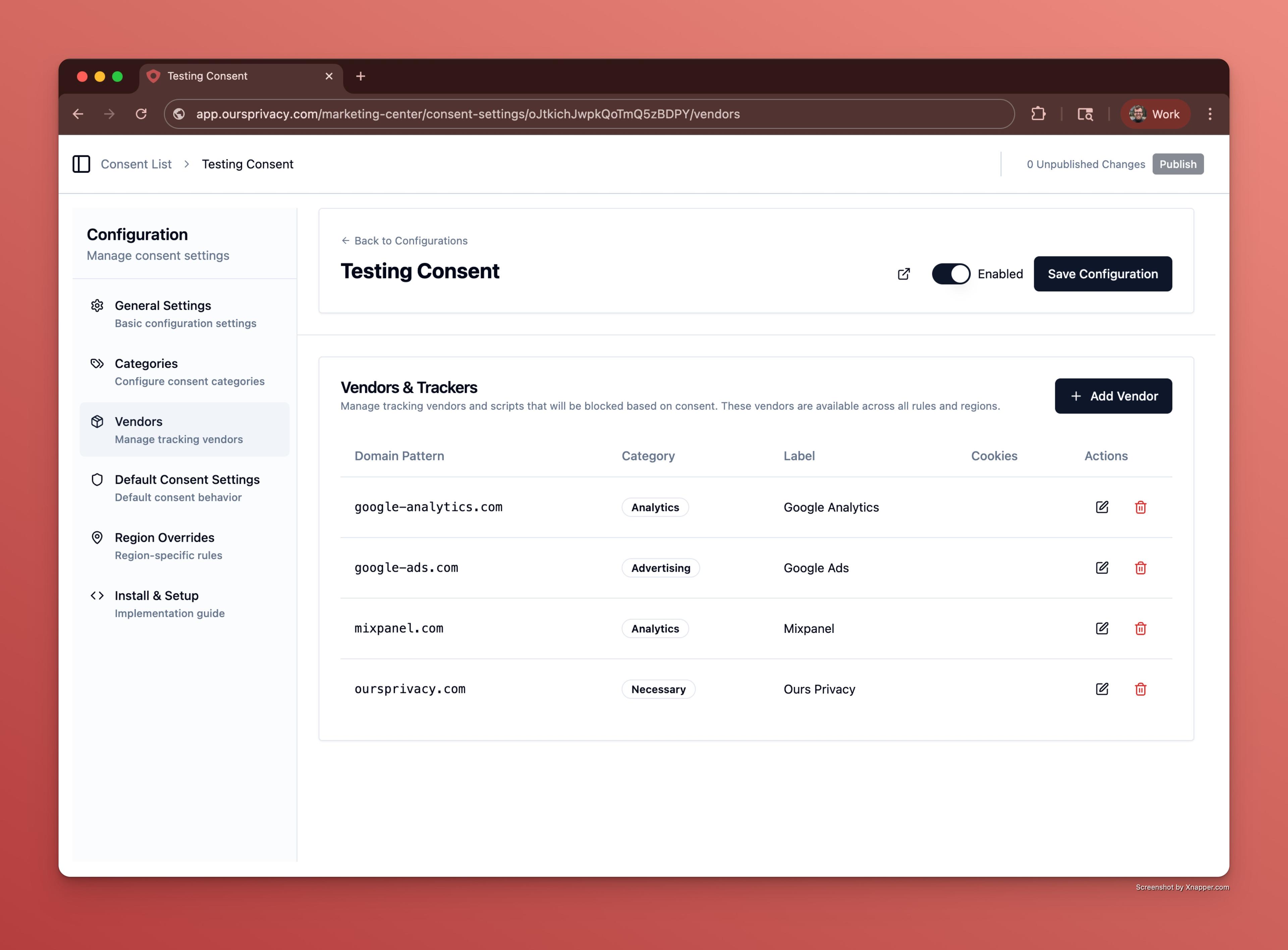
- Vendors & Trackers: Maintain a list of known vendors and domains that need to be blocked or managed, with category assignments.
- Consent Modal & UI Text: Customize all text, labels, translations, and button layout behavior shown to visitors in your consent banner and preferences modal.
- Default Consent Settings: Set the default consent mode (opt-in or opt-out), regional overrides, automatic page refreshing, and versioning.
Each of these helps you:
- Collect clear, granular consent for each purpose and vendor.
- Ensure compliance with laws like GDPR, CCPA, and HIPAA.
- Provide a branded, clear experience with customizable text and design.
- Keep your site privacy-friendly by preventing unauthorized tracking before consent.
Below you'll find details on each part:
Categories
Define the categories users see when managing their consent. Examples include:
- Necessary (cannot be disabled)
- Analytics
- Advertising
- Custom categories you define
Categories allow granular consent collection and make sure your site aligns with legal requirements for purpose-based consent.
Vendors & Trackers
Set up the list of scripts, domains, and vendors that need consent management:
- Add domain patterns (e.g.
google-analytics.com) - Assign them to categories
- Add labels for user-facing vendor names (e.g. "Google Analytics")
- Add internal notes for team management
When the Show Vendors in Preferences setting is enabled (see Default Consent Settings below), vendor labels are displayed under their respective categories in the preferences modal. This gives visitors transparency into which specific services are associated with each consent category.
This ensures accurate blocking and transparent disclosure.
Consent Modal & UI Text
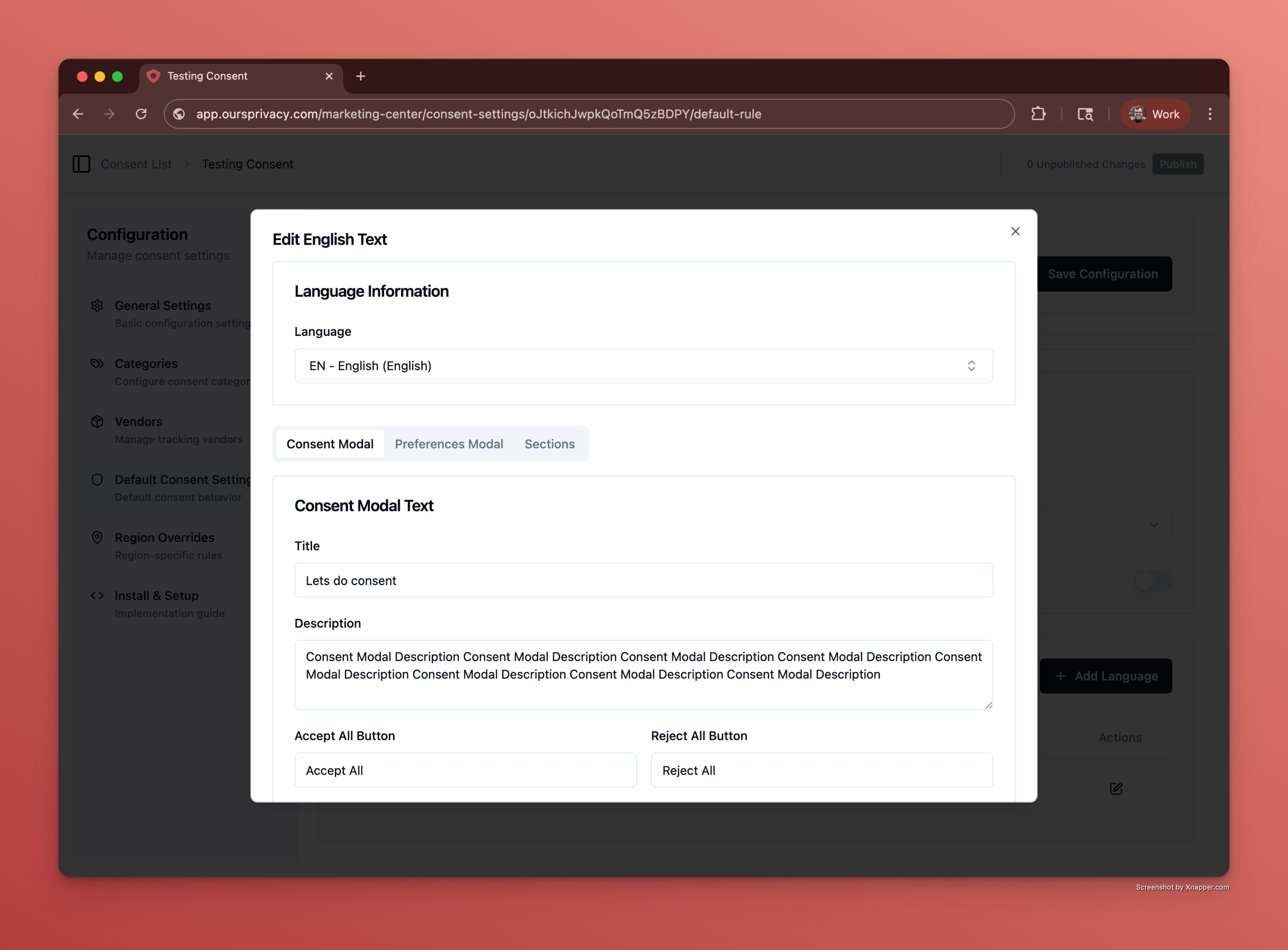
Customize the full user experience:
- Banner titles and descriptions
- Buttons (Accept All, Reject All, Preferences)
- Included button layout strategy per region
- Terms of Service and Privacy Policy URLs
- Footer text and preferences modal sections
- Support for translations and region-specific language
Helps create a clear, branded, and compliant interface for your visitors.
Included Buttons (Consent Modal)
Ours Privacy CMP supports 5 consent modal button layout presets:
- Accept, Reject and Preferences
- Accept and Preferences
- Information Only (No Buttons)
- Preferences Only
- Accept Only
This gives you granular control over how action-heavy or action-light your modal should be by jurisdiction and policy model.
Default Consent Settings
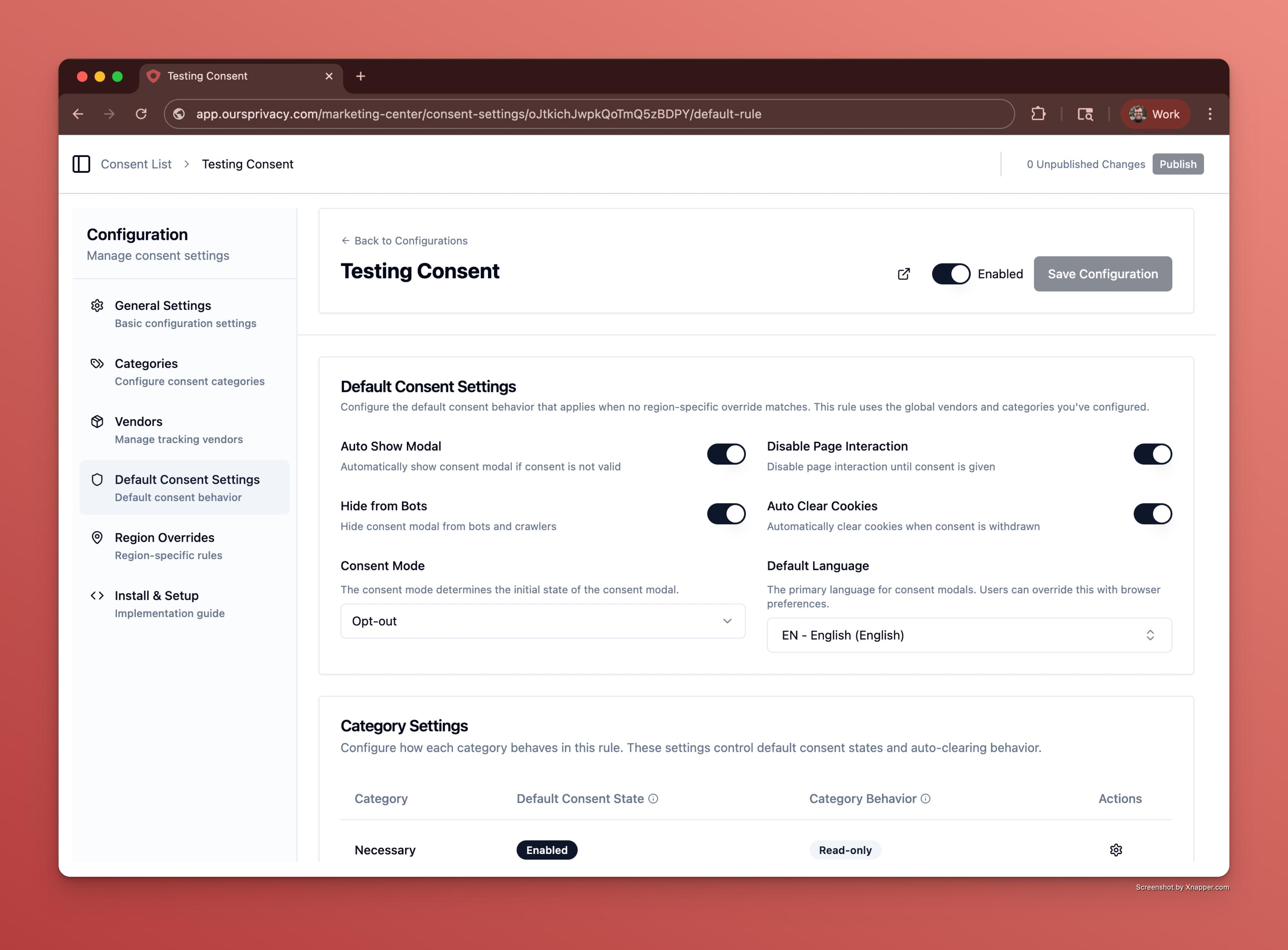
Set the overall behavior of your consent system:
- Consent mode (opt-in or opt-out)
- Auto show banner on load
- Auto Show Dismiss Settings
- Disable page interaction until consent
- Show Vendors in Preferences
- Region-specific overrides with tailored modes and text
- Consent revision/versioning to ensure you can roll out new policies safely
These settings ensure your site behaves correctly by default for all users, while giving flexibility for local laws and best practices.
Consent Revision
The consent revision number lets you invalidate all previously stored consent and require visitors to consent again. Bump this number when the scope of what visitors are consenting to has materially changed — for example, after adding new cookie categories or making significant updates to your privacy policy.
For more details on all the scenarios that trigger re-consent, see the FAQ: When does the CMP renew or reset cookie consent?.
Show Vendors in Preferences
When enabled, vendor labels are displayed under their respective categories in the preferences modal. For example, if you have a vendor labeled "Google Analytics" assigned to the "Analytics" category, users will see "Google Analytics" listed under "Analytics cookies" when they open their consent preferences.
- Disabled (default): Vendor labels are not shown in the preferences modal. Only category names are visible.
- Enabled: Vendor labels appear under each category, giving visitors full transparency into which services are being used.
This setting can be configured independently per region using Regional Policies. For example, you might enable vendor display for EU visitors (where GDPR requires detailed disclosure) while keeping it disabled for other regions.
Auto Show Dismiss Settings
When "Auto show banner on load" is enabled, you can configure when the consent modal automatically dismisses:
-
Dismiss Mode: Choose when the modal should automatically dismiss:
- Never: The modal continues to show on every page until the user interacts with it (default behavior)
- After X Pages: Automatically dismisses after the user navigates through a specified number of pages
- After X Seconds: Automatically dismisses after a specified number of seconds
-
Page Count (when "After X Pages" is selected): The number of pages the user can navigate to before the modal automatically dismisses. The modal will show on each page until this count is reached.
-
Seconds (when "After X Seconds" is selected): The number of seconds the modal should be displayed before automatically dismissing. The timer starts when the modal is first shown.
Use Cases:
- Never: Best for strict compliance requirements where explicit user interaction is required
- After X Pages: Useful for reducing banner fatigue while still ensuring visibility across multiple pages
- After X Seconds: Ideal for providing a brief opportunity for users to see and interact with the banner before it auto-dismisses
Global Privacy Control (GPC) Notification
When a user has Global Privacy Control (GPC) enabled in their browser and your CMP settings are configured to respect GPC signals, a notification will appear in the consent window stating: "We detected and are honoring your Global Privacy Control (GPC) signal". This notification is visually highlighted to inform users that their GPC decision is being respected.
GPC respect settings can be configured globally or per region using Regional Policies, allowing you to comply with privacy laws like CCPA and CPRA that require honoring GPC signals.
Next Steps
- Regional Policies: Create region-specific consent policies
- Script Blocking: Configure automatic and manual script blocking
- Styling & Customization: Customize the visual appearance
How is this guide?