

Verify a Page
Re-check a single page right now and compare it with the previous check of the same page, without waiting for the next scheduled crawl.
Use this page to confirm a fix on one page without waiting for the next scheduled crawl.
How it works
Verify a page checks one URL on the monitor's domain right now and compares the result with the previous completed check of the same page. The comparison names hosts rather than counting them, so you see which third parties are gone and which are still there.
A tracker that happened not to load this time is listed separately as "did not load at all this time", so an intermittent script is not mistaken for a fix. When a capture is partial, counts show as minimums and a clean result is labeled inconclusive rather than clean.
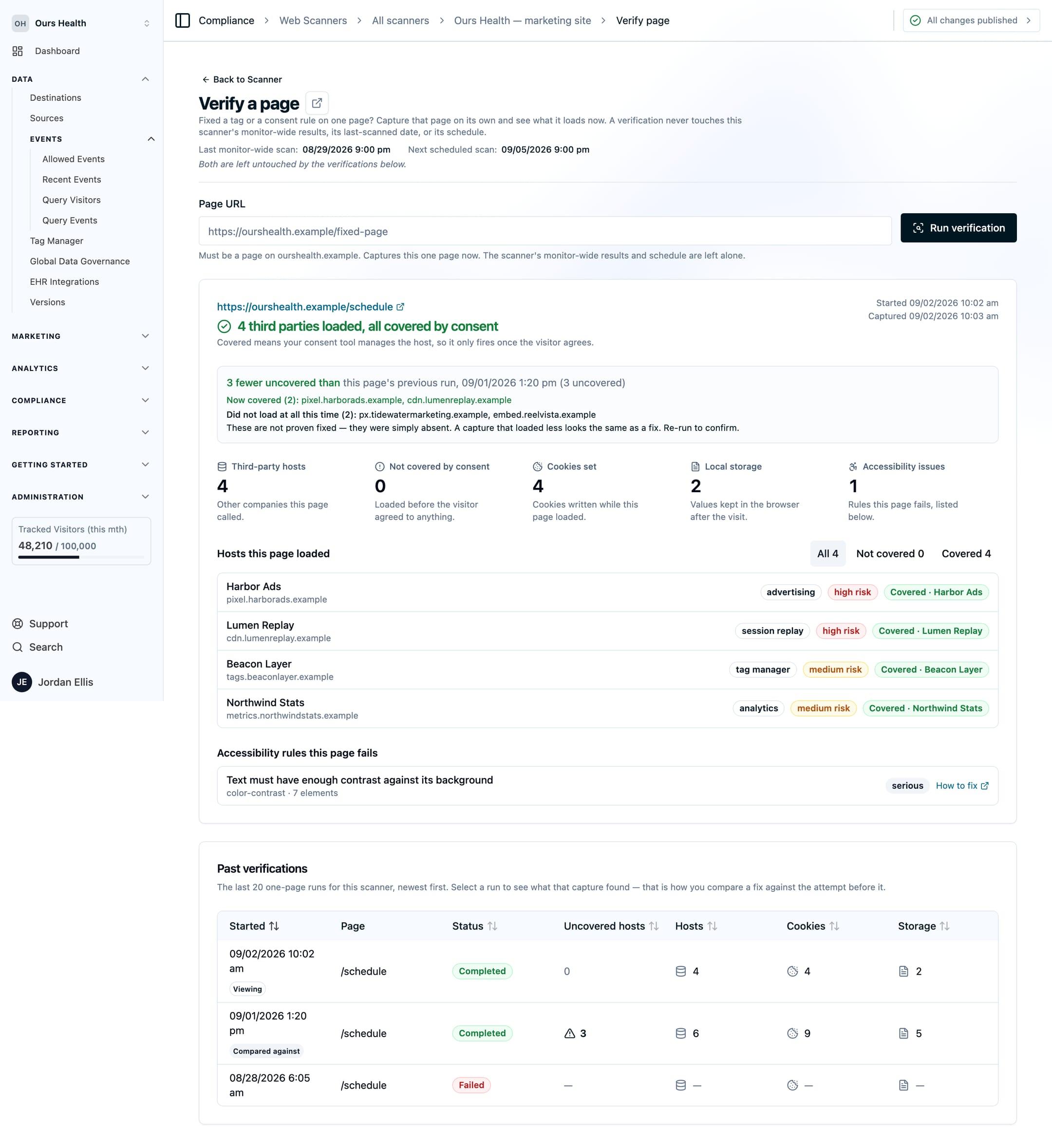
A verification does not change the monitor-wide results, the last-scanned date, or the schedule. The page shows the date of the last full scan beside it so the two are not confused. Verification runs do not include the four-state consent checks.
Starting a check
- From the URLs tab, use the row action on any crawled page.
- From an expanded resource, use the verify link on a Seen On Pages entry.
- From the Verify a page screen, type a URL. The field autocompletes from pages the scanner has crawled or verified.
Each check has its own link, so you can send a specific run to the person who made the change. The same checks are available over the REST API; see Web Scanners over the API.
Next Steps
- Scan schedule: when the next full crawl runs, and how to run one on demand.
- Managing scan results: suppression rules and notes.
- Recommended fixes: what to change for each class of finding.
How is this guide?