

Page Insights
Review any page the Web Scanner has captured through four lenses: conversion optimization, SEO, accessibility, and AI readiness.
Use this page to review a captured page through four lenses. Page Insights is part of the AI analysis beta; contact your account representative to turn it on. It appears under Marketing in the sidebar.
Choosing a page and a lens
Page Insights works on pages the Web Scanner has already captured. Pick a page, then choose what to analyze:
- Conversion optimization. Written by a model from the page screenshot and structure, covering copy, calls to action, and layout.
- SEO. Deterministic page checks (title, headings, canonical, robots, status, structured data), plus model-suggested content ideas.
- Accessibility. Deterministic, from automated rule results, with the affected elements highlighted on the page preview.
- AI Readiness. A model-generated score, shown beside deterministic technical signals such as indexability and heading outline. Those signals do not change the score.
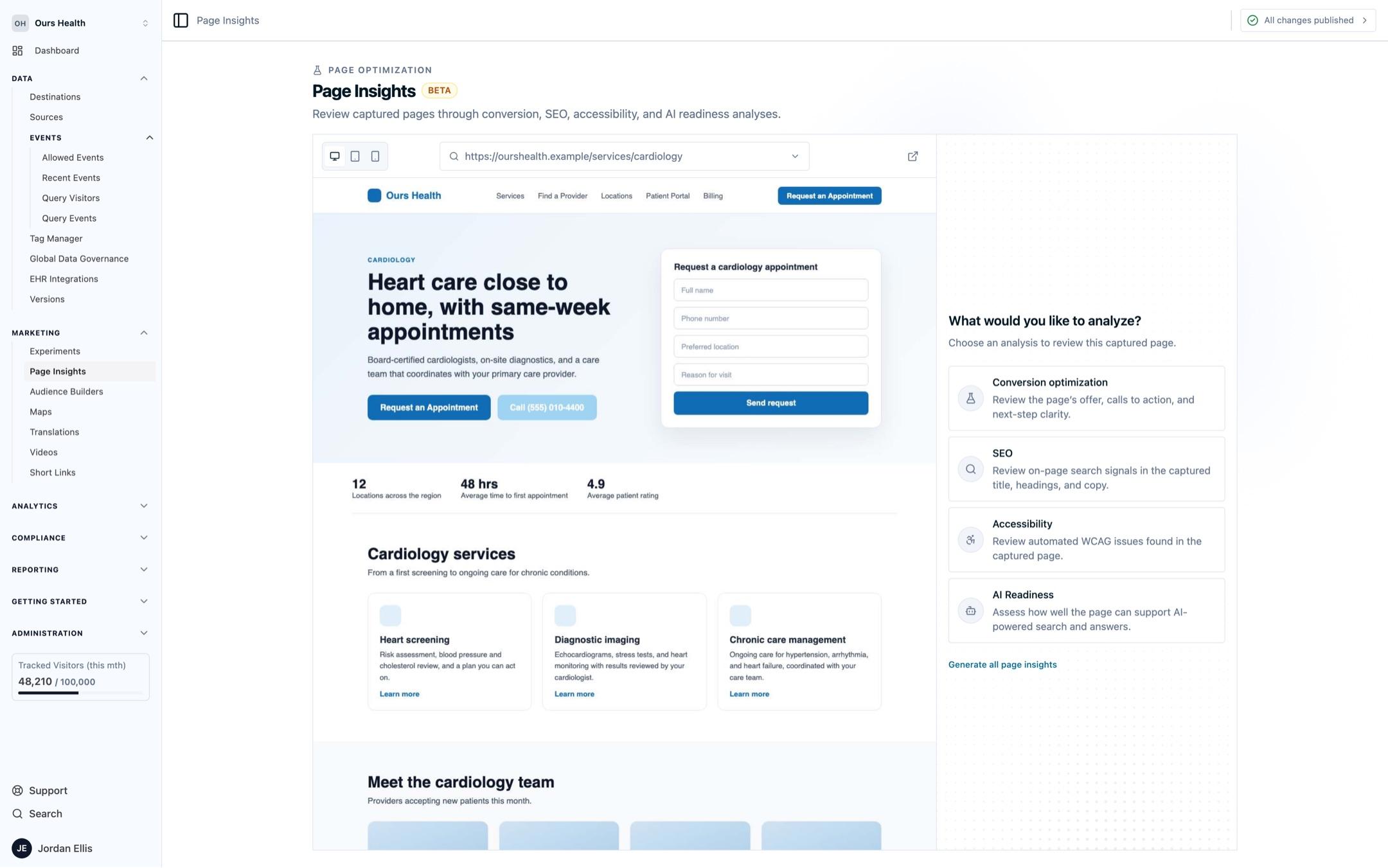
Select a lens to run it. In the Accessibility review, open a finding to highlight the affected element on the preview.
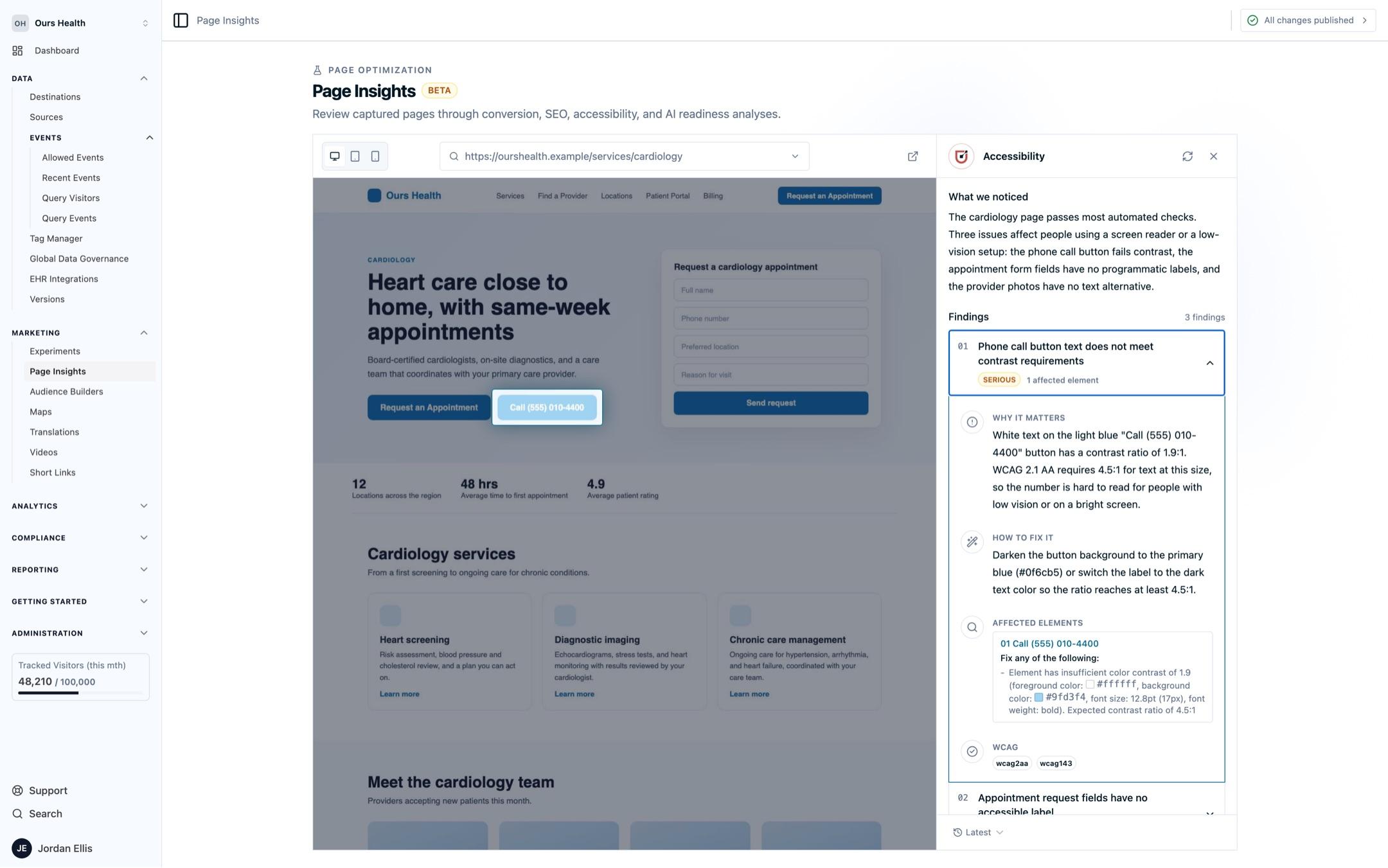
Previews are captured at desktop, tablet, and mobile sizes on a best-effort basis. Completed analyses are kept under Analysis history and can be reopened by date, so a page can be compared with its earlier self.
What it is not
Page Insights reviews a captured snapshot of a page. It does not run on your live site, and a model-generated review is a set of suggestions to evaluate, not a measurement. The deterministic lenses report what the automated checks found and nothing more.
Next Steps
- What the scanner detects: the accessibility checks that run on every crawled page.
- Scanner configuration: control which pages the scanner captures.
How is this guide?