

Campaigns and UTM Tags
Add campaign, source, medium, term, and content tags to an Ours Privacy short link. Learn how the tags are passed to your landing page and captured on every click.
Use this page to tag a short link so its clicks group with the rest of a campaign. The Campaign & UTM tags card sits under Link details in the short link editor.
The five fields
All five are optional free text. Empty fields do not add a tag to the destination.
| Field | What it answers | Example |
|---|---|---|
| Campaign | Which campaign is this part of? | spring_2026 |
| Source | Where is the link placed? | postcard |
| Medium | What kind of channel is it? | direct_mail |
| Term | Which keyword or variant? | new_patient |
| Content | Which creative or position? | back_panel_qr |
Campaign does the most work. Give a set of links the same campaign value and you can measure them together as one campaign.
Conventions worth adopting
Campaign tags are only as useful as they are consistent, and nothing here validates your spelling.
- Pick one case and separator and hold to it.
spring_2026andSpring-2026are two different campaigns as far as reporting is concerned. - Lowercase everything. It removes a whole class of mismatch.
- Reuse the vocabulary you already use on your web and email links, so short link clicks sit alongside the rest of your campaign data instead of forming a parallel taxonomy.
- Let Medium describe the channel type, not the specific placement.
direct_mailis a medium;march_postcardis a campaign or a content value. - Copy the tags between links. The Copy design button on the QR panel brings across campaign tags as well as styling, which keeps a set of links consistent by construction.
Forwarding UTM tags to your destination
By default, your campaign tags are added to the destination URL when you publish the link, so your landing page and any analytics running on it see them as utm_campaign, utm_source, and so on.
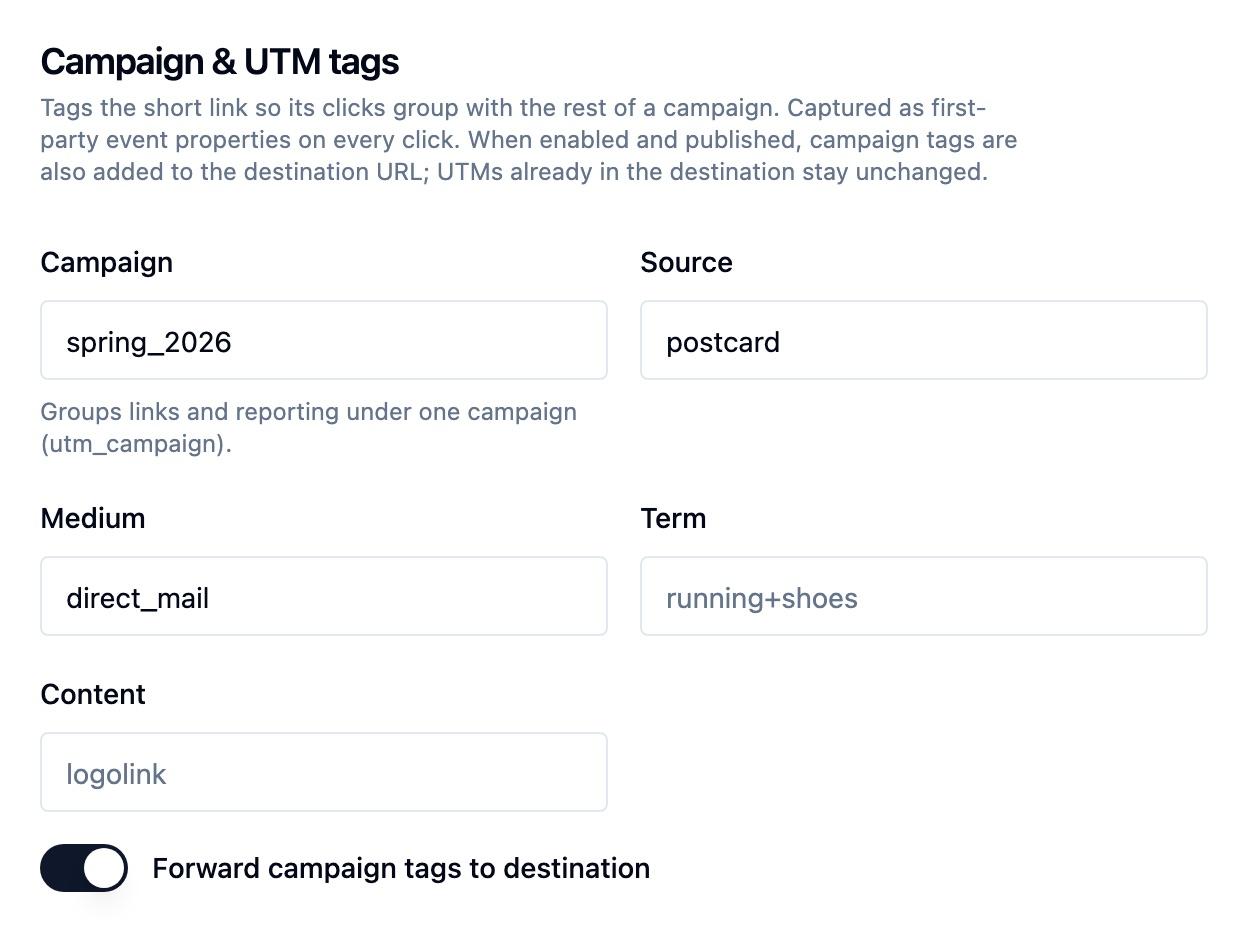
If your destination URL already has a UTM tag, that value is kept. Everything else on the destination URL stays as you entered it. For example, with Source set to postcard and Campaign set to spring_2026:
Destination:    https://northsidehealth.example/spring?utm_source=partner
Visitors land:  https://northsidehealth.example/spring?utm_source=partner&utm_campaign=spring_2026
To keep the destination URL exactly as entered, turn off Forward campaign tags to destination and publish. Clicks are tagged in Ours Privacy reporting either way.
Where the tags show up
Once a tagged link is published and starts getting traffic, the campaign values are available:
- On the click event as first-party properties, so you can filter metrics in Insights.
- In audience conditions, so you can build an audience of everyone who arrived through a given campaign. See Event conditions.
- In destination mappings, so campaign values can be forwarded to a CRM or ad platform alongside the click.
Grouping links into a campaign
A campaign usually spans several placements. Create one link per placement, give each a distinct name, and give all of them the same Campaign value:
Name: Spring Postcard QR        Campaign: spring_2026   Source: postcard    Medium: direct_mail
Name: Spring Lobby Poster QR    Campaign: spring_2026   Source: lobby       Medium: signage
Name: Spring Newsletter Link    Campaign: spring_2026   Source: newsletter  Medium: email
Each link reports separately, so you can see which placement performed. The shared campaign value is what lets them be read together.
Include the links’ click events in an Insights report filtered by the shared campaign value. See Campaign roll-up. Each link’s Analytics tab shows that link’s own results.
Next Steps
- Branded domains: serve tagged links from your own domain.
- Short link click events: what else is captured alongside the tags.
- Recipes: complete campaign configurations you can copy.
How is this guide?