

Branded Domains
Serve Ours Privacy short links and QR codes from a custom domain you own, so the short URL and the printed code read as your brand.
Use this page to serve short links from a domain you own, so a link reads as go.ourshealth.example/r/... instead of a generic host.
Branded short links reuse the same custom domain you set up for first-party tracking. There is no separate domain to configure for short links.
Why brand the domain
- Recognition and trust. A link or a printed QR that resolves through your own domain is more likely to be clicked, and less likely to be flagged by an email or messaging client that scores unfamiliar shortener hosts.
- Consistency with the rest of your setup. The same host already serves your tracking, so there is one domain to explain in a privacy policy rather than two.
- First-party posture. The redirect happens on infrastructure pointed at your own domain, matching the rest of the platform's approach.
Set up a domain
There is nothing short-link specific to do. Follow Custom Domains:
- Open Custom Domains in the dashboard and add a subdomain, typically
metrics.yourdomain.com. - Add the CNAME record shown to your DNS provider.
- Wait for the status to move through Awaiting DNS and Validating to Ready.
Once a domain is Ready, short links resolve on it automatically. You do not need to recreate existing links.
Choose the domain in the editor
When your account has more than one ready custom domain, a Serve from picker appears in the Link details card. Selecting a domain changes the origin of the URL you copy and of the QR code you download at that moment.
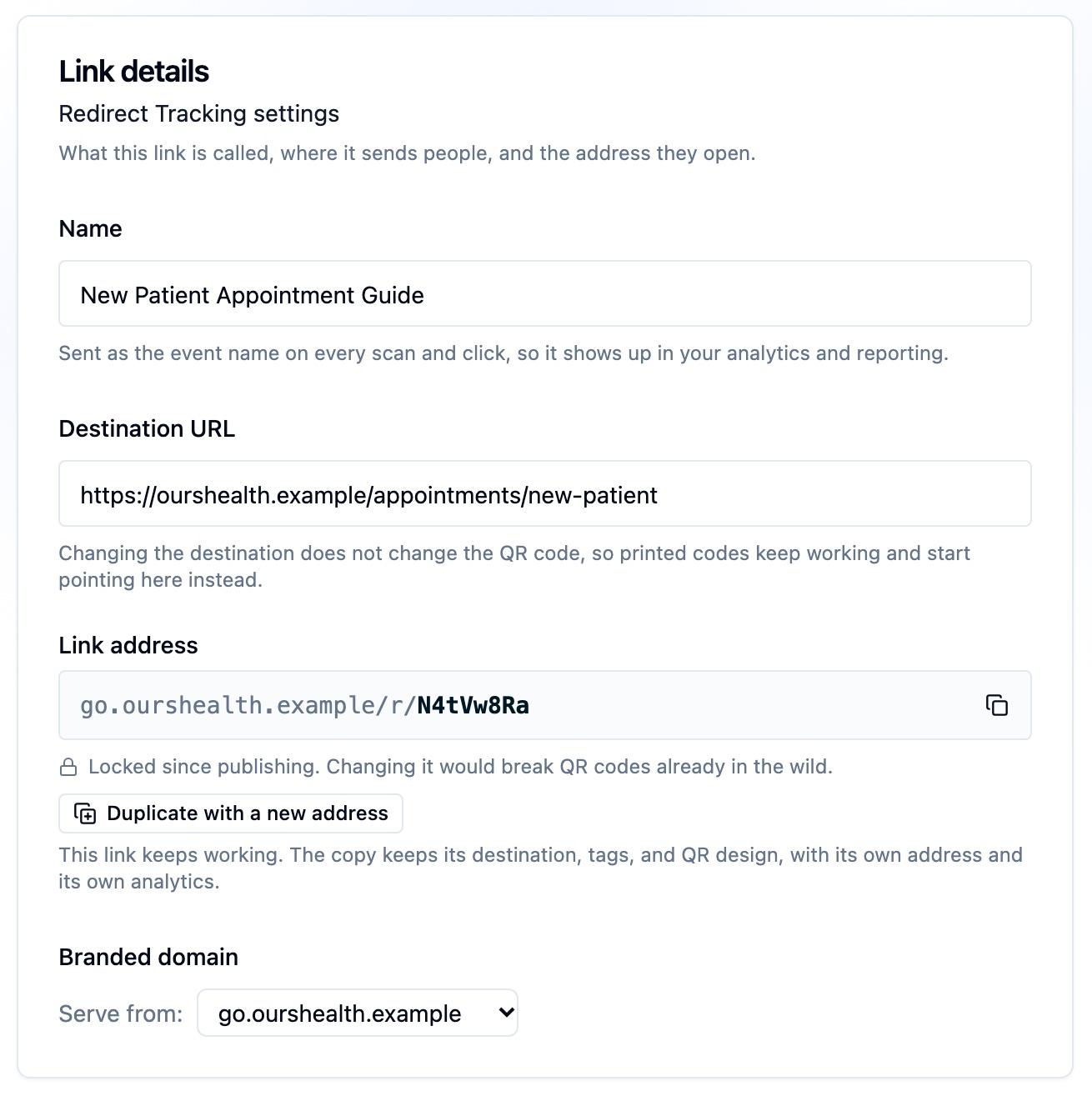
Note: The picker is a choice you make at copy and download time rather than a property stored on the link. If you have several branded domains, pick the right one before you copy the URL or export the QR code.
The same short code resolves on every domain
A short link's code works on any custom domain connected to your account, and on the default Ours Privacy host. This has a useful consequence for print:
- A QR code exported before you added a branded domain still resolves after you add one.
- You can hand different teams links on different branded domains without duplicating the underlying link or splitting its reporting.
Reporting is per link, not per domain, so clicks arriving through different domains roll into the same numbers.
Next Steps
- Custom Domains: the full setup, including DNS and certificates.
- QR codes: export a code that encodes the branded URL.
- Managing short links: the list page and its actions.
How is this guide?