

Redirect Experiments
Run redirect (split URL) A/B tests with Ours Privacy. Send visitors to entirely different pages and measure which converts better using events already in your CDP.
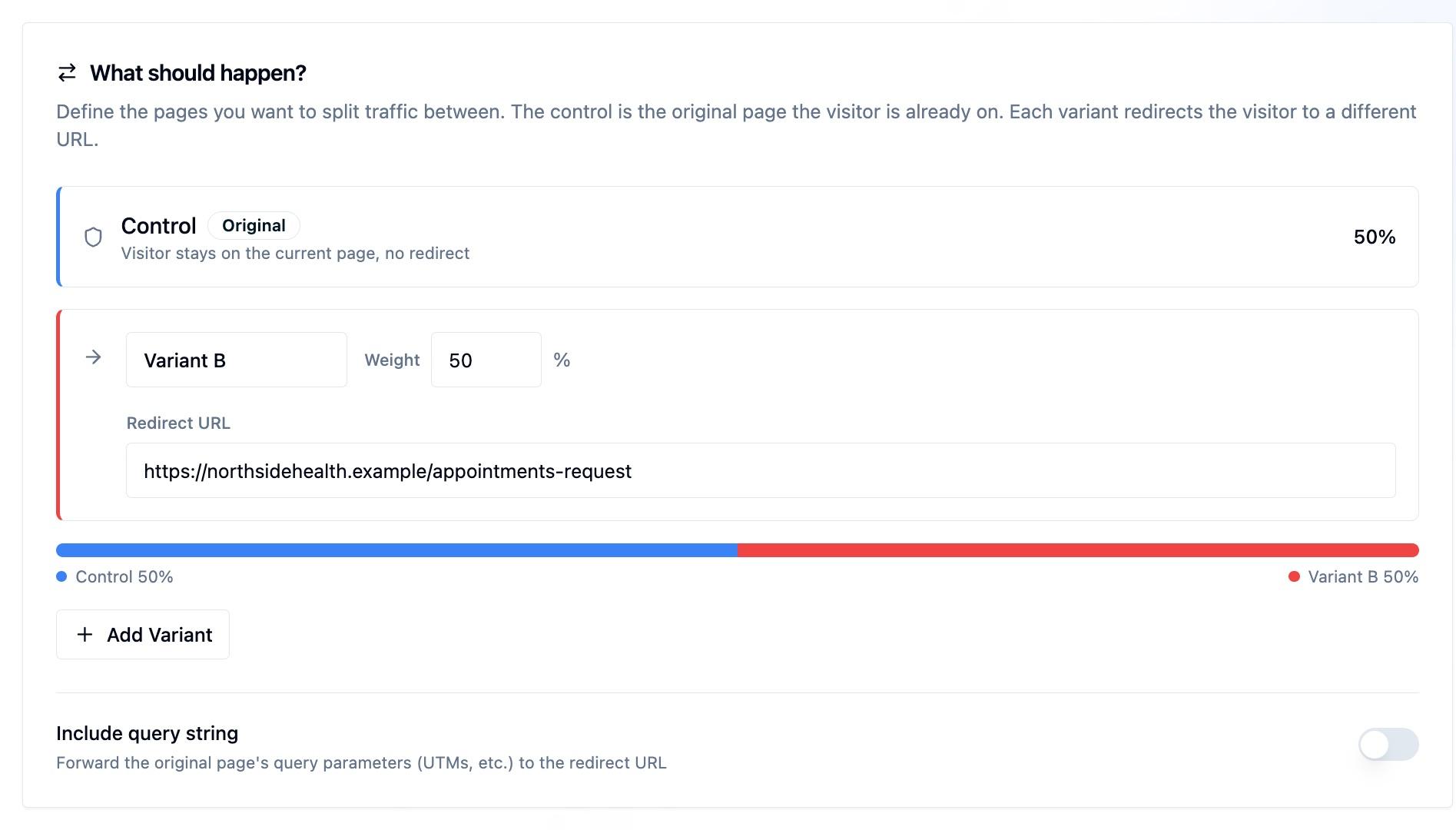
A redirect experiment pits two completely different pages against each other. Instead of modifying elements on the same page, you send half your visitors to a different URL entirely: /pricing-v2 instead of /pricing, or a long-form landing page instead of a short one.
The visitor never sees the original page. The redirect happens before anything renders.
When to Use a Redirect Experiment
Use a redirect experiment when the pages you are comparing are fundamentally different: a different layout, a different structure, a different content approach. If you are changing a headline or a button color, a content experiment is simpler.
Redirect experiments are the right tool when:
- You have built an entirely new version of a page and want to test it against the original
- You are comparing a long-form page against a short-form page
- The changes are too extensive for on-page DOM modifications
- Your design and engineering teams have already built both variants as real pages
How It Works
When the experiment is running and a visitor lands on the original URL:
- Ours Privacy checks which variant they are assigned to
- If they are in the treatment group, the browser redirects them to the variant URL
- They land on the variant page as if they had navigated there directly
- Results are tracked on whichever page the visitor actually sees
The visitor always sees the same page on return visits. Assignments are sticky.
Installation
Redirect timing is what makes the install choice matter. The redirect should fire before the original page renders, so the visitor never sees a flash of the page they are being moved away from.
Load the experiment script synchronously in the <head>. A synchronous script evaluates and redirects before the browser paints the original page, which gives the cleanest, flicker-free redirect:
<!-- In <head>, before other scripts. Synchronous: no async attribute. -->
<script src="https://YOUR_CUSTOM_DOMAIN/experiment-init?token=YOUR_EXPERIMENT_TOKEN"></script>
<script>
  window.ours_experiments.init({ cdpToken: 'YOUR_CDP_TOKEN' });
</script>
Passing your cdpToken lets the experiment script record the variant assignment on its own, so the impression is captured reliably even though the page redirects immediately. The script reads the visitor's identity from the shared Ours Privacy cookie, so assignments stay joined to the rest of your tracking, and you do not need to wait for the rest of Ours Privacy to finish loading.
Using a custom device-id cookie name? The standalone script reads the visitor from the
ours_device_idcookie by default. If you set a customcookie_names.device_idin your Web SDK, pass the same name so identity stays joined:init({ cdpToken: 'YOUR_CDP_TOKEN', visitorCookieName: 'your_device_cookie' }).
See the installation guide for all the init() options.
The Web SDK and Tag Manager paths also run redirect experiments. They are the simplest single install when flicker is not a concern. See the installation guide for all three options.
What You Need
For an experiment to measure correctly, the original page and the page you redirect to must agree on who the visitor is. Three things make that work:
- The experiment script on the original page, loaded as above, so the redirect can be evaluated and recorded.
- Ours Privacy tracking on the page you redirect to, on the same Ours Privacy account. Results are measured on the page the visitor actually lands on, so the destination page needs tracking too, not just the original. If you use the Ours Privacy Tag Manager, this is handled for you.
- The same visitor cookie name on both pages. This only matters if you changed the default (
ours_device_id). If the original and the destination read the visitor from different cookie names, they look like two different visitors and results will not join.
This is the most common reason a redirect experiment shows fewer visitors than expected: the destination is a different landing page or subdomain that is missing Ours Privacy, points at a different account, or uses a different cookie name. Confirm tracking fires on the destination page before launching.
How It Uses Your Existing CDP Data
Like content experiments, redirect experiments plug directly into your CDP:
Pick any existing event as your conversion goal. If trial_started or demo_requested is already tracked, you can measure either page against it. As long as the event fires, it counts.
Visitor context and properties work as targeting rules. Run the test only for visitors from a specific campaign, geography, or an accumulated behavior-derived property.
Visitors stay identified across the redirect. Assignments are tied to the visitor's identity, so attribution flows correctly even though the URL changes.
Redirect URLs
The variant URL must be on the same domain.
/pricing-v2: relative path, same domain/pricing-redesign?source=test: with query stringhttps://yoursite.com/pricing-redesign: absolute URL, same domain
By default, query parameters from the original URL are not forwarded to the variant URL. In most cases this does not matter, since attribution flows through the visitor identity rather than the URL.
If you need UTMs or other query parameters preserved on the redirect, enable Include query string in the experiment's redirect settings. When turned on, all query parameters from the original URL are appended to the redirect URL. Parameters already present on the redirect URL take precedence over incoming ones with the same key.
Worked example with Include query string enabled:
| Input | Value |
|---|---|
| Visitor arrives at | /pricing?version=1&utm_source=google |
| Configured redirect URL | /pricing-v2?version=2 |
| Final redirect | /pricing-v2?version=2&utm_source=google |
version=2 wins because the redirect URL already declares it. utm_source=google is carried over because the redirect URL does not set it.
Reading Results
Results look identical to a content experiment:
- Impressions are counted on the page the visitor actually sees
- Conversions are counted when your goal event fires after the visitor sees a variant. If you choose an outcome window, it must happen before that visitor's window closes. See Goals & Conversion Tracking for the event setup and Experiment Methodology for timing.
- Analysis results use the experiment's selected analysis method, including Bayesian probability to be best, Frequentist confidence intervals and adjusted p-values, or Sequential always-valid confidence bounds
Next Steps
- Installation: All three ways to load experimentation
- Declaring a Winner & Rolling Out: Make a winning redirect an ongoing redirect after the test ends
- Content Experiments: Modify elements on the same page instead of redirecting
- Headless Experiments: Let your application code render the variant
- JavaScript SDK: Access variant assignments from your own code
How is this guide?