

Headless Experiments
Run A/B experiments in React, Vue, Next.js, and other framework-owned UIs. Ours Privacy handles assignment, sticky bucketing, and impression tracking while your code renders the variant.
A headless experiment is the application-owned rendering pattern for Ours Privacy A/B testing.
Use it when you want Ours Privacy to handle:
- visitor assignment
- sticky bucketing
- impression tracking
- experiment exposure to your application code
...while your application code decides what to render.
This is the best fit for React, Vue, Next.js, and other framework-controlled UIs where direct DOM mutation is inherently best-effort.
What It Is
A headless experiment is a usage pattern on top of the JavaScript SDK. The runtime gives you the pieces you need:
window.ours_experiments.getExperiment(experimentId)window.ours_experiments.getExperimentByKey(experimentKey)window.ours_experiments.getExperiments()window.ours_experiments.getVariant(experimentId)window.ours_experiments.getAssignments()window.ours_experiments.on('assigned', callback)
Your application reads the assignment and renders the appropriate UI itself.
When To Use It
Use a headless experiment when:
- your framework re-renders the same subtree after hydration or state changes
- the same experiment assignment needs to control multiple components
- you want type-safe rendering logic in application code
- you want personalization and experiments to use the same app-owned rendering path
Prefer content experiments when the page is mostly static and the runtime can safely mutate the HTML directly. Prefer redirect experiments when you've built two distinct pages.
Use The Web SDK Visitor ID
Experimentation should use the same visitor ID as the Ours Web SDK.
Do not generate your own visitor ID for headless rendering. Read the current visitor ID from the Web SDK and pass that into window.ours_experiments.init(...) when you are manually initializing the experiments runtime.
If you already load experimentation through the Web SDK with experimentation.token, the Web SDK handles this wiring for you automatically.
If you are manually initializing the experiments runtime alongside the Web SDK, use the Web SDK visitor ID:
const visitorId = ours.getVisitorId();

window.ours_experiments.init({
  visitorId,
});
If you are working in a script-tag environment where window.ours_data is already available, this is equivalent:
window.ours_experiments.init({
  visitorId: window.ours_data?.visitor_id,
});
See Web SDK (client) for the getVisitorId() API.
Recommended Setup
For most sites, load experimentation through the Web SDK or Tag Manager. With the Web SDK, add your experimentation token to the existing init call:
ours('init', 'YOUR_CDP_TOKEN', {
  experimentation: {
    token: 'YOUR_EXPERIMENT_TOKEN',
  },
});
That keeps visitor identity and experimentation identity aligned automatically.
Then render from your app code using window.ours_experiments.
A/B Example
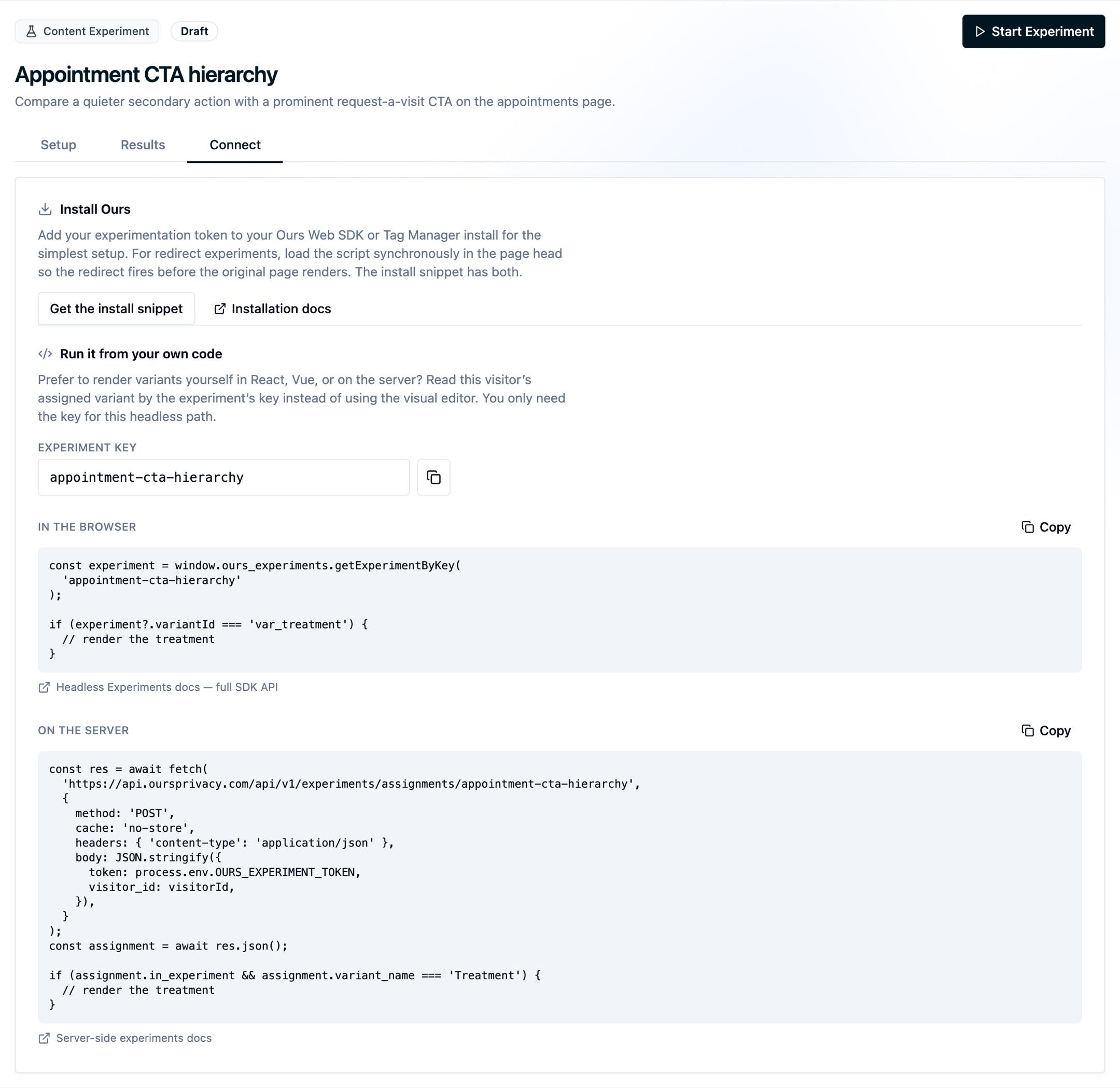
const heroExperiment = window.ours_experiments.getExperimentByKey('homepage-hero');

if (heroExperiment?.variantId === 'var_enterprise') {
  renderEnterpriseHero();
} else {
  renderDefaultHero();
}
This lets the experiment runtime own assignment while your application owns the rendered components.
React / SPA Pattern
In single-page apps, initialize experimentation once, then read assignments during render or state setup.
window.ours_experiments.init({
  visitorId: ours.getVisitorId(),
});

const heroExperiment = window.ours_experiments.getExperimentByKey('homepage-hero');

if (heroExperiment?.variantId === 'var_enterprise') {
  renderEnterpriseHero();
} else {
  renderDefaultHero();
}

window.ours_experiments.on('assigned', ({ experimentId, variantId }) => {
  if (experimentId === 'exp_homepage_hero' && variantId === 'var_enterprise') {
    renderEnterpriseHero();
  }
});
Use the direct getExperiment(...) read for current state, and the 'assigned' event when you need to react to initialization or SPA re-evaluation.
Personalization
For app-owned personalization that doesn't run a statistical test, see Headless Personalization. It uses the same SDK shape: read visitor signals from getVisitorContext() and branch in your own code.
Conversion Events
Headless experiments use the same ordinary CDP events as every other experiment flow.
If your experiment metric is signup_completed, track that event the normal way:
function onSignupComplete() {
  ours('track', 'signup_completed');
}
There is no short experiment-specific conversion API documented here. The experiment runtime records impressions, and your existing CDP events remain the source of truth for conversions.
Recommended API Pattern
Assign a stable experiment key in the dashboard and read by that key in application code. This gives you a cleaner contract than hard-coding raw experiment IDs:
getExperimentByKey('homepage-hero')getExperiments()when you want the whole active setgetExperiment(experimentId)when you already have a specific ID from another system
Variant IDs are the assignment values you branch on, so most teams keep experiment keys in code and compare against known variant IDs from the experiment.
Next Steps
- JavaScript SDK: Full API reference for assignment reads and event subscriptions
- Headless Personalization: Use visitor signals alongside assignment-based rendering
- Experiment Settings: Targeting, traffic allocation, and consent
How is this guide?