

Server-Side Experimentation
Call the Ours Privacy experiment-assignment endpoint from any backend runtime (Cloudflare Workers, Next.js, Express, Rails, Go services, edge functions) and render the assigned variant before the page reaches the browser. Same visitor, same variant, server- or browser-side.
Server-side experimentation lets your backend pick the variant before the page reaches the browser. The browser SDK and this endpoint converge on the same variant for the same visitor_id, so a hybrid setup (server picks, browser confirms) is the same experiment.
Use it when:
- you want to render the assigned variant on the server (SSR / edge) instead of after hydration
- your traffic comes from non-browser clients (mobile apps, partner systems)
- you want to gate non-UI behavior (pricing, feature flags in headless services) on the same experiment as your UI
The Assignment Recipe
The minimum payload is a stable visitor_id and the experiment's token:
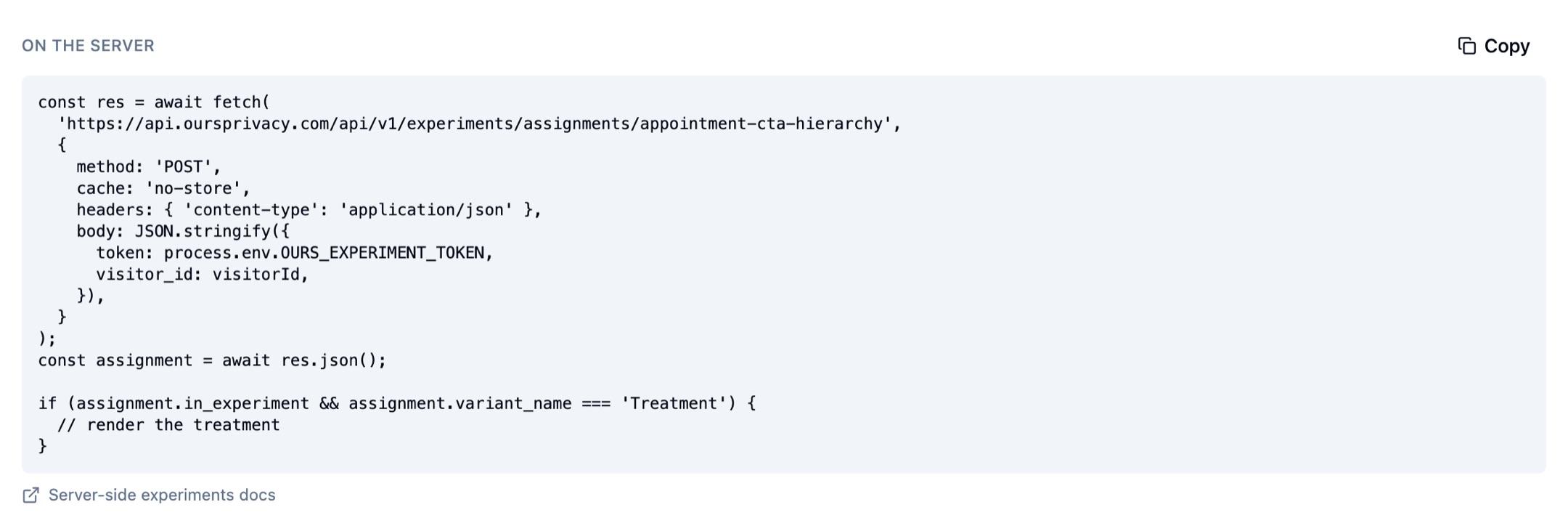
POST https://api.oursprivacy.com/api/v1/experiments/assignments/{experiment_key}
Content-Type: application/json

{
  "token": "exp_abc...",
  "visitor_id": "v_123"
}
Response:
{
  "success": true,
  "in_experiment": true,
  "experiment_id": "exp_01HX...",
  "experiment_key": "checkout_redesign",
  "variant_id": "var_01HX...",
  "variant_name": "Treatment",
  "is_control": false,
  "type": "ab"
}
If the visitor isn't in the experiment (out-of-allocation, URL mismatch, query-param mismatch), you still get 200, with in_experiment: false. Branch on a single boolean.
Redirect variants
For a redirect (split-URL) test, the assigned variant's destination comes back on the response as redirect, so you can issue the redirect server-side without maintaining your own variant-to-URL mapping:
{
  "success": true,
  "in_experiment": true,
  "experiment_id": "exp_01HX...",
  "experiment_key": "pricing_split",
  "variant_id": "var_01HX...",
  "variant_name": "Variant B",
  "is_control": false,
  "type": "ab",
  "redirect": "https://www.example.com/pricing-v2"
}
redirect is present only when the assigned variant is a redirect. It's absent for on-page (DOM-modification) variants, so its presence is your signal to navigate rather than render in place. The URL is a same-domain relative path or an absolute https:// URL, validated when the experiment is configured.
The endpoint also tracks an impression by default. Pass track_impression: false to read the assignment without recording one (useful in diagnostics or shadow flows).
Visitor ID Guidance
Use the same visitor id across browser and server.
If you already collect the Ours Privacy visitor id via the Web SDK cookie, forward it to your backend (header, cookie pass-through, query string, whatever your edge supports) and pass it in as visitor_id. The browser SDK and the assignment endpoint hash on visitor_id + experiment_id with the same algorithm, so the variant is identical.
If your backend has its own user id and you want to drive experimentation from it, use that, but be consistent. Switching mid-session moves the visitor between buckets.
Optional Page Context
When you pass context.url, the experiment's URL patterns are evaluated server-side and the response honors them. Same for context.search (the query string). Either is enough for the eligibility check; if neither is provided, the caller is responsible for only requesting assignments in eligible contexts.
{
  "token": "exp_abc...",
  "visitor_id": "v_123",
  "context": {
    "url": "https://example.com/pricing?utm_source=meta",
    "search": "?utm_source=meta"
  }
}
Variant bucketing is deterministic on visitor_id regardless of context: context only decides whether the visitor is in the experiment.
Worked Example: Cloudflare Worker
export default {
  async fetch(request) {
    const url = new URL(request.url);
    const visitorId = readVisitorIdFromCookie(request);

    const res = await fetch(
      'https://api.oursprivacy.com/api/v1/experiments/assignments/checkout_redesign',
      {
        method: 'POST',
        headers: { 'content-type': 'application/json' },
        body: JSON.stringify({
          token: 'exp_abc...',
          visitor_id: visitorId,
          context: { url: url.toString() },
        }),
      }
    );
    const body = await res.json();

    if (body.in_experiment && body.variant_name === 'Treatment') {
      return renderTreatment(request);
    }
    return renderControl(request);
  },
};
The browser then reads the same variant from the Ours cookie when the page hydrates, so the experiment is consistent across runtimes.
Worked Example: Next.js Server Component
async function getVariant(visitorId: string) {
  const res = await fetch(
    'https://api.oursprivacy.com/api/v1/experiments/assignments/checkout_redesign',
    {
      method: 'POST',
      cache: 'no-store',
      headers: { 'content-type': 'application/json' },
      body: JSON.stringify({ token: process.env.EXPERIMENT_TOKEN, visitor_id: visitorId }),
    }
  );
  return res.json();
}

export default async function Page() {
  const visitorId = cookies().get('_ours_user')?.value;
  if (!visitorId) return <Control />;

  const assignment = await getVariant(visitorId);
  return assignment.in_experiment && assignment.variant_name === 'Treatment' ? (
    <Treatment />
  ) : (
    <Control />
  );
}
Personalization properties (Read-Only)
To fetch the visitor's accumulated personalization properties:
POST https://api.oursprivacy.com/api/v1/experiments/personalization
Content-Type: application/json

{ "token": "exp_abc...", "visitor_id": "v_123" }
{
"success": true,
"properties": { "visited_pricing": true, "last_campaign": "spring-2026" }
}properties returns the visitor traits your personalization property rules have accumulated, keyed by property key, with a scalar value each. This is the supported server-side personalization input today.
Use this bag to select personalized server-rendered copy or targeting. The browser experiment runtime receives the same property values when it initializes.
The read is non-destructive (no impression, no queue dispatch).
Accumulated property values are also delivered to the visitor's browser and are readable by anyone holding the visitor ID, so treat them as public. Do not use secrets, credentials, protected health information, or other confidential data in personalization rules.
Caching
Responses depend on the visitor, and full-user-base cardinality kills CDN caching. We send Cache-Control: no-store. Memoize per-request in your application if you call the endpoint more than once during a single render.
Failure Modes
| Status | Meaning |
|---|---|
200 in_experiment: true | The visitor is in the experiment. Render the variant. |
200 in_experiment: false | Out-of-allocation, URL/QP gated out, or experiment is paused. Render the default. |
400 | Malformed request body or missing experiment_key. Fix the call. |
401 | Token missing or invalid. |
404 | Experiment key isn't recognized or the experiment isn't running. Fail open: render the default. |
429 | You're over your throttle tier. Back off. |
503 | Personalization only. The request was valid but the visitor's state could not be read. Retry after the number of seconds in the Retry-After header. |
Always fail open: an unreachable assignment endpoint shouldn't break your page.
One exception on the personalization endpoint: a 503 means the read failed, not that the visitor has no properties. An empty properties object is only ever returned with "success": true. If you cache or persist what you read, do it on success only, so a transient failure cannot overwrite a visitor's real traits with an empty bag.
SDKs
Every Ours Privacy ingest SDK that calls /track and /identify regenerates from the same OpenAPI spec we publish for these endpoints; pick the SDK in your runtime, or call the endpoint directly:
Next Steps
- Experiment Assignment Reference
- Get Personalizations Reference
- Headless Experiments: the browser equivalent
- Experiment Settings: how to find the experiment key and token in the dashboard
How is this guide?