

Web Scanners
Monitor what loads in a visitor's browser (every third-party tag, cookie, and request) and see what your consent banner covers.
Web Scanners answer one question: what loads in a visitor's browser that a regulator or plaintiff could see? The scanner crawls your site on a schedule and inventories every third-party tag, cookie, and network request, then shows which ones your consent banner already covers and which still need a decision.
Open Web Scanners in appWhat it shows
- Your site's footprint: every third-party script, cookie, and request discovered across the pages it crawls.
- Consent coverage: which detected vendors your consent banner already governs, and which are firing uncovered.
- Privacy-relevant detections: scripts that match known trackers, ad identifiers, and data-collection patterns, and requests carrying patterns that look like personal or health information (Data observed).
- Consent behavior: which third parties your homepage contacts before any choice, after Reject all, after Accept all, and with Global Privacy Control on (Consent checks).
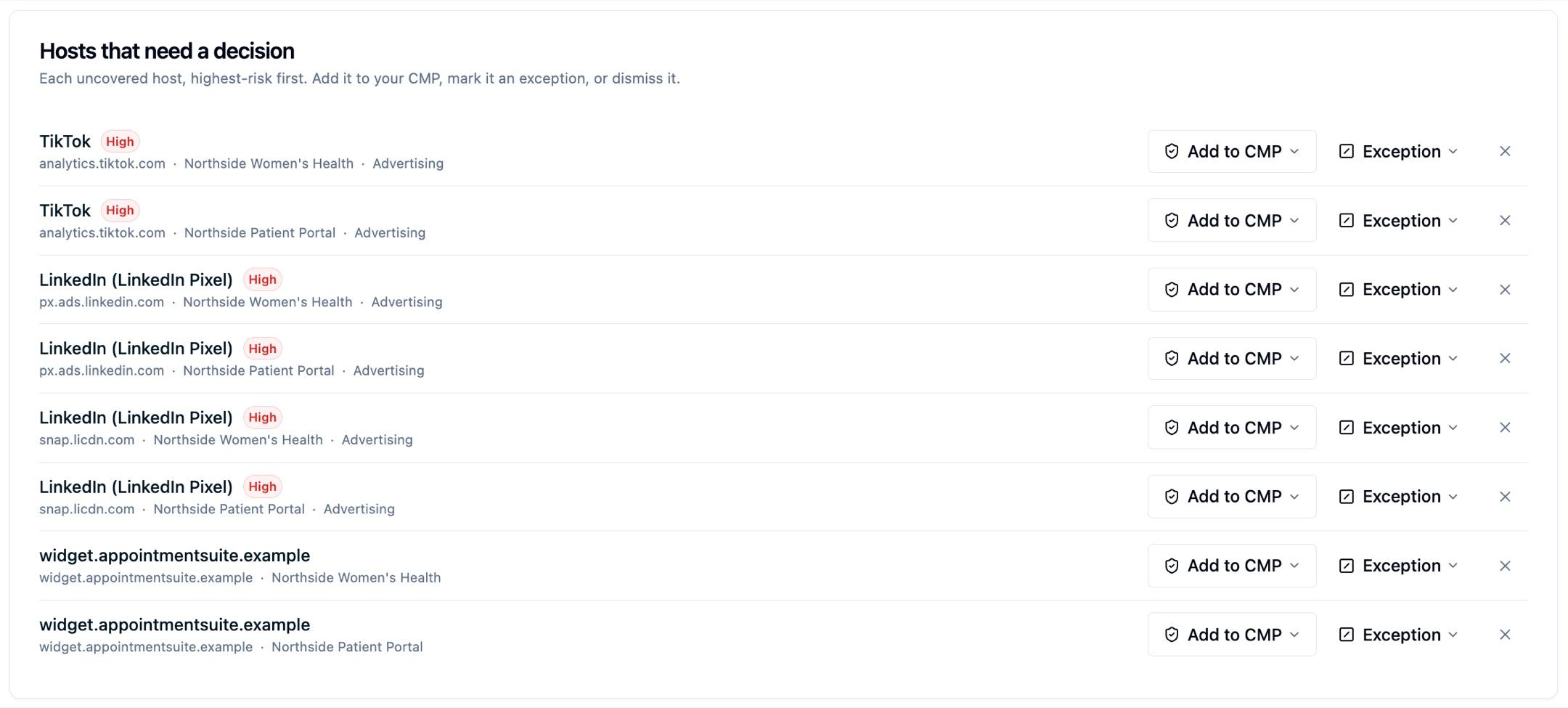
- A review queue: uncovered, high-reach items surfaced first so you can decide what to do about each.
- Progress over time: how your third-party footprint, high-risk hosts, and consent coverage have changed across scans.
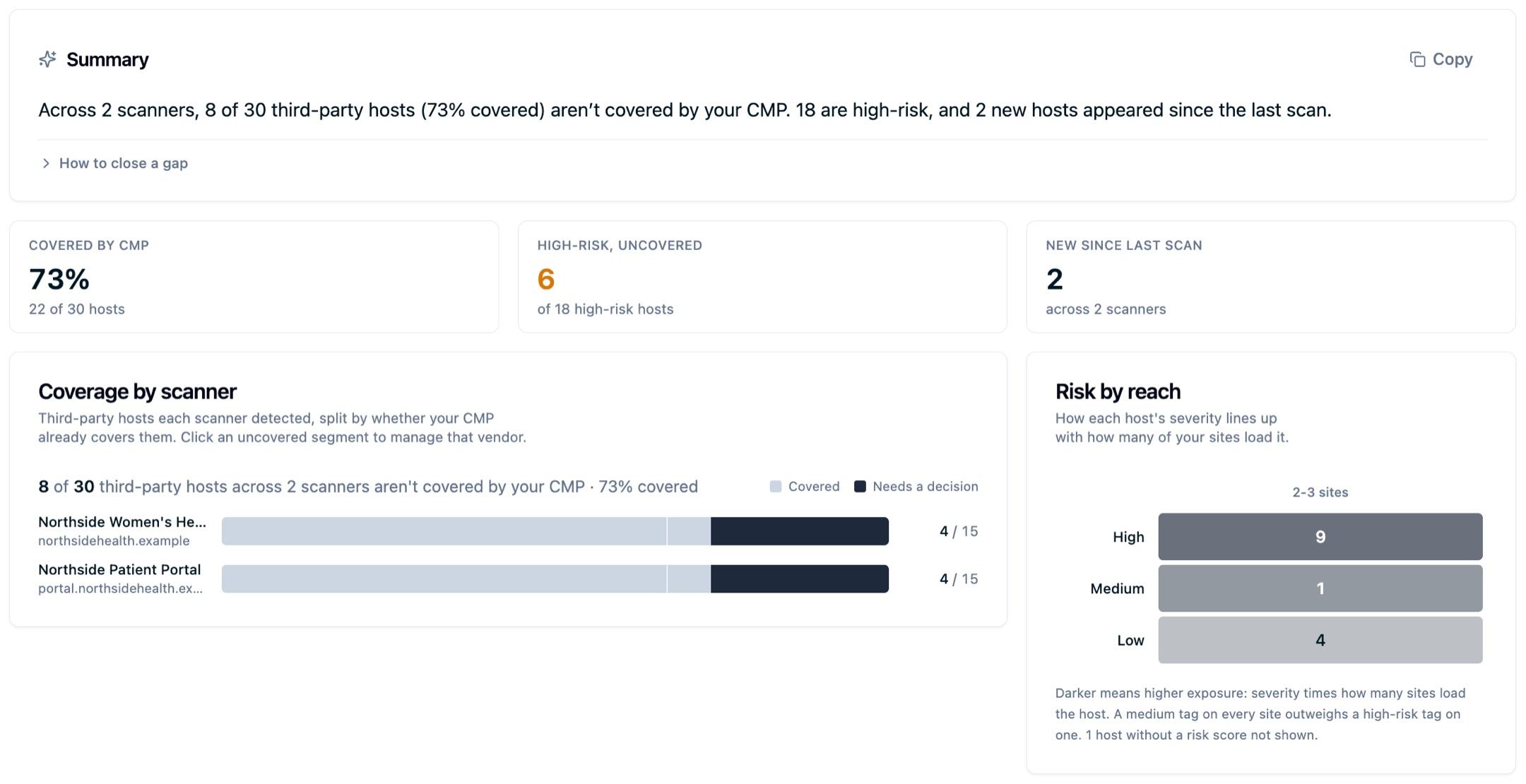
The review queue is the part you work from day to day. Every uncovered host gets a row, highest-risk first, with the actions to resolve it in place:
Scanning tells you what loaded. Blocking decides whether it runs at all: with the CMP in Enforce mode, an uncategorized third-party script is stopped in the visitor's browser before it executes, then reported at the next scan. See Real-time script blocking.
This is the inbound counterpart to the Data Sharing Report: the scanner shows what comes into the browser, while the Data Sharing Report shows what you send out to destinations.
Next steps
- Progress over time: track your footprint, high-risk hosts, and consent coverage across scans, and export a report card. This is where you get a privacy score or before-and-after benchmark to share.
- Real-time script blocking: how the CMP blocks uncategorized scripts before they execute, and how that differs from scan reporting.
- How scanning works: the scan schedule, page discovery, and crawl scope.
- What the scanner detects: third-party scripts, cookies, CSP analysis, and accessibility (WCAG) checks.
- Verify a page: re-check one page after a fix without waiting for the next crawl.
- Managing scan results: suppress reviewed items and add notes.
- Scanner configuration: exclude pages and control crawl depth.
Questions about coverage or how to interpret results? Reach out to support@oursprivacy.com.
How is this guide?