

Compliance
Destination History
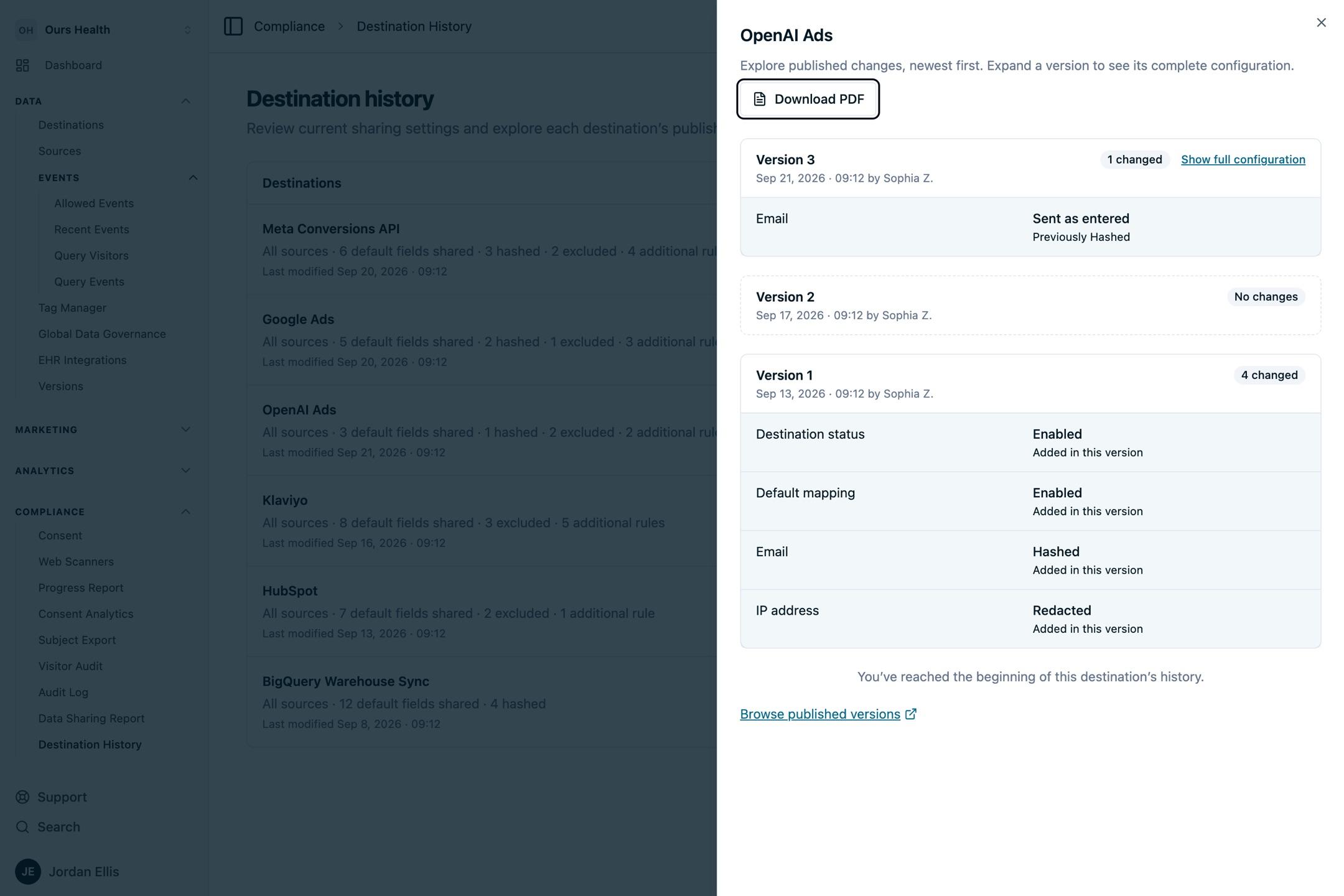
Compare a destination's configuration across published versions, see what changed and when, and export the history as a PDF.
Use this page to review how a destination's configuration has changed across published versions. Destination History lives under Compliance and is linked from every destination as View published history.
What the history shows
- One row per published version that changed the destination. Versions where nothing changed are collapsed, so the list reads as a change log rather than a publish log.
- Which settings changed between versions, with the previous and new values side by side.
- When each version was published, and who published it when that information is available.
- A PDF export of the history for a reviewer who does not use the dashboard.
The history is built from configuration metadata. Credentials and raw event payloads are never shown. For the current configuration of every destination, use the Compliance Report.
Who can see it
Destination History requires the Exposure History report permission. Ask your account administrator if the page is missing from your Compliance menu.
Next Steps
- Compliance Report: the current configuration of every destination in one document.
- Version management: how publishing creates the versions this page compares.
- Audit log: who changed what across the whole account.
How is this guide?