

Set Up Web Analytics
Turn on Ours Privacy Web Analytics by installing the web SDK with track_web_events enabled, then verify pageviews are flowing into your dashboard.
Set Up Web Analytics
Use this page to turn on Web Analytics for your site. Analytics runs on the same Ours Privacy web SDK you use for the rest of the platform — there is no second script to install. You enable it by setting one option, track_web_events, to true.
Already running the web SDK with web events on? Your analytics dashboard is already collecting data. Skip to Verify it's working.
Before You Start
You need:
- The Ours Privacy web SDK installed on your site, or the Ours Privacy Tag Manager.
- Your project token (shown in the dashboard).
- A few minutes of live traffic, or the ability to load your own site to generate test pageviews.
If you have not added the SDK yet, start with the Installation guide and return here.
Enable Web Event Tracking
Web Analytics is powered by automatically tracked web events (pageviews, route changes, and clicks). Turn them on by passing track_web_events: true in your init call:
ours('init', 'YOUR_TOKEN', {
  track_web_events: true,
});
That single option is all Web Analytics needs. Once events start arriving, the dashboard populates on its own — visitors, sessions, sources, pages, locations, and devices are derived from the web events you're already sending.
Capture richer detail (optional)
Turn on enhanced_web_events to automatically collect extra context on each tracked event, such as clicked text and link URLs:
ours('init', 'YOUR_TOKEN', {
  track_web_events: true,
  enhanced_web_events: true,
});
For the full list of init options, see the Web SDK reference.
Keep It Fully First-Party (Recommended)
With a custom domain configured, every analytics request is served from your own subdomain and visitor identity uses first-party cookies only — no third-party cookies. This improves measurement accuracy and keeps tracking resilient to browser and ad-blocker restrictions.
A custom domain is optional. Without one, analytics still works; a custom domain is what makes every request fully first-party.
Verify It's Working
- Open your site and view a few pages.
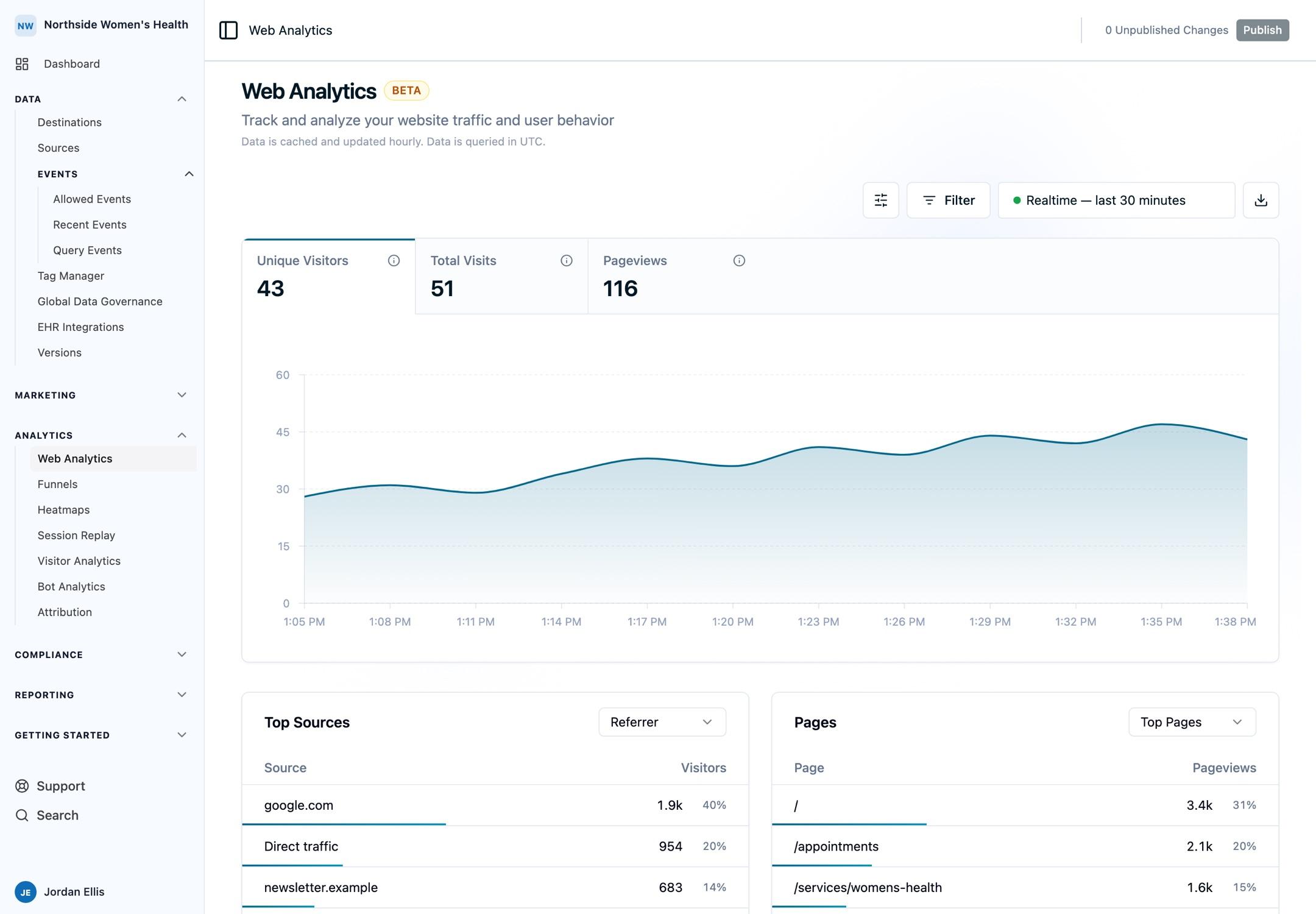
- In your dashboard, open the Web Analytics dashboard.
- Toggle Realtime in the toolbar. Your own visit should appear in Current Visitors within a few seconds.
- Toggle Realtime off. Pageviews appear in the historical view within a few minutes.
If nothing appears, confirm that track_web_events is set to true in your live init call and that your visit isn't being filtered by consent settings.
FAQ
Do I need a separate analytics script?
No. Web Analytics reads the same web events the SDK already sends. Setting track_web_events: true is the only requirement.
Will analytics collect data before I turn it on?
No. Web events are only tracked when track_web_events is enabled. There is no retroactive backfill of traffic from before setup.
Does analytics respect visitor consent?
Yes. Only events from consenting visitors are collected, in line with your consent configuration. See Cookie Consent.
Can I use Tag Manager instead of editing code?
Yes. Enable web event tracking in your Ours Privacy Tag Manager init configuration — no code changes required. See Tag Manager.
Next Steps
- Web Analytics Overview: tour the dashboard and its five sections
- Sources & Campaigns: see where your traffic comes from and segment by source
- Metrics Glossary: how every metric is defined and calculated
Need Help?
Reach out to support@oursprivacy.com if analytics data isn't appearing or you need help with installation.
How is this guide?