

Sources & Campaigns
Understand where your traffic comes from with referrer, UTM, and channel breakdowns, and scope your dashboard to a single web source the way you would a GA4 property.
Sources & Campaigns
Use this page to understand where your visitors come from and how to slice traffic by acquisition channel. The Sources section answers "what's bringing people to my site?" — referrers, UTM-tagged campaigns, and the source of every session.
How Attribution Works
Source values are captured when a session begins — this is first-touch attribution at the session level. If a visitor arrives through a campaign link, those UTM values apply to the whole session no matter how many pages they view afterward.
If the same visitor returns later without UTM parameters, that new session has no UTM values and is attributed by its referrer instead. A session is a continuous period of activity; a new one starts after 30 minutes of inactivity. See the Metrics Glossary for the full session definition.
The Source Dimensions
Switch between six views using the dimension dropdown in the Sources section:
| Dimension | What it shows |
|---|---|
| Referrer | The domain or URL that linked the visitor to your site |
| Source | The utm_source parameter (e.g., google, facebook, newsletter) |
| Medium | The utm_medium parameter (e.g., cpc, organic, email, social) |
| Campaign | The utm_campaign parameter, identifying the specific campaign |
| Content | The utm_content parameter, used to differentiate creatives or links |
| Term | The utm_term parameter, the paid search keyword |
Each row shows the source value, visitor count, bounce rate, and visit duration, so you can compare not just volume but engagement quality across channels. Click View Details for the full paginated table with sorting, search, and CSV export.
Direct visits — typing the URL, bookmarks, or apps that strip the referrer — have no referrer and no UTM values. They appear under the Referrer dimension as direct traffic.
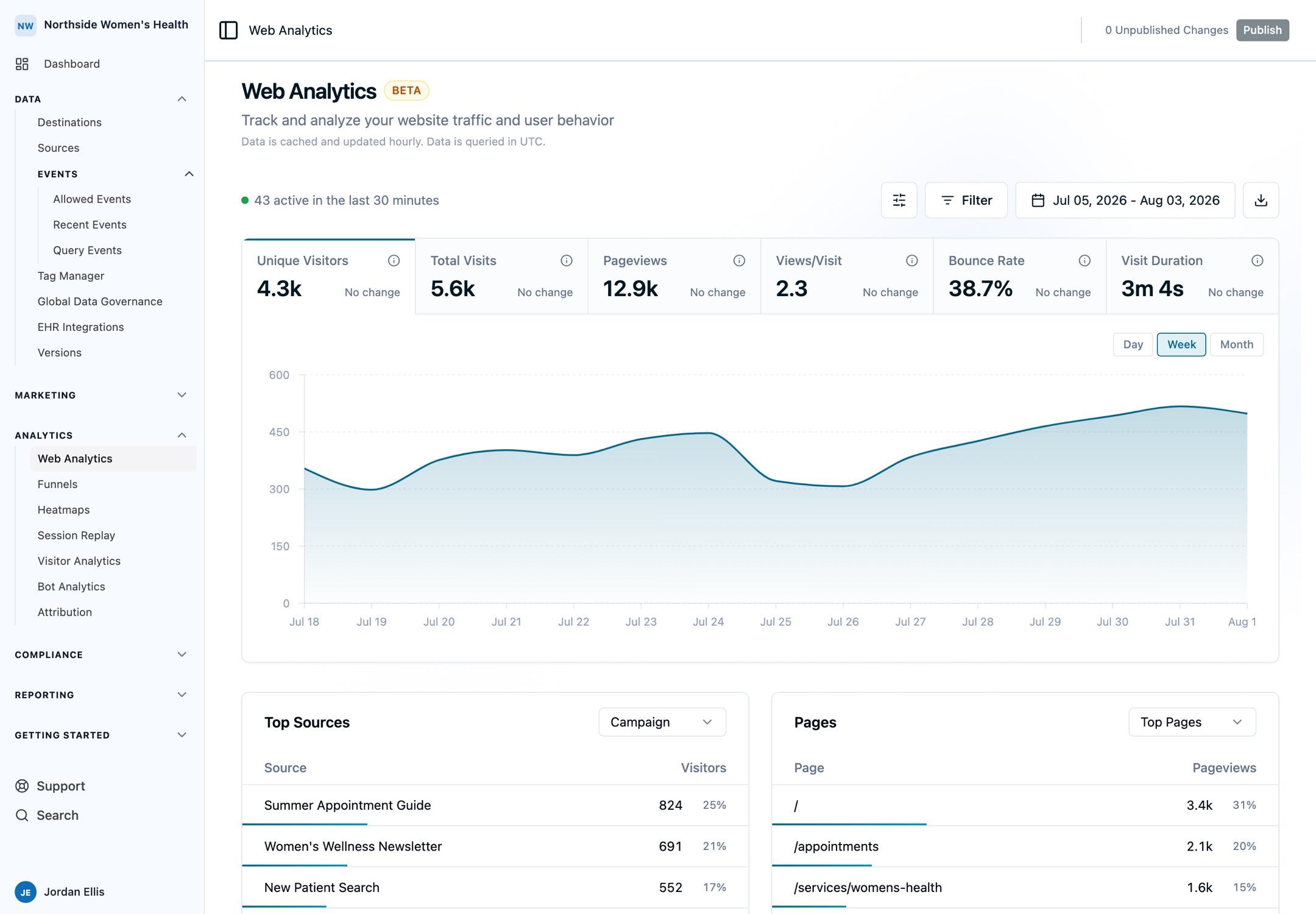
Scope to a Single Web Source
Every place you send web events to Ours Privacy is a configured source. If you run more than one site, subdomain, or app, each can be its own source — and you can scope the entire analytics dashboard to just one of them.
Coming from GA4? A source in Ours Privacy plays the same role a property does in GA4: a clean boundary around one site or app's traffic. Where GA4 makes you switch properties, you filter by source and the whole dashboard — overview metrics, pages, locations, and devices — updates in place.
To scope the dashboard, add a Source filter from the filter bar (or use the source selector if your account has multiple web sources configured). Every section then reflects that source only, so a marketing site and a patient portal never blur together in the same numbers.
This is the recommended way to separate properties you'd otherwise track in different GA4 accounts. Combine it with other filters — for example, Source: marketing-site and Medium: cpc — to answer narrow questions across a single property's paid traffic.
Scope to Sessions That Converted
You can also scope the entire dashboard to sessions that contained a specific conversion event. Pick an event — like Purchase Complete or Appointment Booked — from the conversion event picker in the filter bar, and every section narrows to just the visitors who converted.
This turns the dashboard into a comparison tool: see which sources, pages, and devices your converting visitors came from, then toggle the filter off to compare against everyone else. It's the fastest way to answer "where do my best visitors actually come from?" rather than "where does my traffic come from?"
The conversion event picker autocompletes from the events your account already tracks, and the filter combines with source, page, location, and device filters like any other. Save the result as a segment to keep a converters-only view one click away.
Common Use Cases
- Compare paid vs. organic. Switch to the Medium dimension to see how
cpctraffic engages relative toorganic, by bounce rate and visit duration. - Measure a campaign launch. Filter by Campaign to isolate a single push and watch its visitors, bounce rate, and entry pages over the launch window.
- Separate two properties. Filter by Source to report on your marketing site and your booking app independently, without standing up separate analytics accounts.
- Find your best referrers. Sort the Referrer view by visitors to see which partners and publishers actually send engaged traffic.
Limitations
- Session-level, first-touch. Source values reflect how the session started, not the last touch before a conversion. A visitor who arrives organically and later clicks an email link in the same session keeps the original organic attribution.
- UTM tagging is required for campaign detail. Source, Medium, Campaign, Content, and Term are read from
utm_*parameters on the landing URL. Untagged links fall back to referrer-based attribution. - Direct traffic has no referrer. Bookmarks, typed URLs, and referrer-stripping apps appear as direct.
FAQ
What's the difference between Source and Referrer?
Referrer is the actual linking domain captured by the browser. Source is the utm_source you set on the link. A link can have both, one, or neither.
Why do some sessions show no campaign?
Because the landing URL had no utm_* parameters. Tag your marketing links with UTM parameters to populate the Source, Medium, and Campaign dimensions.
Can I filter the whole dashboard by one campaign?
Yes. Click any row in the Sources table, or add a filter from the filter bar. Every section updates to reflect that campaign. See Filtering & Exporting Data.
Next Steps
- Filtering & Exporting Data: combine source filters with page, location, and device filters
- Pages & Content: see which pages your campaigns drive traffic to
- Conversions & Funnels: measure what that traffic actually converts on
- Metrics Glossary: how source attribution is captured and counted
Need Help?
Reach out to support@oursprivacy.com if you have questions about traffic sources, UTM tracking, or scoping the dashboard by source.
How is this guide?