

Query Events
Explore the raw event stream in Ours Privacy with Query Events: include and exclude events, filter on any property, add property columns, inspect one event and its destination dispatches, and export what you loaded to CSV or JSON.
Use Query Events to explore the raw event stream: which events, with which properties, from which visitors, in which window. It is a point-and-click explorer with filters, columns, and export, not a SQL console.
Open Query Events in appIn the app, Query Events lives under Data > Events. It is available to any role with permission to list events. For a live stream while you test a site, use Recent Events instead.
Permissions
| Permission | Capabilities |
|---|---|
| List events | Open Query Events and browse rows |
| View event detail | Open the raw payload and export |
| View dispatch | Open the Dispatches tab |
| View visitor | Open the Visitor profile tab |
Every query is audit logged.
Choose events
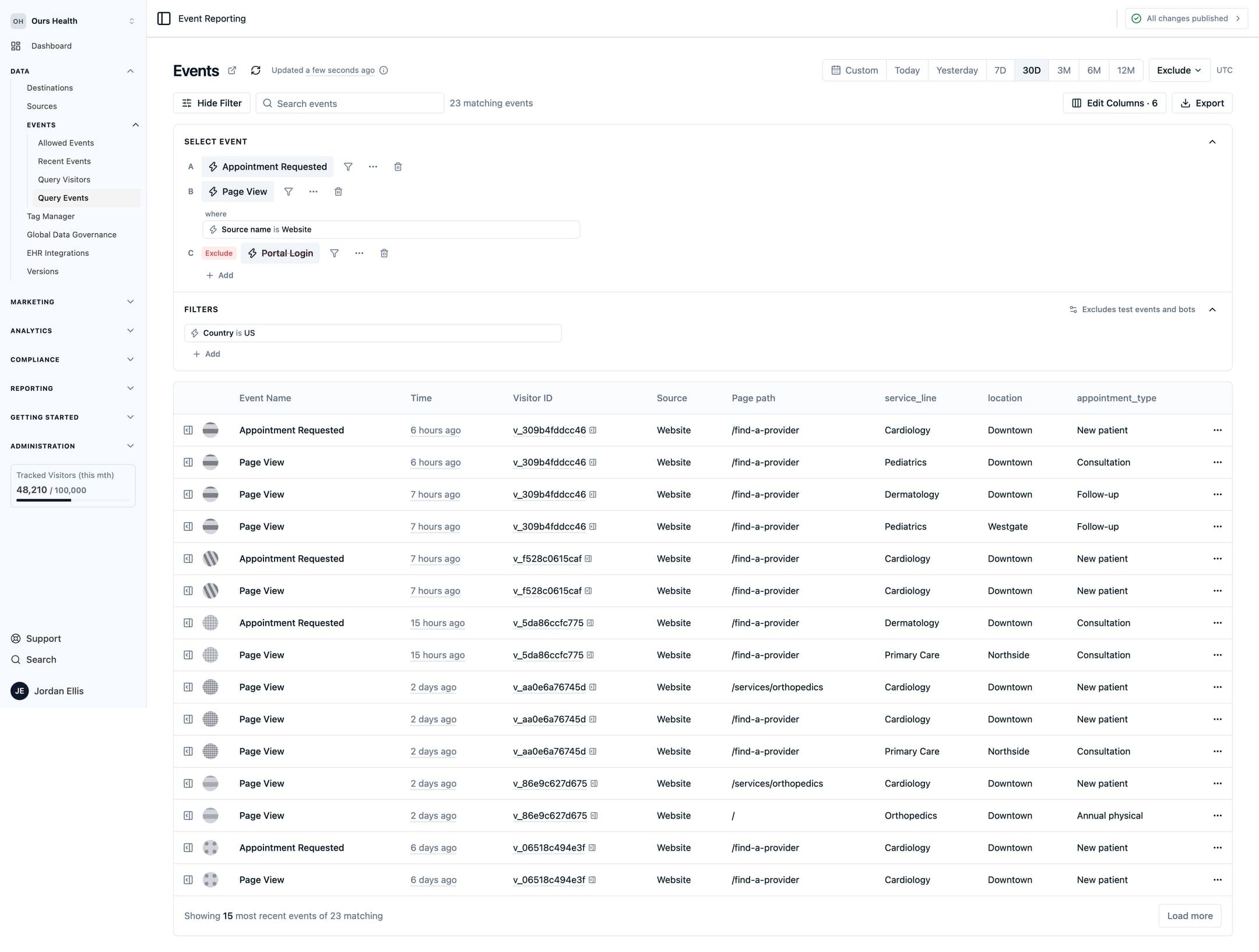
Under Include these events, add one or more groups. Each group matches one or more event names and can carry its own filter. Under Exclude these events, add groups whose matches are removed from the results. Up to 10 groups in total.
Add a global filter with Show Filter to apply a condition to everything. Filters combine with and, or, and not, and offer operators for equals, does not equal, greater or less than, contains, starts with, ends with, in a list, exists, and missing. The value field suggests values it has seen.
Scope the table to one visitor, one session, an email, a source, or a page path, and use Search events for free text.
Columns, dates, and toggles
- Edit columns adds up to 20 property columns to the table, so the fields you care about sit in the grid instead of inside the payload.
- Date presets run from Today to 12M, or set a custom range of up to 366 days. You can exclude the current partial day, week, month, or quarter.
- Include test events and Include bots are off by default.
The table loads 15 rows, and Load more adds the next page. A separate count shows how many events match.
Inspect one event
Select a row to open the event drawer.
| Tab | Shows |
|---|---|
| Fields | The event's properties as the pipeline read them |
| JSON | The same properties as JSON, with Copy JSON |
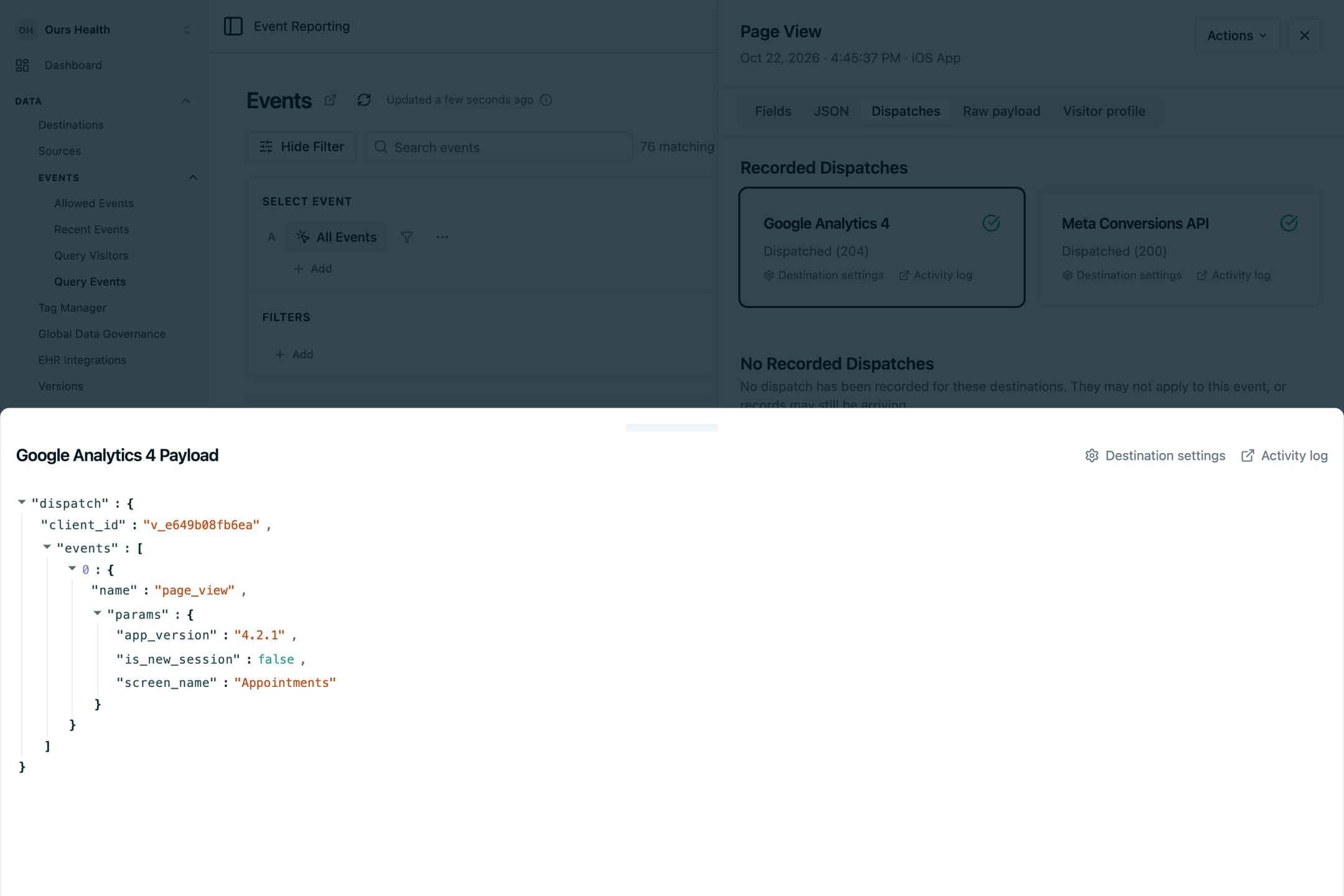
| Dispatches | Each destination the event was sent to, the payload it received, and whether it succeeded |
| Raw payload | The event as it arrived, before processing |
| Visitor profile | The visitor's identifiers, properties, and a link to their visitor page |
The Dispatches tab answers "did this event reach Meta" without a support ticket. Destination activity rows link back into Query Events, so a failed dispatch on a destination page opens the event that caused it.
Export
Select Export and choose CSV or JSON. The export covers the rows loaded in the table, so select Load more first if you need more. Cells that look like spreadsheet formulas are escaped.
FAQs
Is this SQL access to my events?
No. Query Events is a point-and-click explorer. It has no query language, REST endpoint, or MCP tool.
How fresh is the data?
The header shows when the page last fetched results. For events from the last few minutes while you test, use Recent Events with debug mode on.
Why can I not see the raw payload?
Raw payloads and exports need the event-detail permission. Ask your account administrator.
Next Steps
- Tracking and Debugging Events: the live Recent Events stream for testing.
- Query Visitors: the people behind these events, one row per visitor.
- Insights: chart these events over time.
- Error Handling: what a failed dispatch means and how to fix it.
How is this guide?