

Configuration
Reference for Session Replay options in the Ours Privacy Web SDK - tokens, masking, sampling, and event triggers.
This page documents the session_replay options used with the Ours Privacy Web SDK. For sampling and event triggers, see Sampling and triggers.
Web SDK options
These go inside the session_replay config block of ours('init', ...).
| Option | Type | Default | Description |
|---|---|---|---|
token | string | n/a | Required. Session Replay token from your account representative. |
mask_all_text | boolean | false | Masks all visible page text. Form inputs are masked either way. See Privacy and masking. |
sampleRate | number | 1 | 0.0–1.0. Fraction of sessions to record. The decision is sticky for the session lifetime. |
alwaysRecordEvents | string[] | [] | Event names that bypass sampling. See Sampling and triggers. |
block_selector | string | n/a | CSS selector. Matching elements are replaced with a placeholder box. No content is captured, and position and dimensions are preserved. |
ignore_selector | string | n/a | CSS selector. Matching elements explicitly bypass masking and are captured unredacted. |
mask_text_selector | string | n/a | CSS selector. Text inside matching elements is masked. |
recordOnPaths | string[] | [] | Path allowlist. When set, recording only runs on matching paths. See Path scoping. |
excludePaths | string[] | [] | Path denylist. Recording never runs on matching paths. Takes precedence over recordOnPaths. |
Behavior
- When a replay
tokenis present, the Web SDK loads Session Replay automatically. - Recording starts automatically by default.
- To prevent default recording without removing the token, set
sampleRate: 0. - To capture only specific sessions, combine
sampleRate: 0withalwaysRecordEvents.
Path scoping
Use recordOnPaths and excludePaths to control which pages Session Replay records on, based on the URL path. This is useful when you want to start with a single page and expand later, or keep recording off sensitive routes.
Both options take a list of glob patterns matched, case-insensitively, against the page path (window.location.pathname):
*matches any run of characters, including/.- Everything else is matched literally.
- The patterns match the path only, not the domain or query string.
- Always start patterns with a leading
/.
| Pattern | Matches |
|---|---|
/ | the home page only |
/blog/* | any path under /blog/ |
/landing* | /landing, /landing/, /landing-new |
Note that /blog/* matches paths under /blog/ but not /blog itself. To match both, use /blog* or list both patterns.
How the two lists interact:
- If
recordOnPathsis set, recording only runs when the path matches one of its patterns. An empty or absent list records on every path. excludePathsalways wins. A path that matches an exclude pattern is never recorded, even if it also matchesrecordOnPaths.- Path scoping is a hard boundary: on an out-of-scope path, recording stays off even when an
alwaysRecordEventsevent fires.
Record only on the home page:
session_replay: {
  token: 'replay_token',
  recordOnPaths: ['/'],
}
Start on the home page, then expand to blog and landing pages:
session_replay: {
  token: 'replay_token',
  recordOnPaths: ['/', '/blog/*', '/landing/*'],
}
Record everywhere except account and admin pages:
session_replay: {
  token: 'replay_token',
  excludePaths: ['/account/*', '/admin/*'],
}
On single-page apps, recording starts and stops automatically as visitors navigate between in-scope and out-of-scope routes. Each in-scope visit is captured as part of the same session, so a session can contain several recorded segments with gaps where the visitor was off-scope.
Hash-based routers are supported too. When your app routes through the URL hash (for example https://example.com/#/checkout, as react-router's HashRouter and Vue Router's hash mode do), match the route the way it reads after the #: recordOnPaths: ['/checkout']. Plain anchor links such as /blog#comments are not treated as routes, so /blog still matches.
For setups that combine path scoping with sampling and masking, see Recipes.
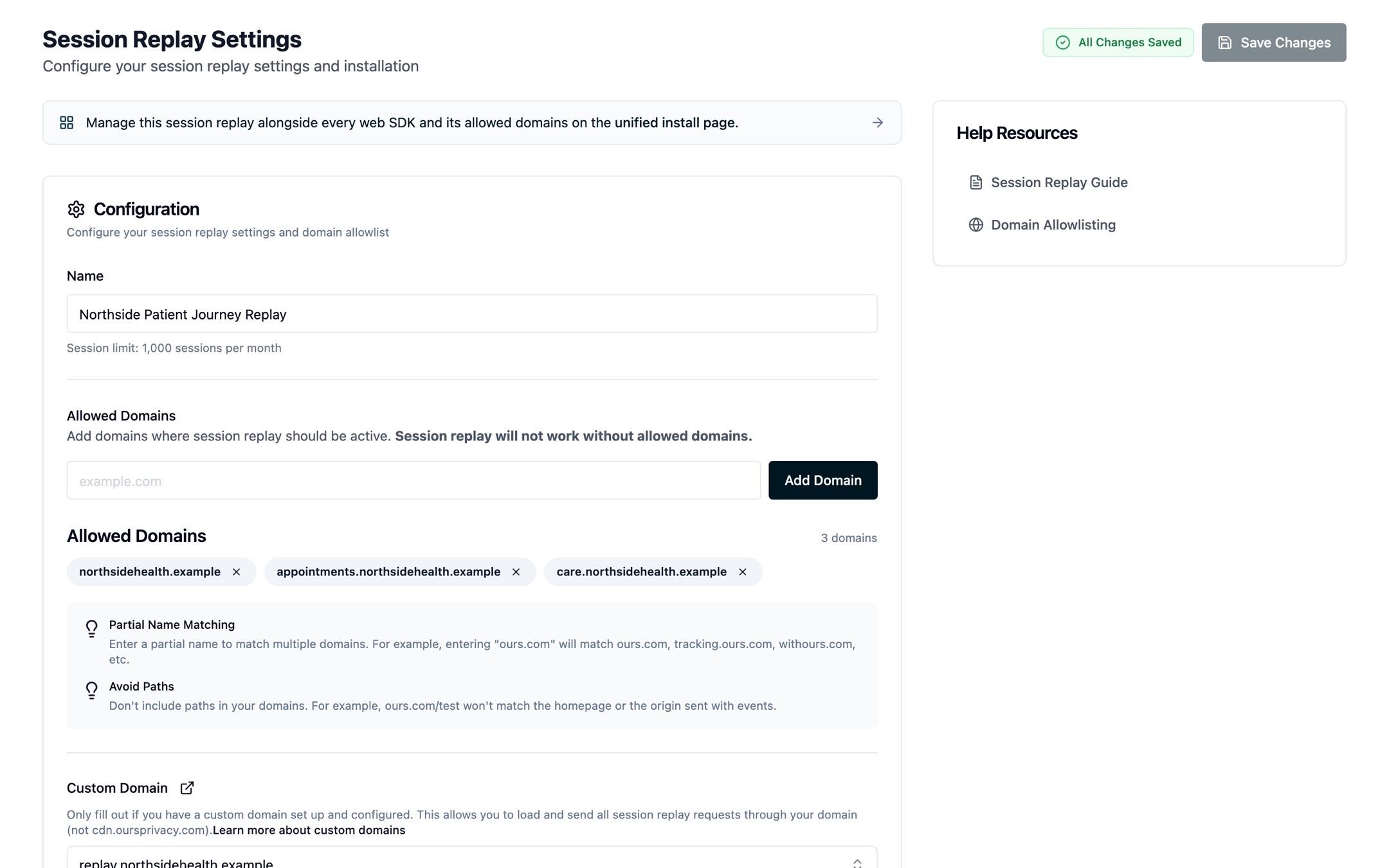
Domain allowlist
After enabling Session Replay, add the domains where it will run to the allowlist:
- Add your site's domain to the allowed-domains list in the dashboard (see Domain Allowlisting for what to enter)
- For the strongest first-party trust, use the same custom domain you use for the Web SDK
Next steps
- Sampling and triggers:
sampleRateandalwaysRecordEvents - Privacy and masking: selectors and CSS classes
How is this guide?